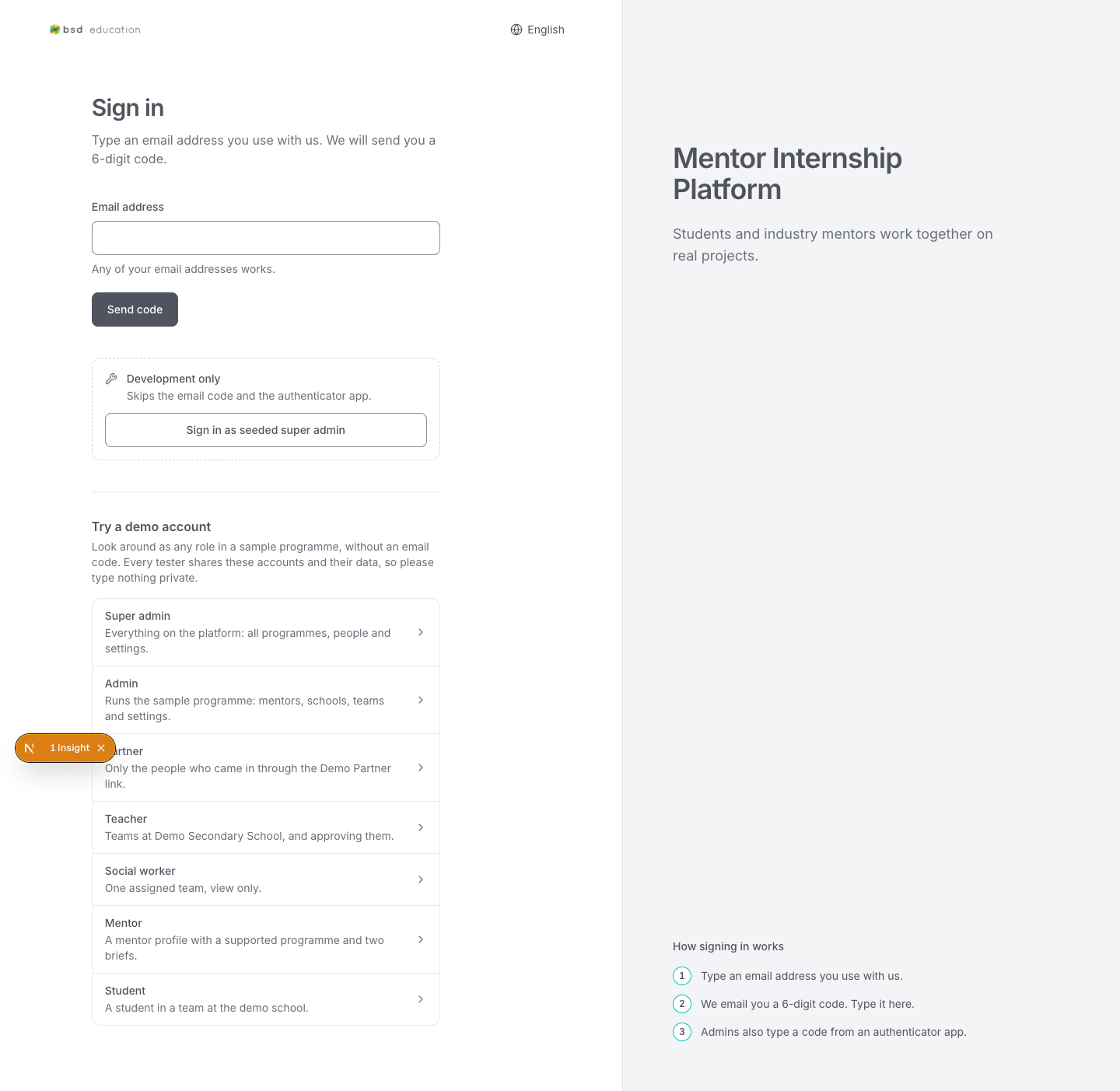
Sign in
Not signed in/en/sign-in
open live ↗
Role buttons for the demo accounts; one click + submit should enter that role. Check focus order and that the chosen role is obvious.
74 screens captured from the running app on 2026-11-03 · complete static copy — images travel with the folder · “open live” links go to the staging deployment ↗ (sign in there; its data differs from these captures) · ecosystem: YUP project generator ↗ · set a status + note per screen, then export
/en/sign-in
open live ↗
Role buttons for the demo accounts; one click + submit should enter that role. Check focus order and that the chosen role is obvious.
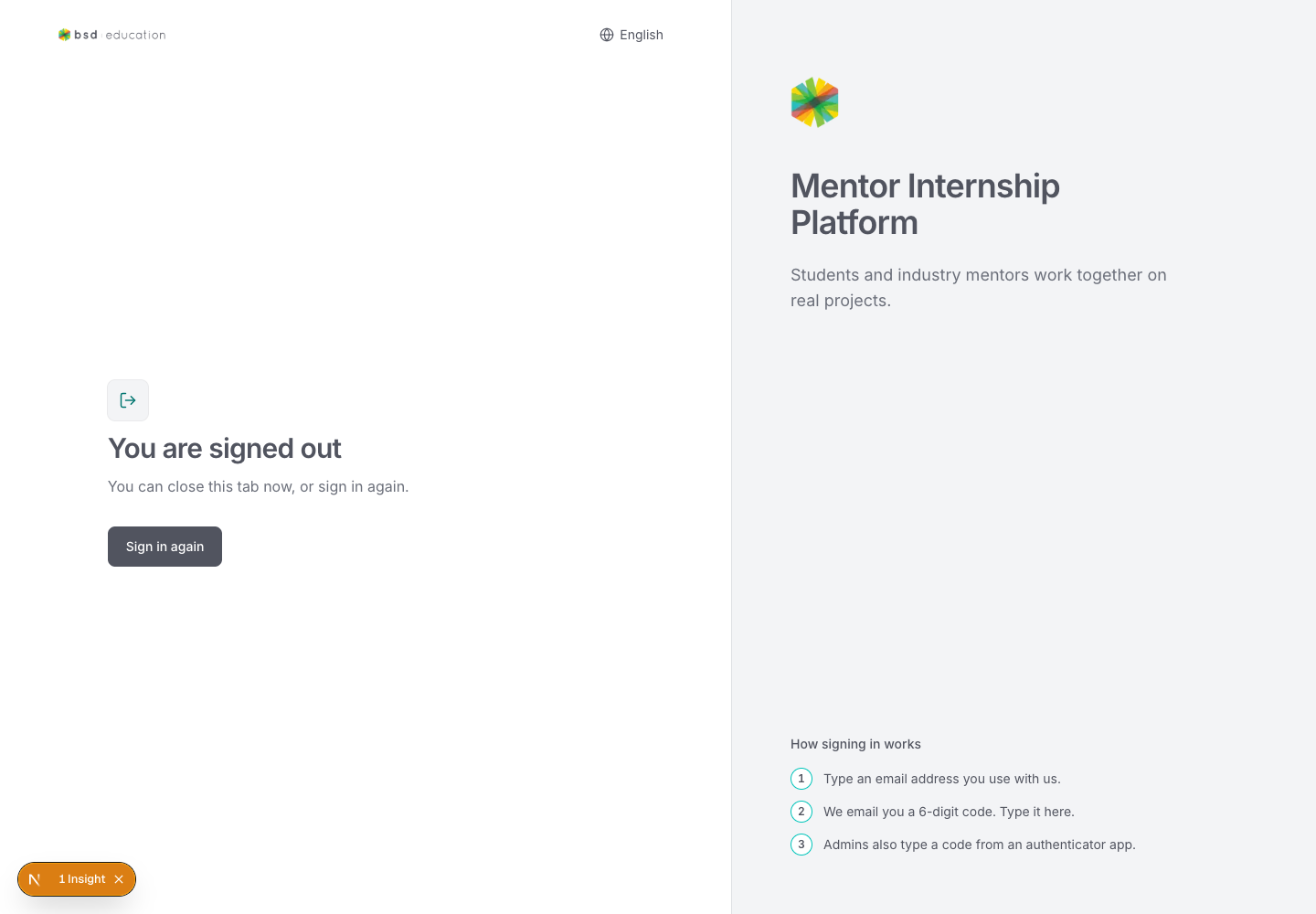
/en/signed-out
open live ↗
Confirms the session ended and offers a way back in.
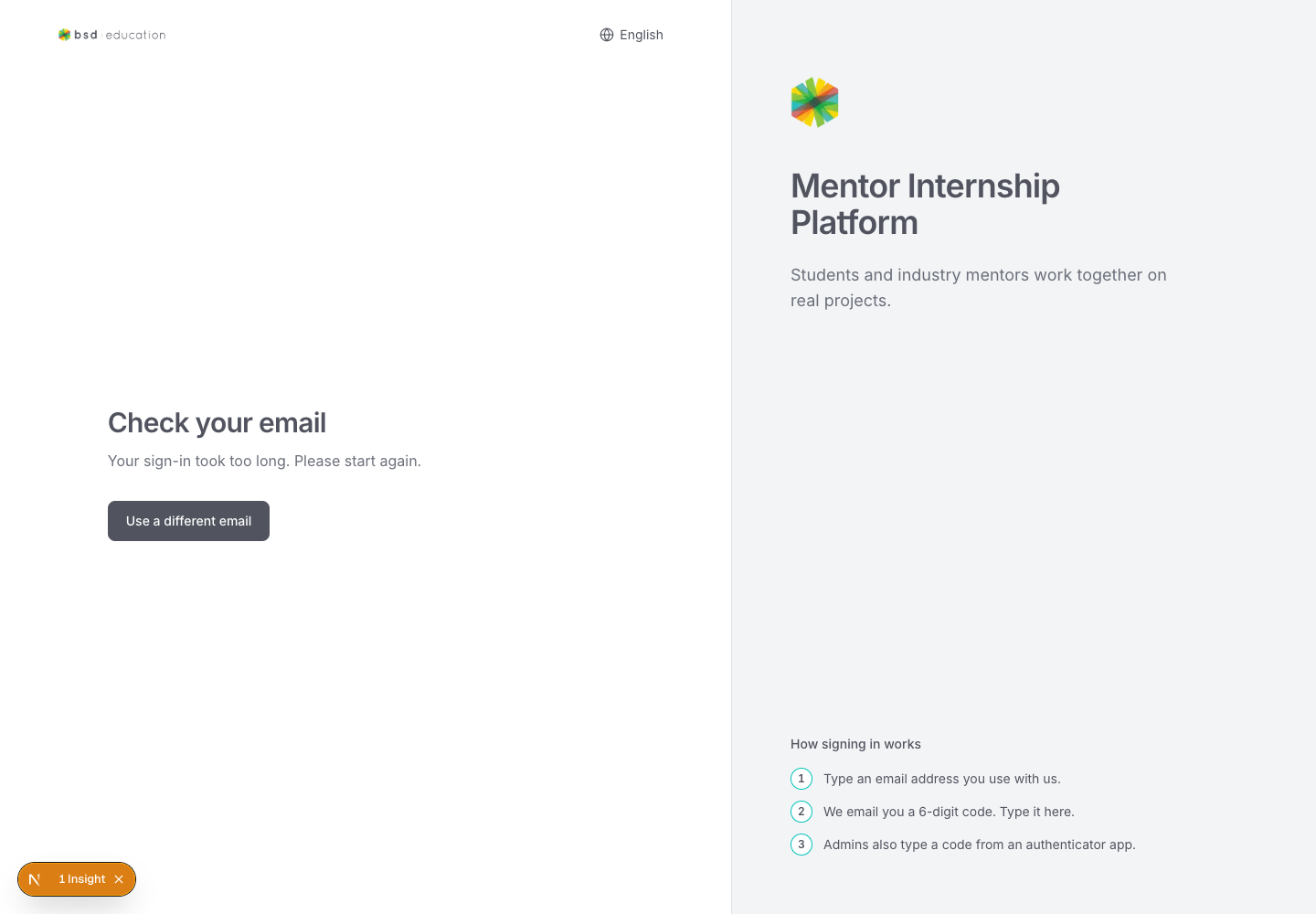
/en/sign-in/verify
open live ↗
Email-code step. Blocked when no code has been issued — does the copy explain what to do?
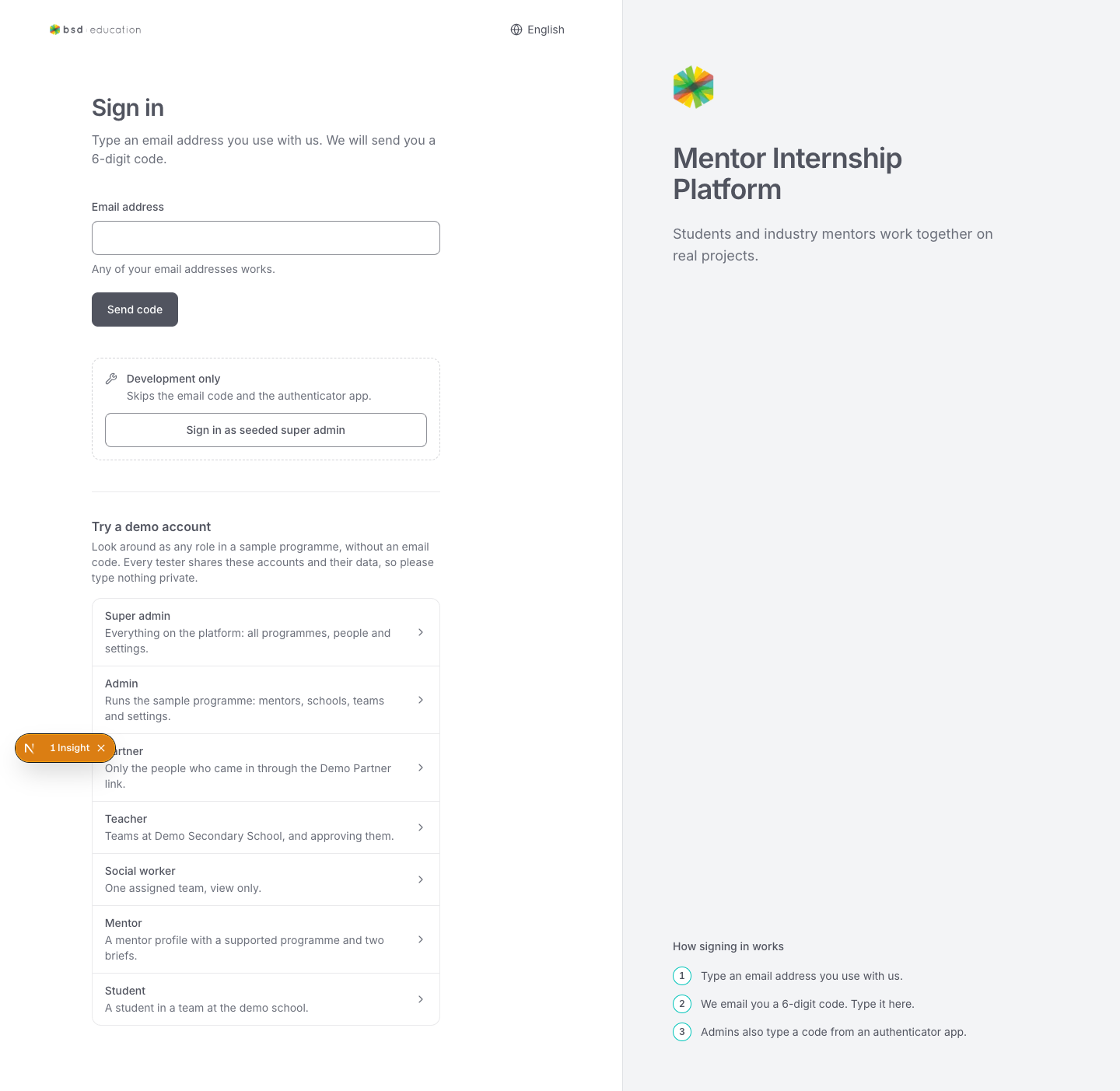
/en/sign-in/two-factor
open live ↗
/en/sign-inSecond factor prompt. Redirects to sign-in when the account has no factor enrolled.
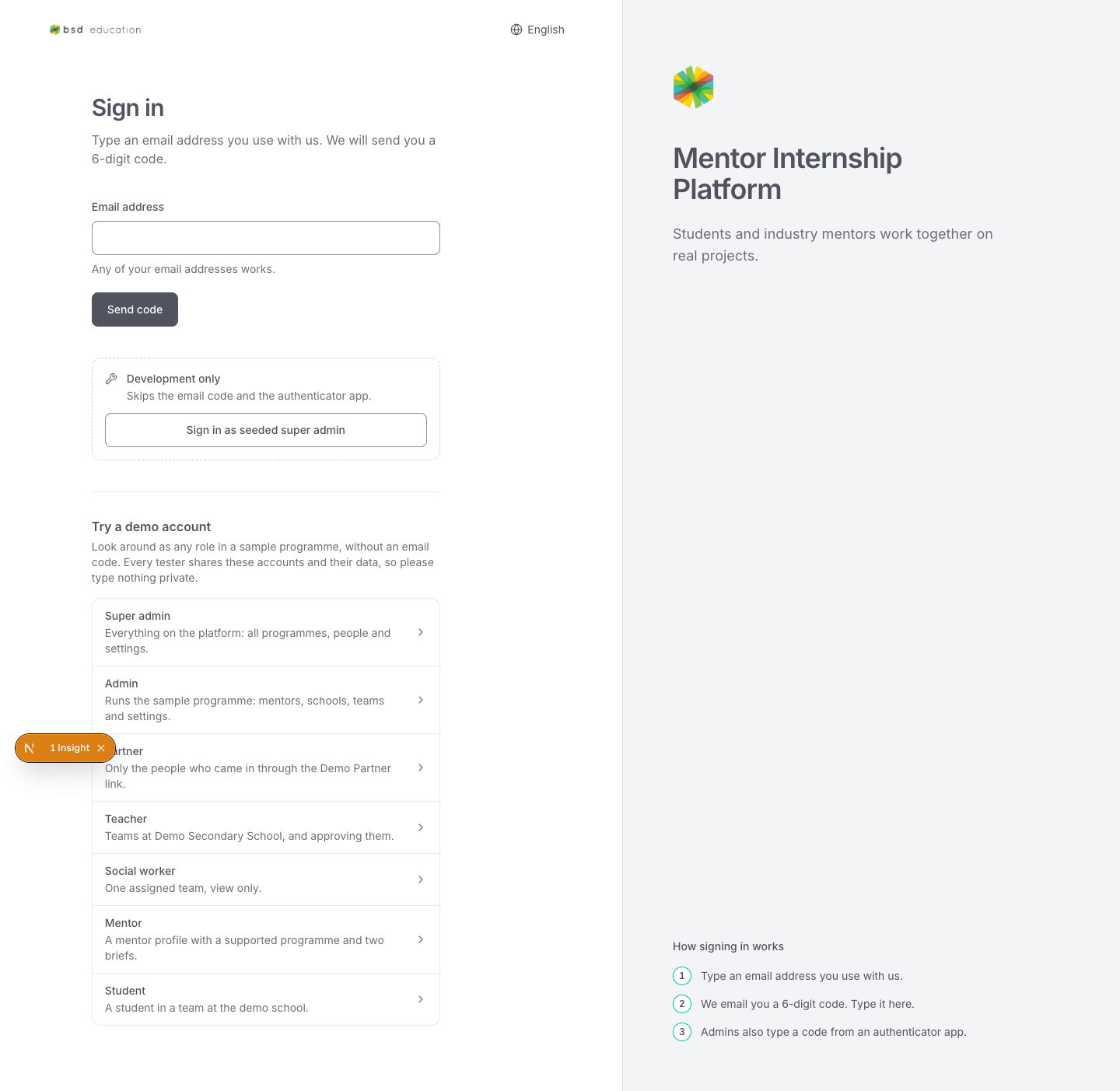
/en/sign-in/two-factor/setup
open live ↗
/en/sign-inEnrolment screen. Also redirects to sign-in — is that intended for this demo build?
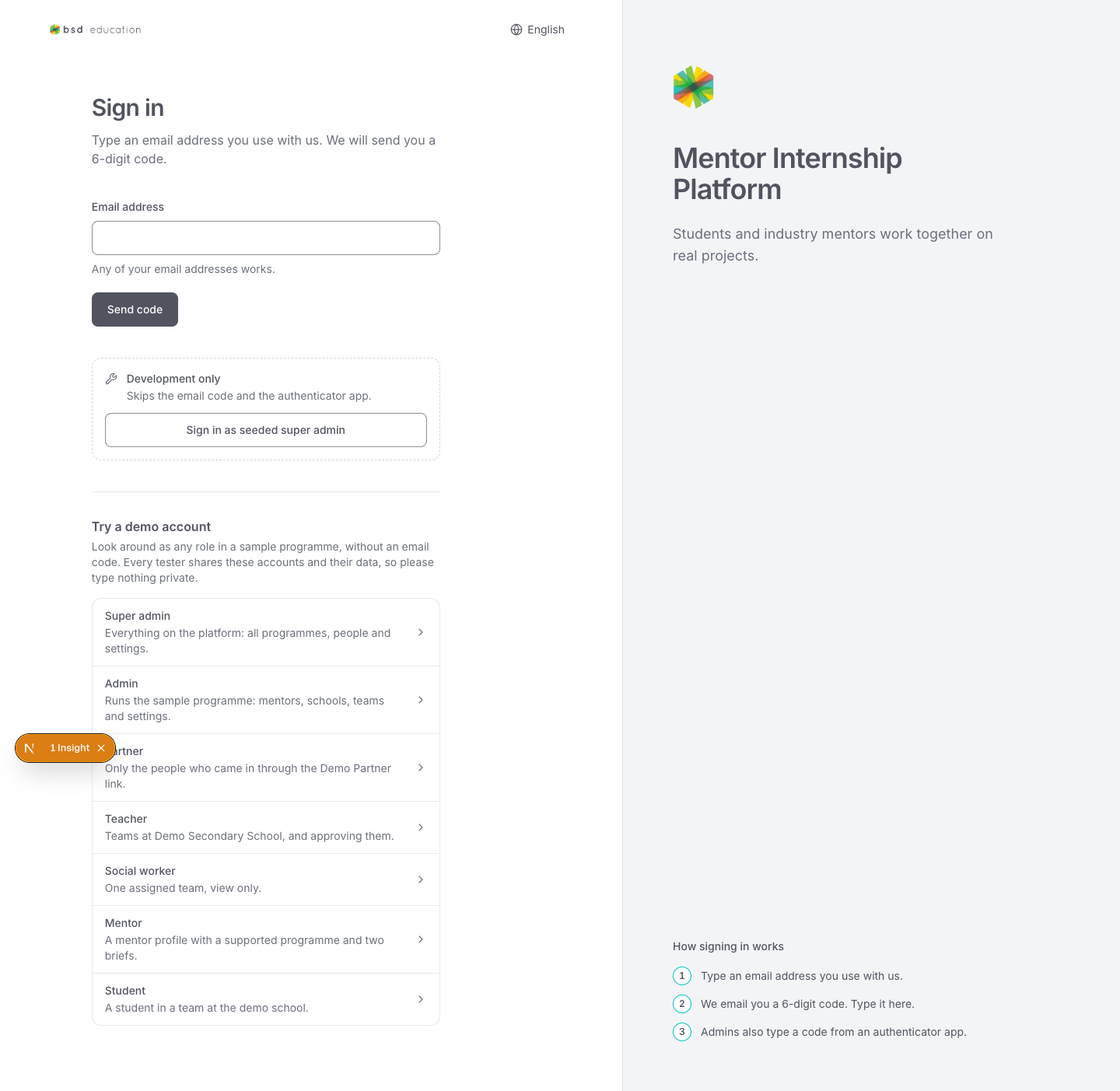
/en/forbidden
open live ↗
/en/sign-inPermission-denied page. While signed out it bounces to sign-in; signed in it should explain what is missing.
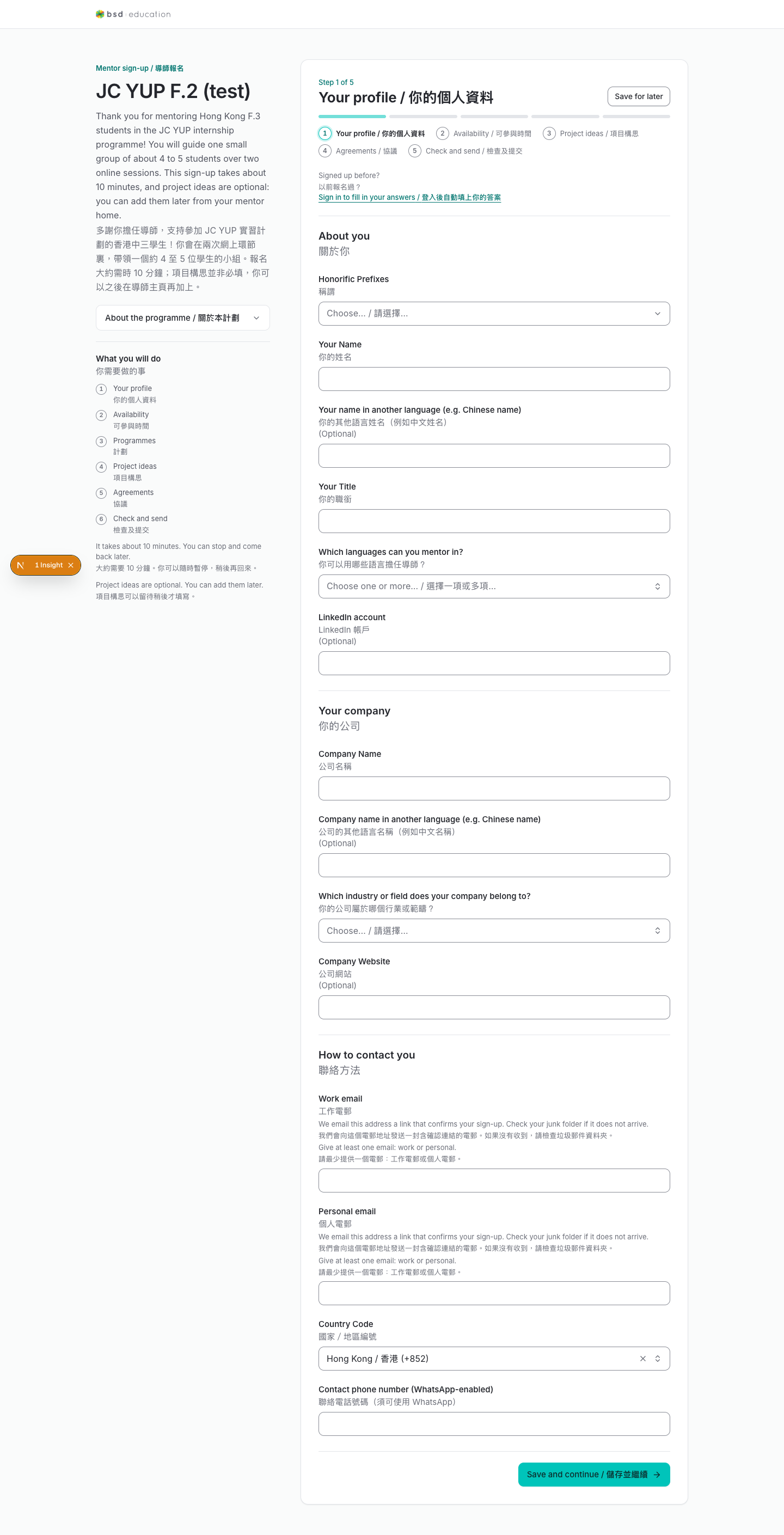
/en/join/{slug}/mentor-signup
open live ↗
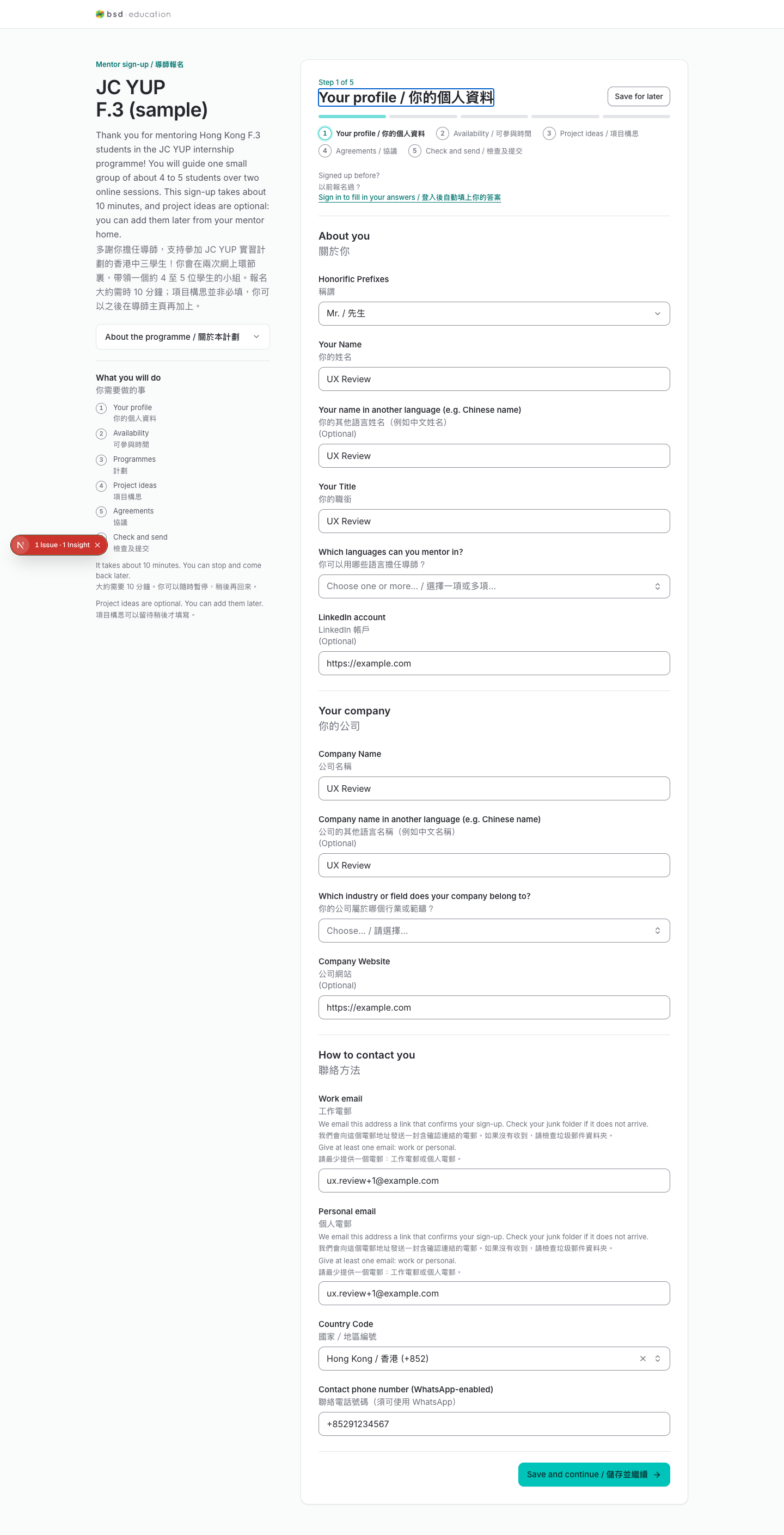
The mentor sign-up wizard: profile → languages/industry → availability → final questions → submit.
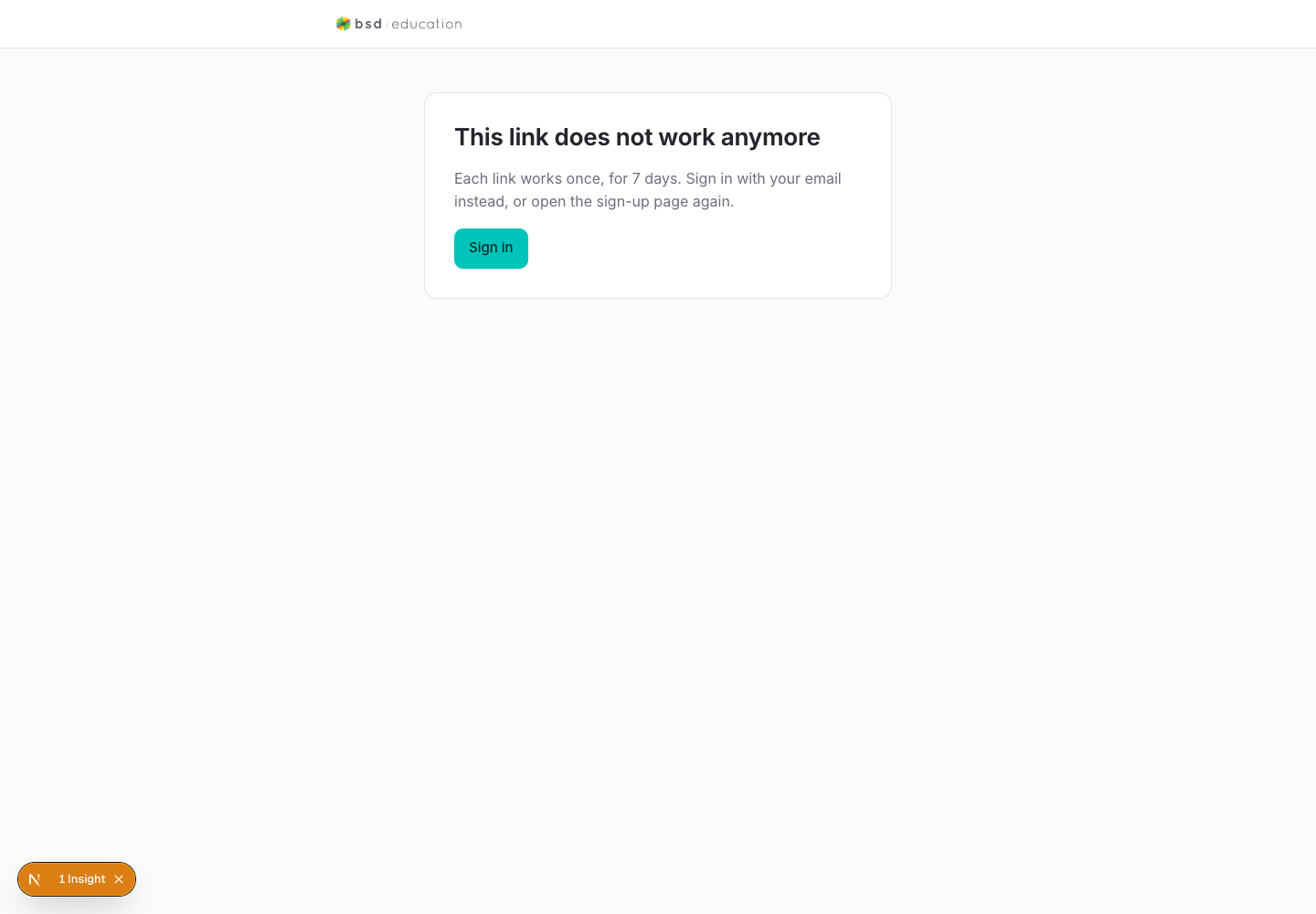
/en/join/link
open live ↗
Entry point for a one-time join link. Should explain what the link does and who it is for.
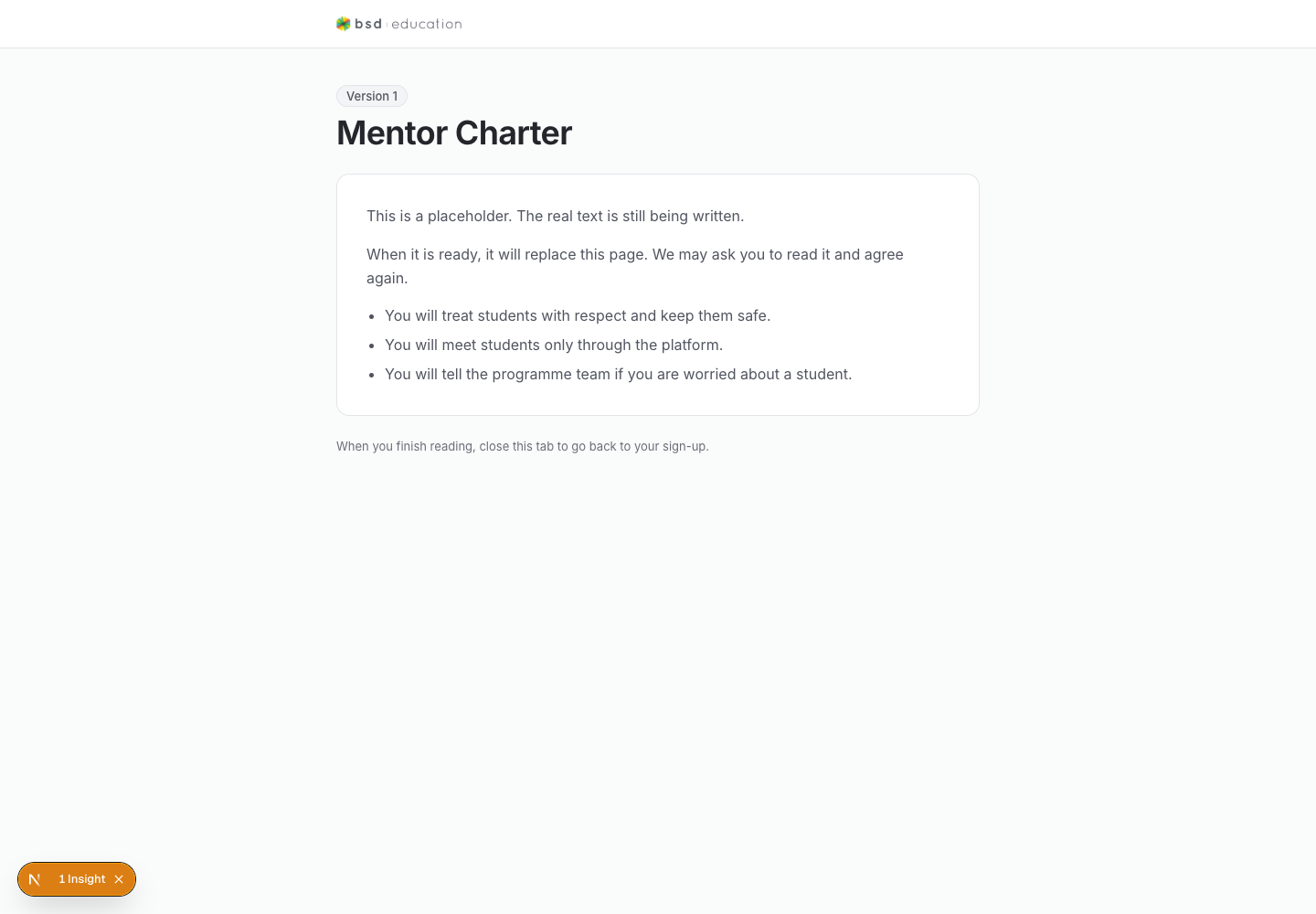
/en/join/documents/{id}
open live ↗
Document view for a sign-up applicant. Check readability and that it shows which application it belongs to.
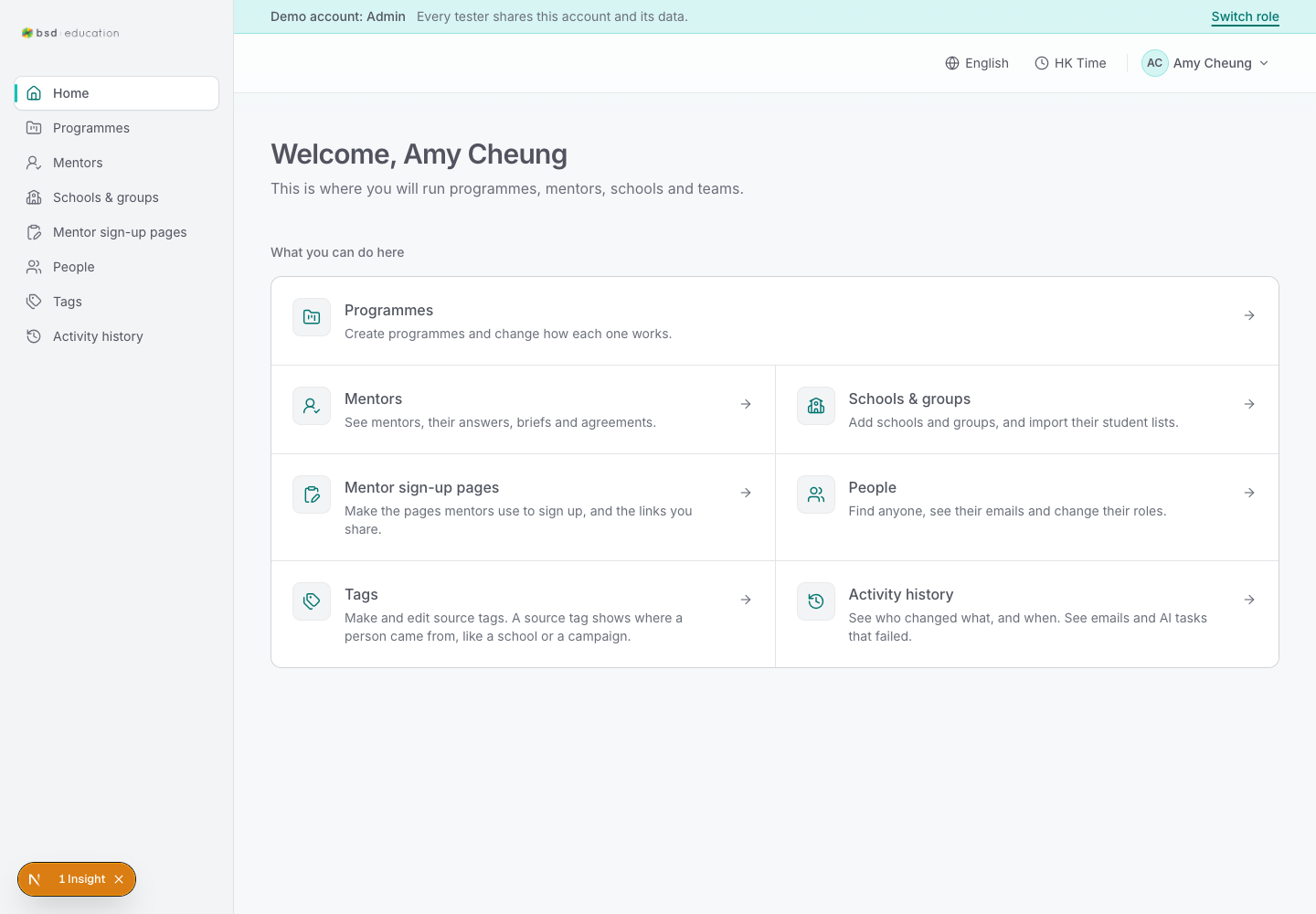
/en/admin
open live ↗
Admin landing. Should summarise what the admin can do and surface programmes that need attention.
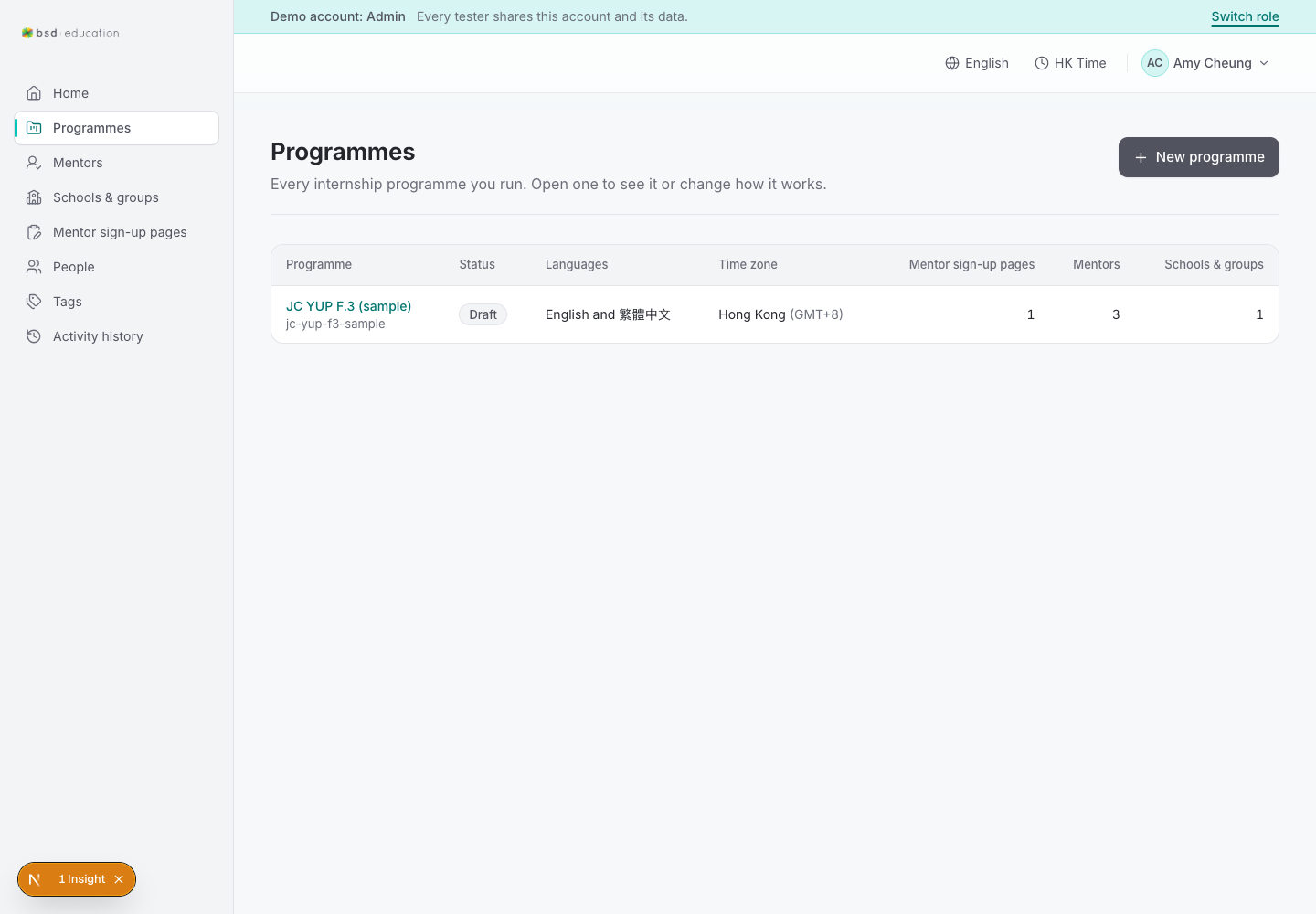
/en/admin/programmes
open live ↗
Programme list with status. Check empty state, sorting and the path into settings.
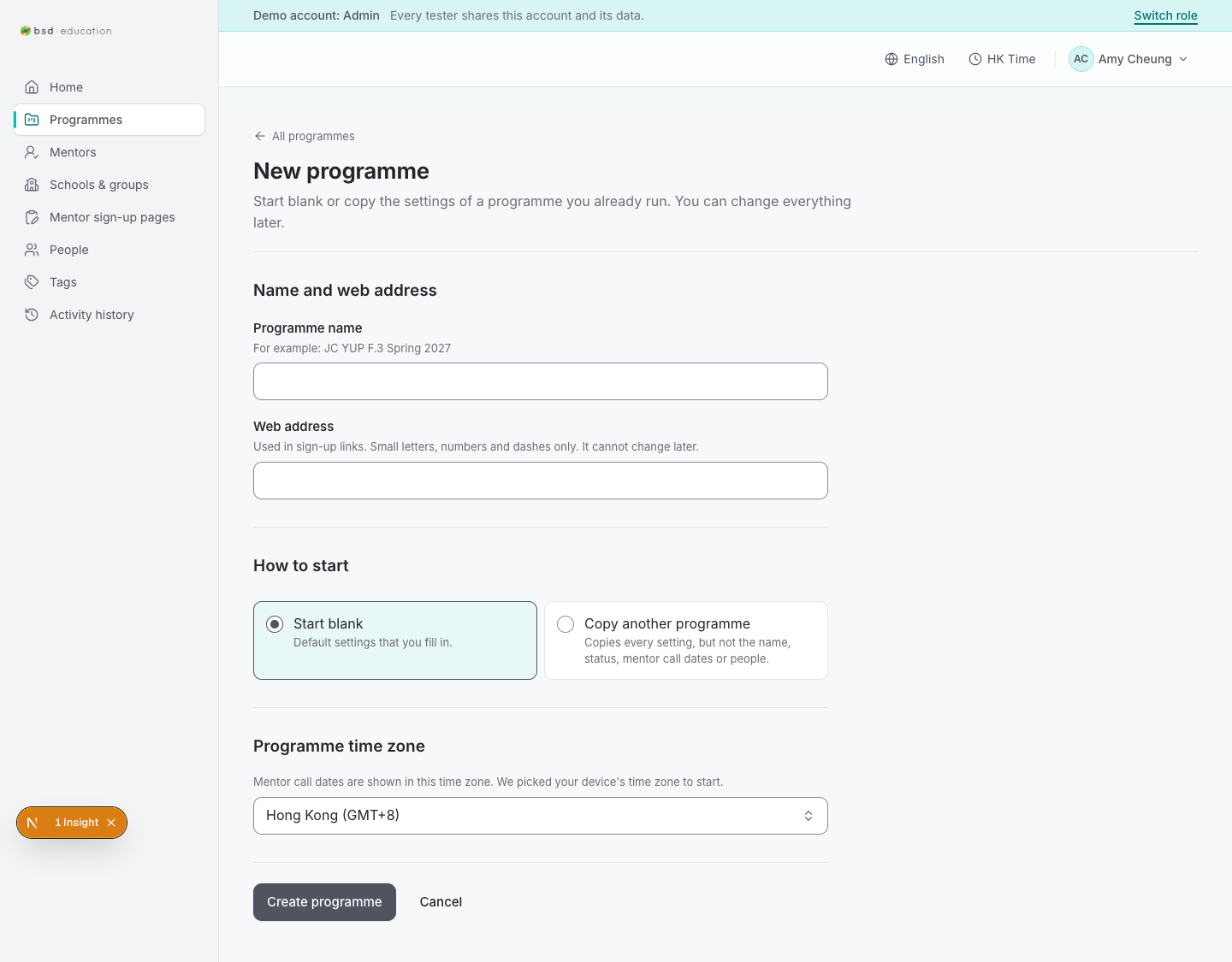
/en/admin/programmes/new
open live ↗
Create-programme form. Check required fields, validation messages and cancel behaviour.
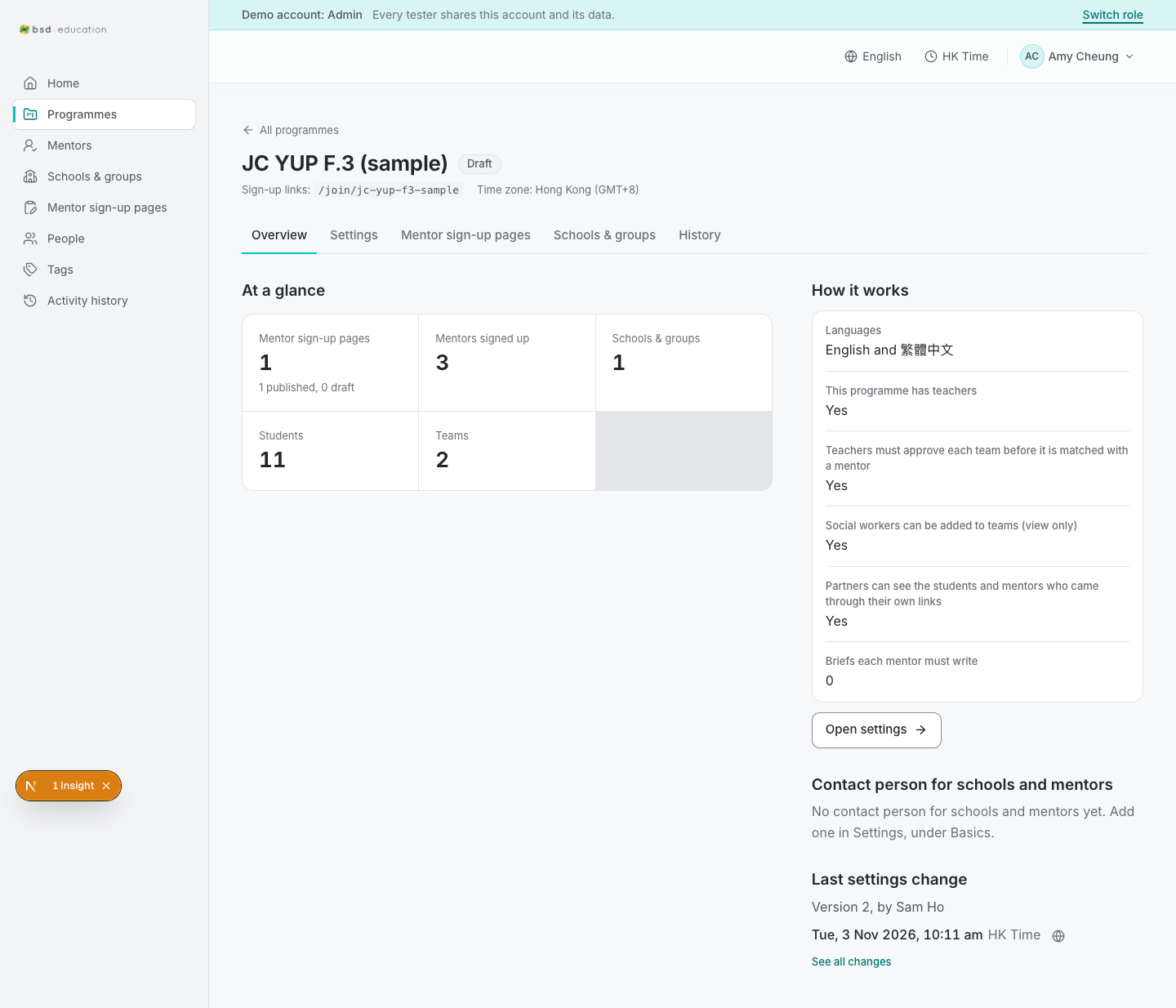
/en/admin/programmes/{id}
open live ↗
Programme overview: status, dates, counts. The main hub an admin returns to.
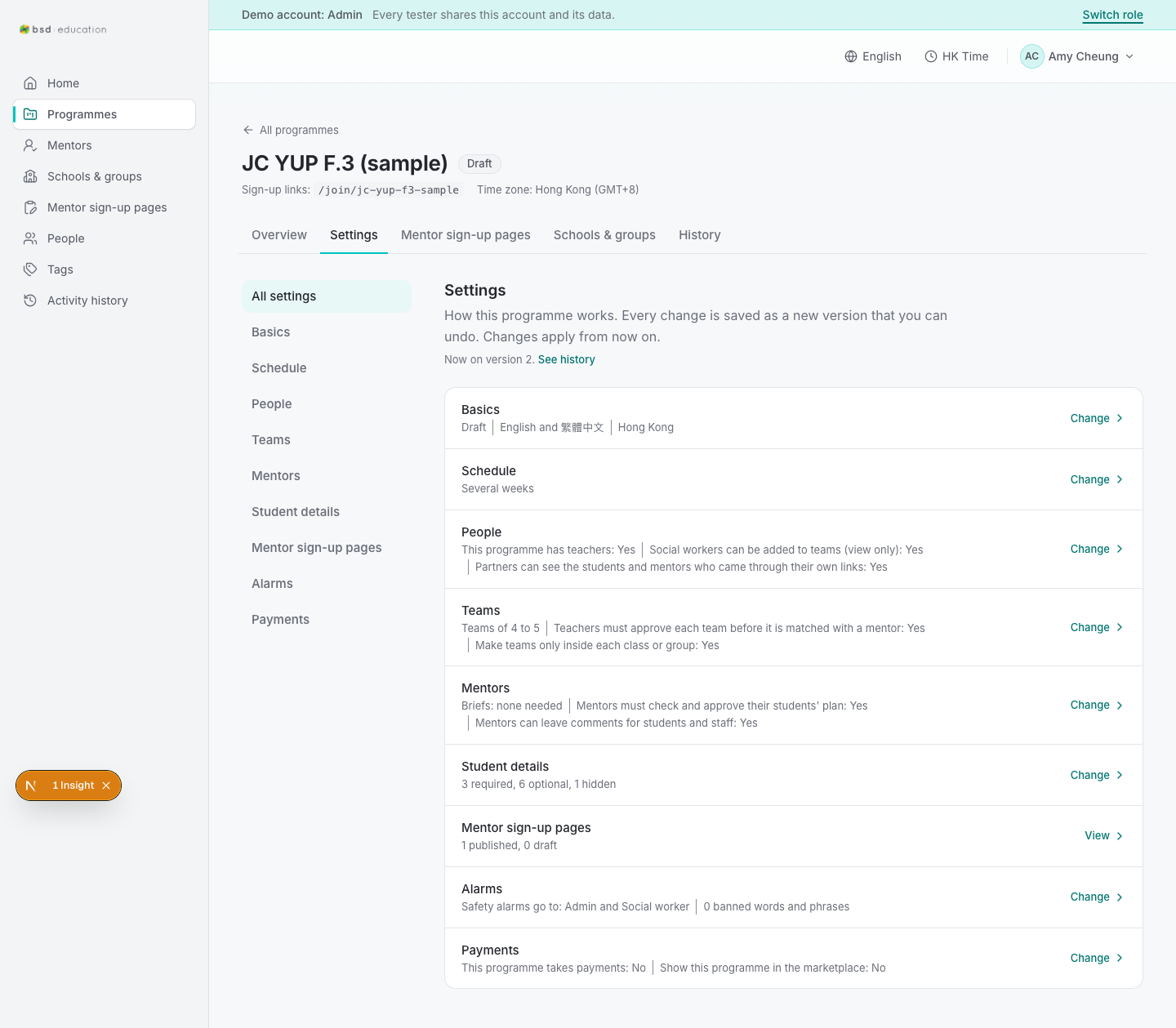
/en/admin/programmes/{id}/settings
open live ↗
Programme settings. Long form — check save feedback, validation and unsaved-change warnings.
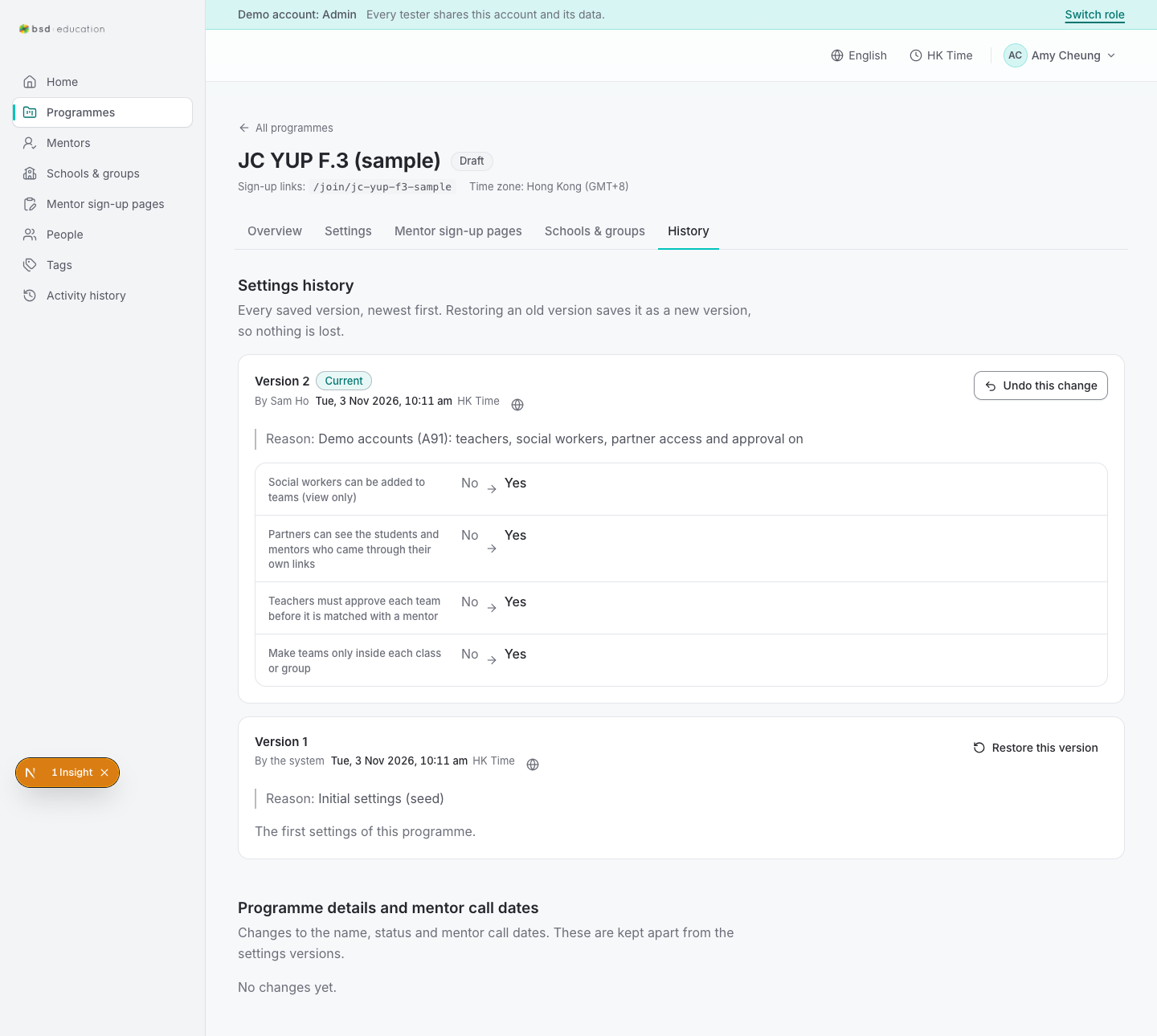
/en/admin/programmes/{id}/history
open live ↗
Version history of settings. Should show who changed what and when.
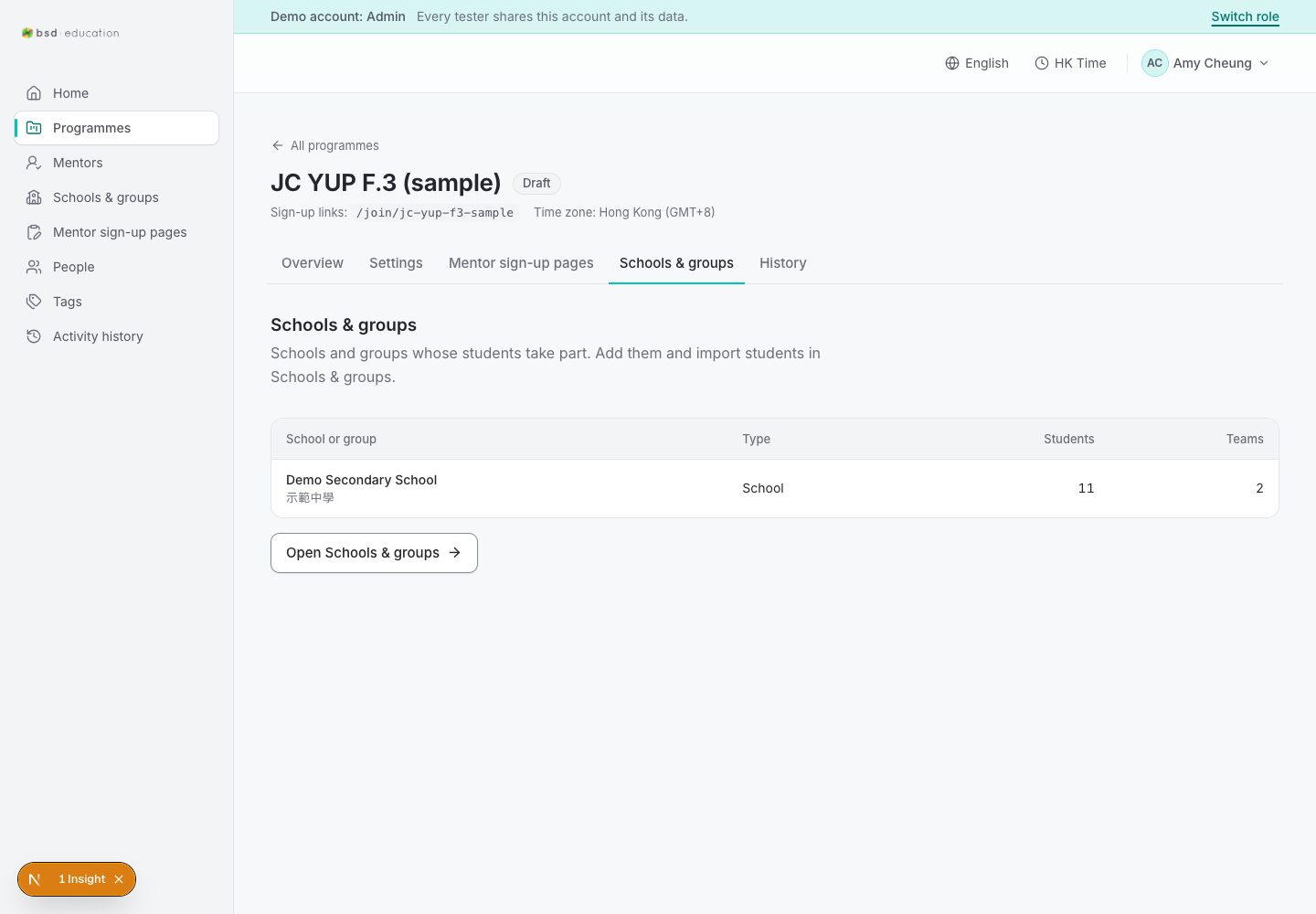
/en/admin/programmes/{id}/organisations
open live ↗
Which schools/groups are attached. Check add/remove clarity.
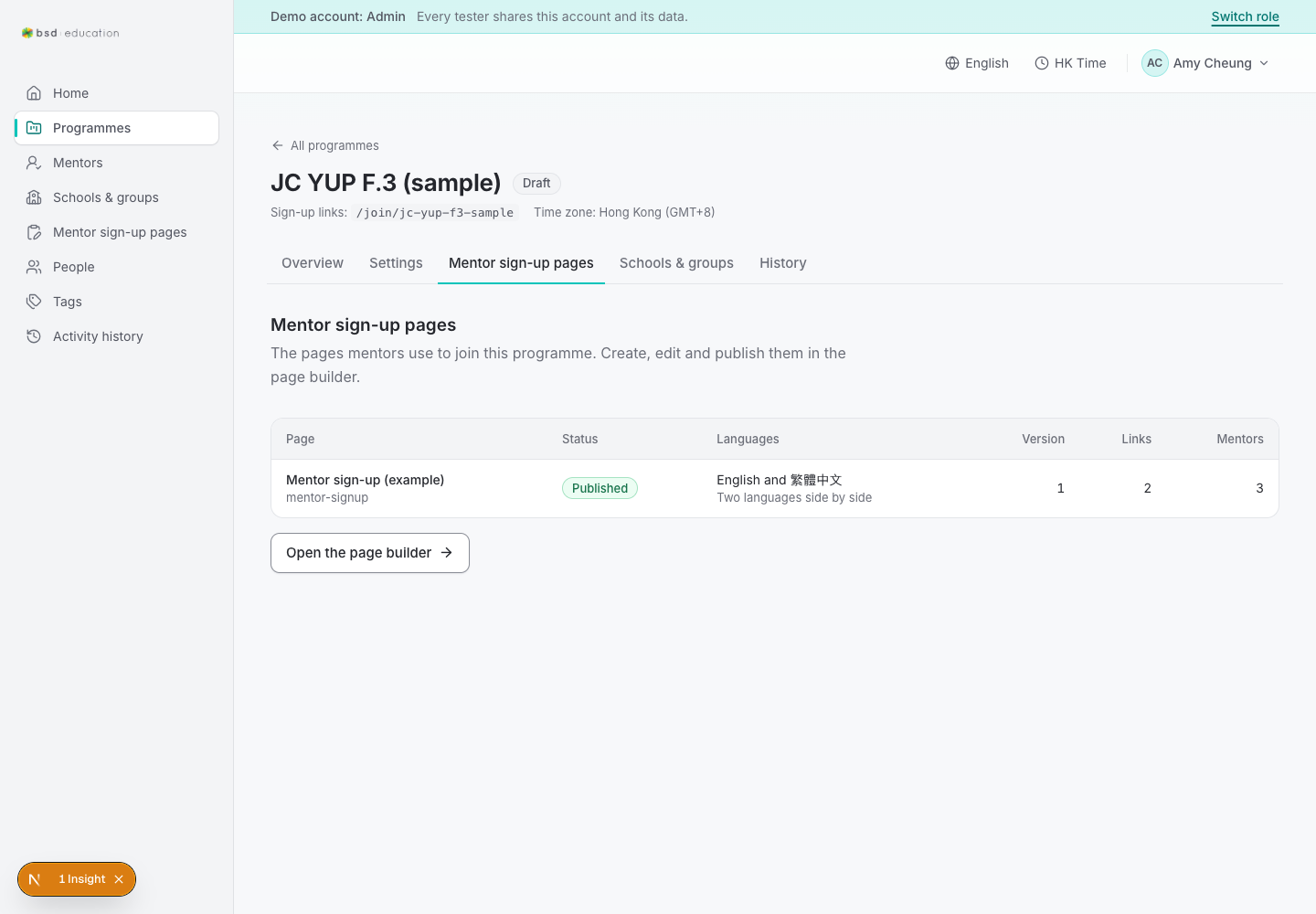
/en/admin/programmes/{id}/signup-pages
open live ↗
Sign-up page(s) for this programme. Entry to the wizard CMS.
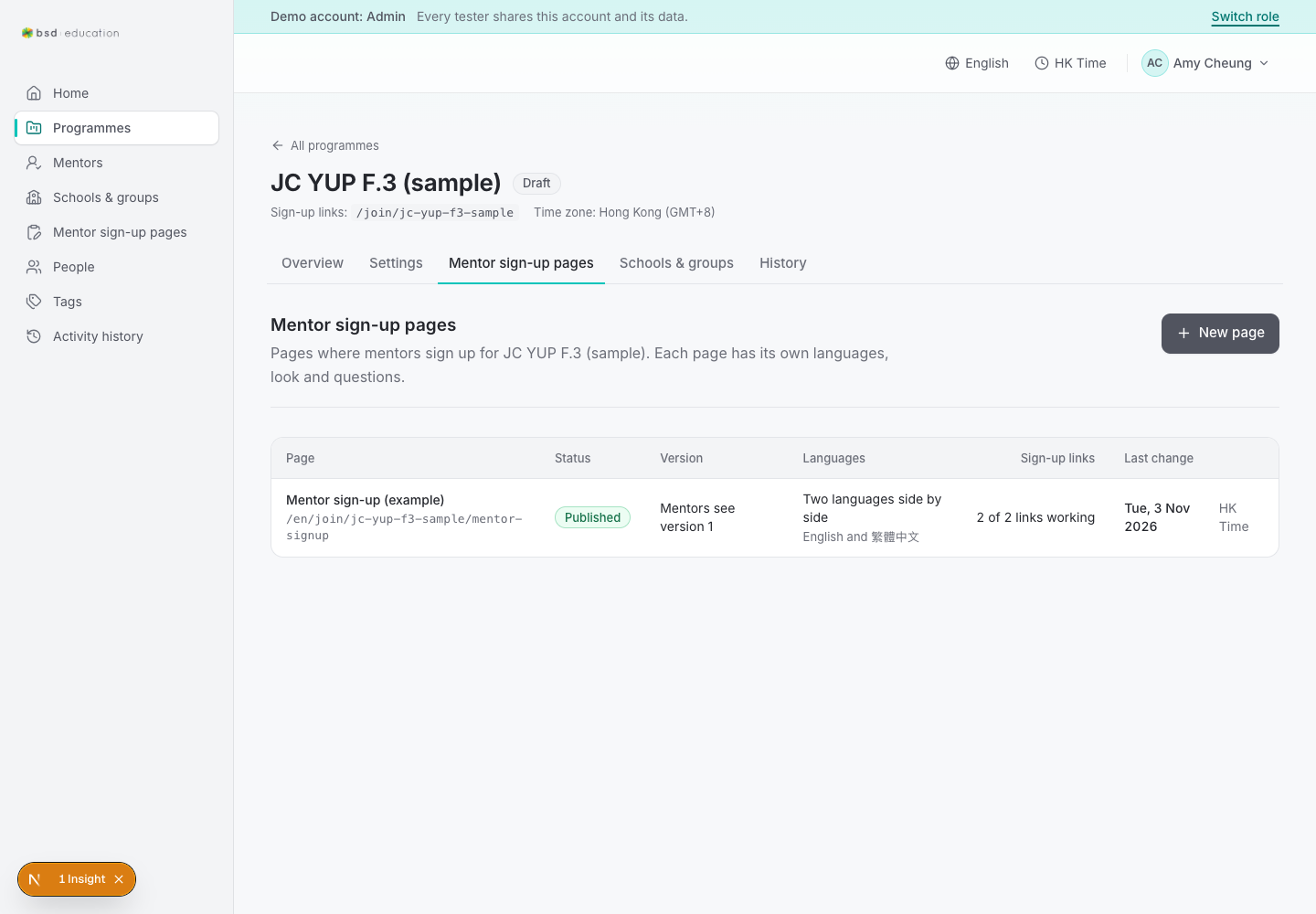
/en/admin/programmes/{id}/pages
open live ↗
Content pages (CMS) for the programme, with preview/history/links per page.
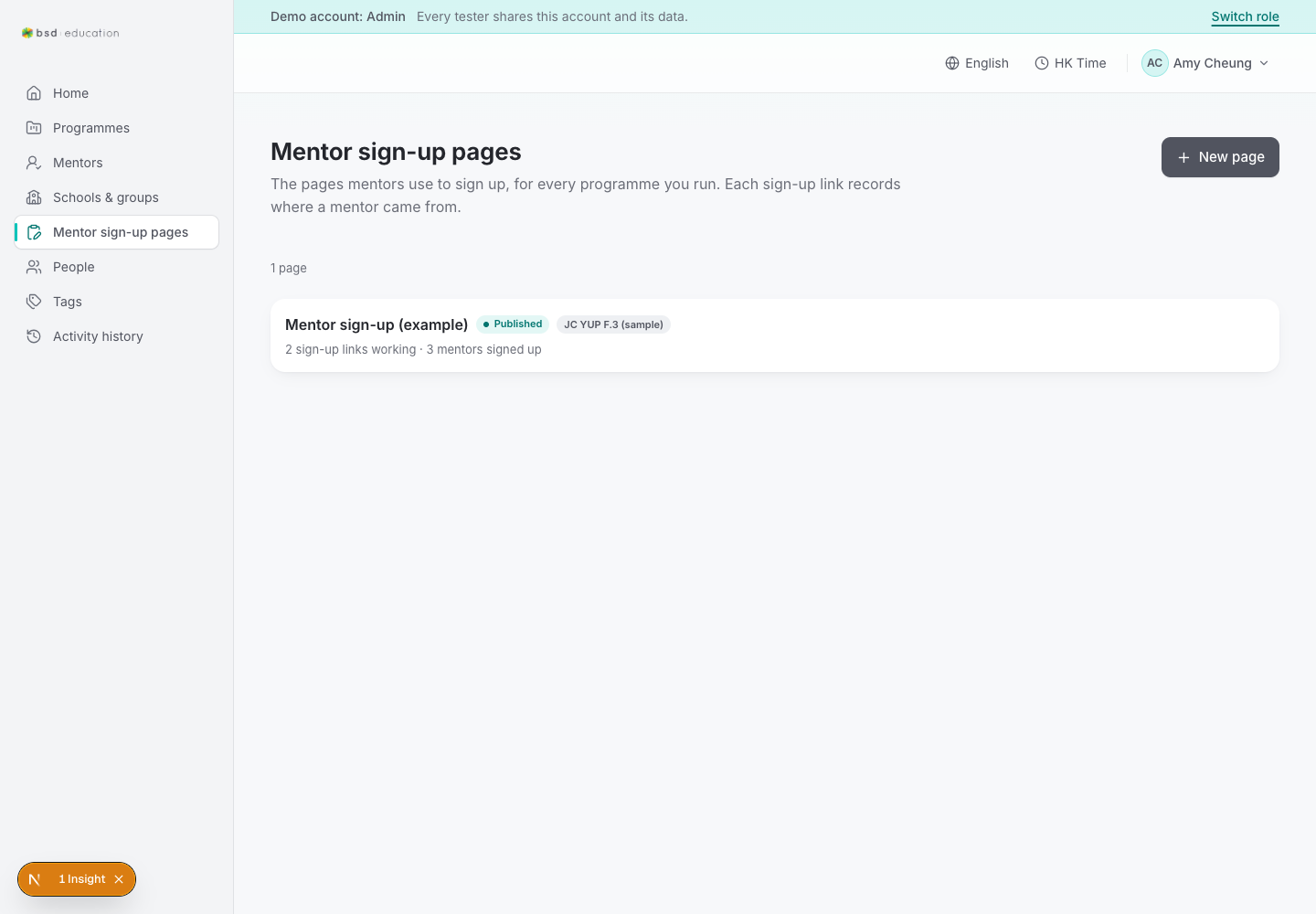
/en/admin/signup-pages
open live ↗
Sign-up page list. Each page is the questionnaire mentors/mentees answer.
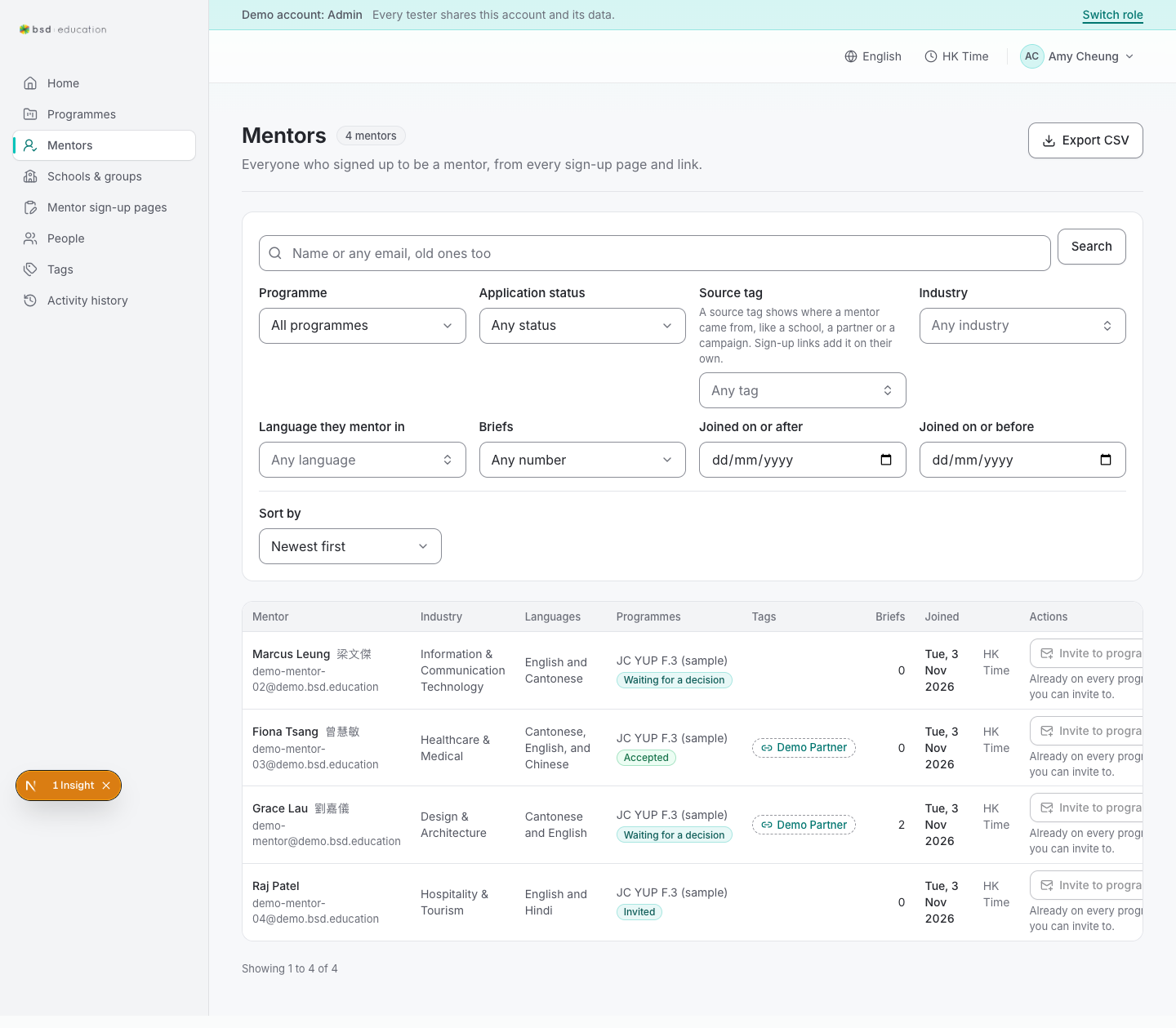
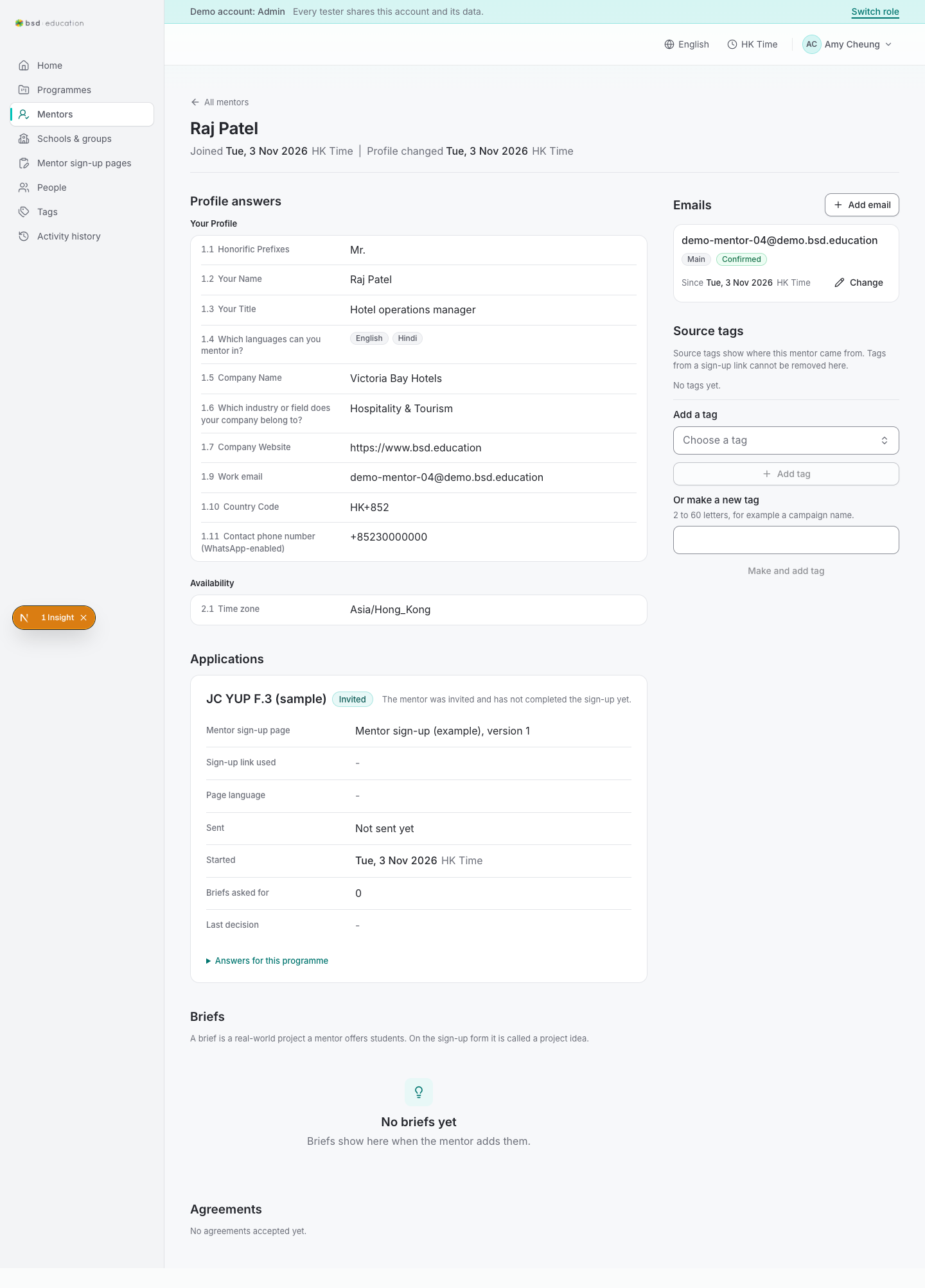
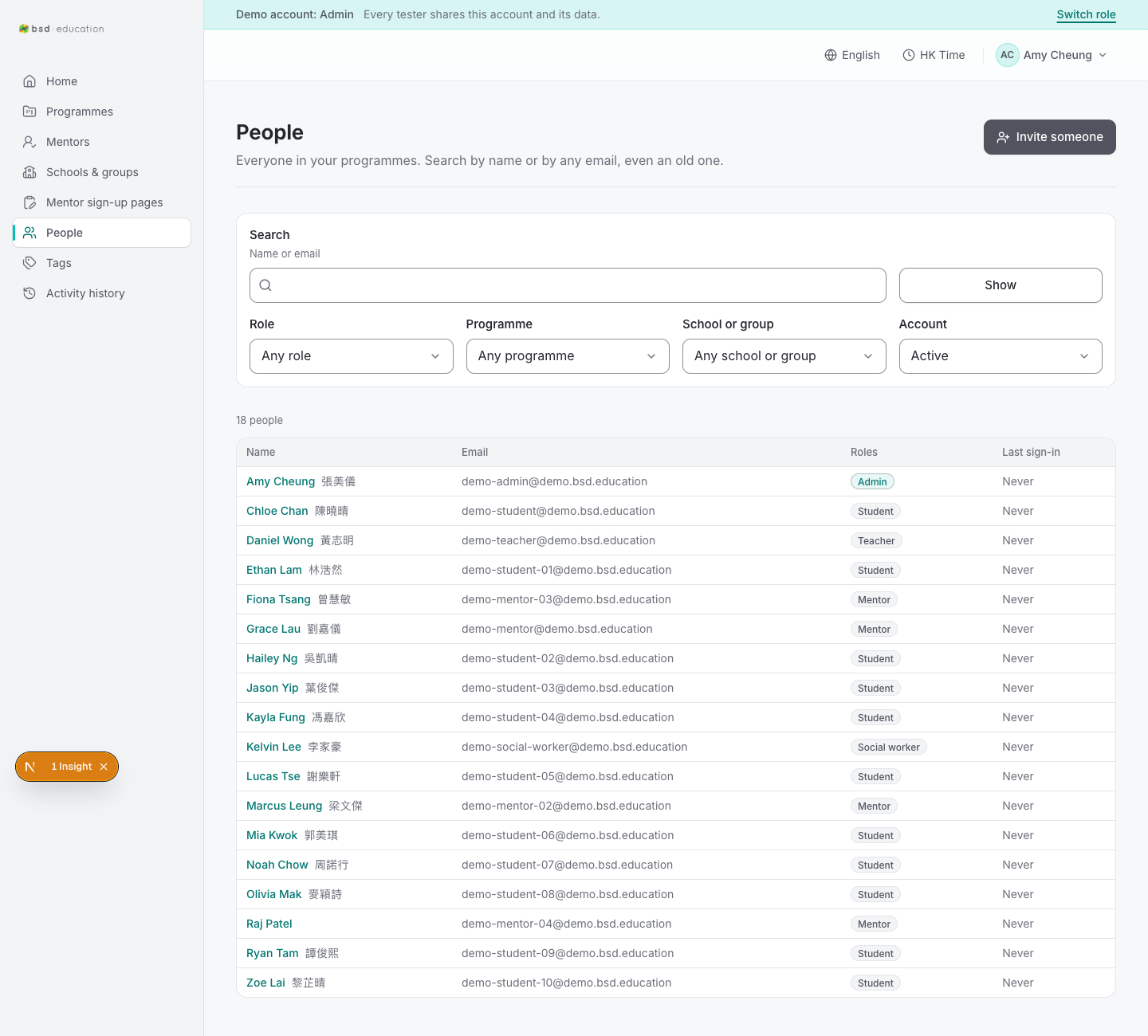
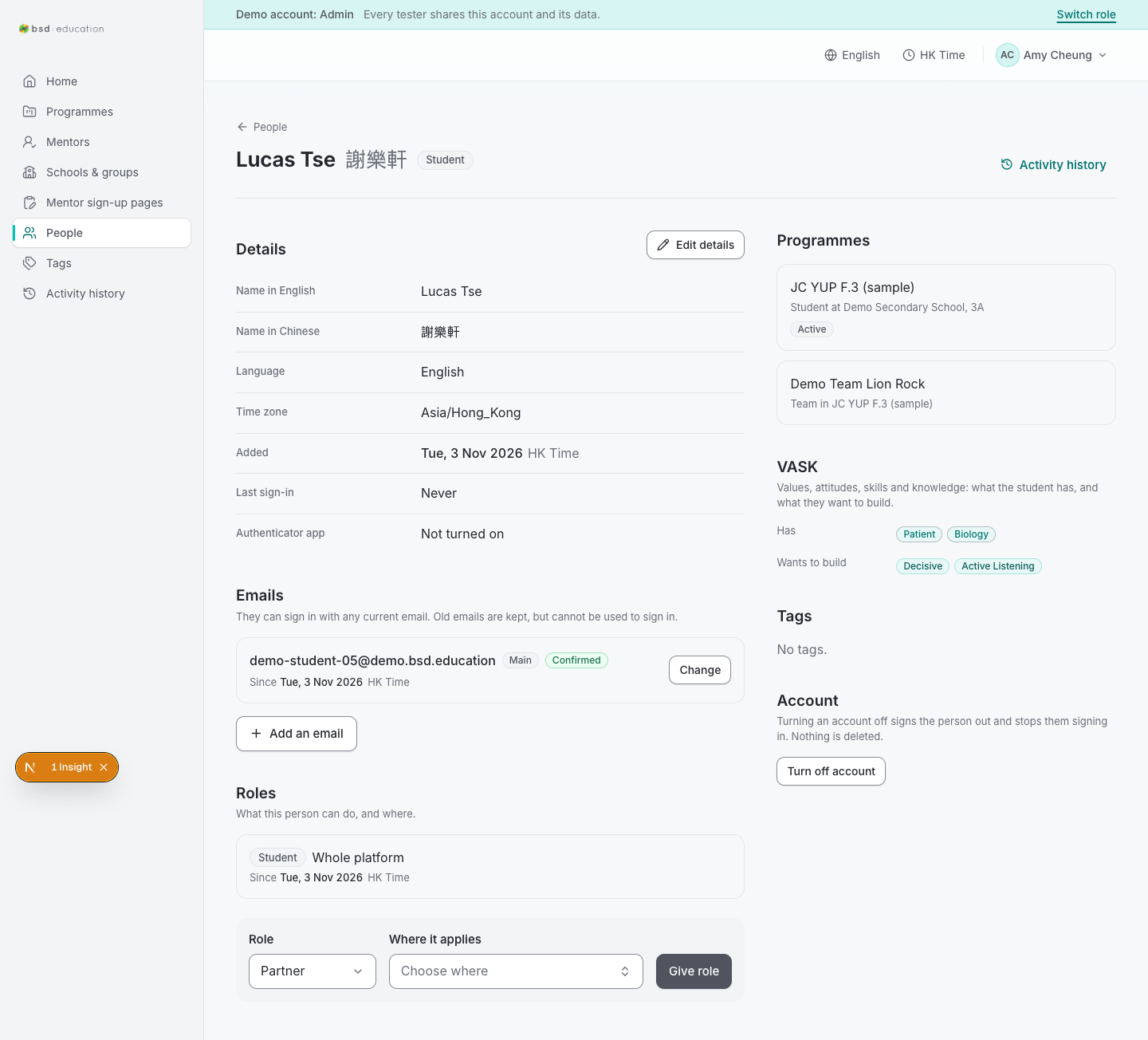
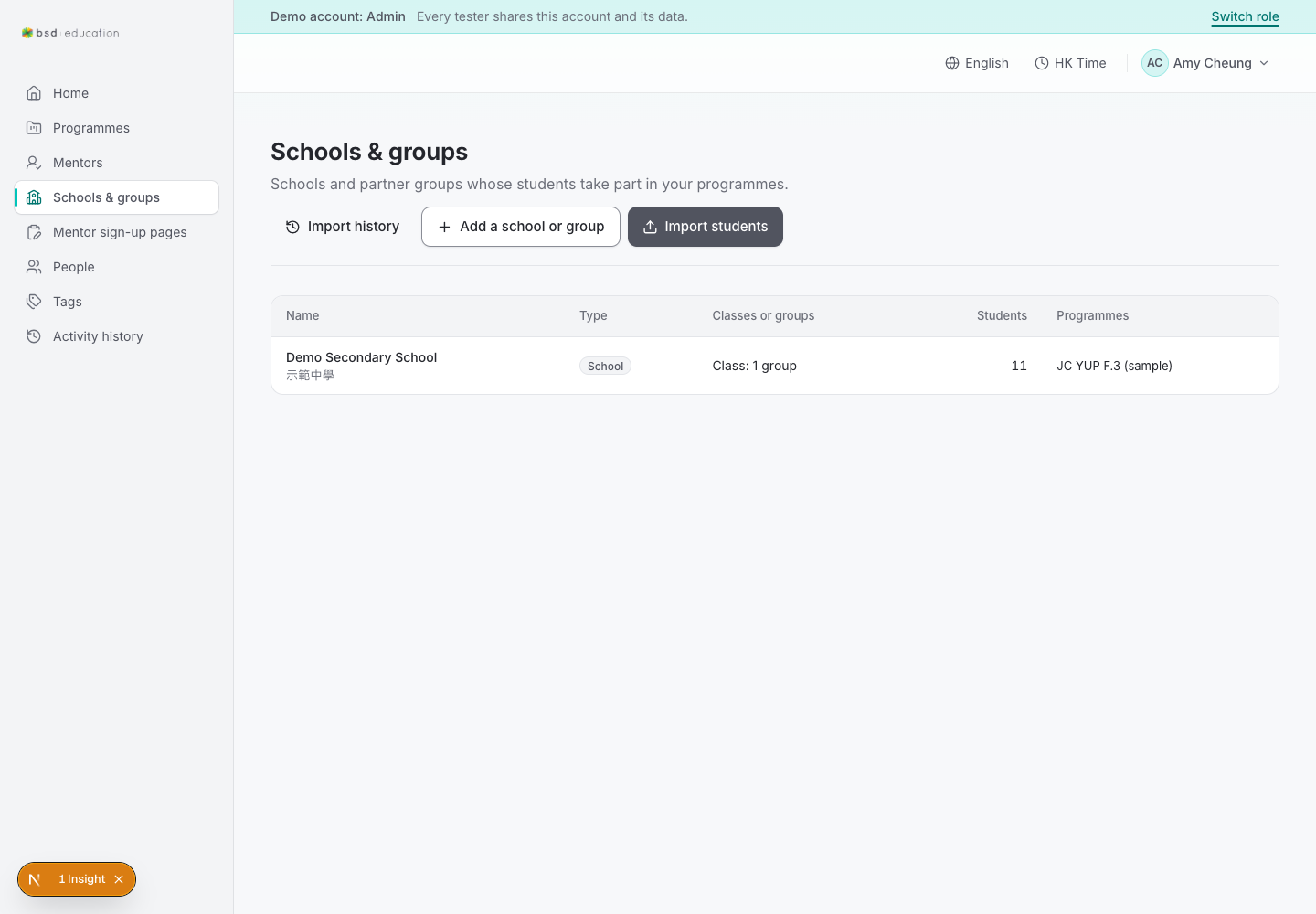
/en/admin/mentors
open live ↗
Mentor pool. Row action opens the invite dialog (choose programme → Send invite).
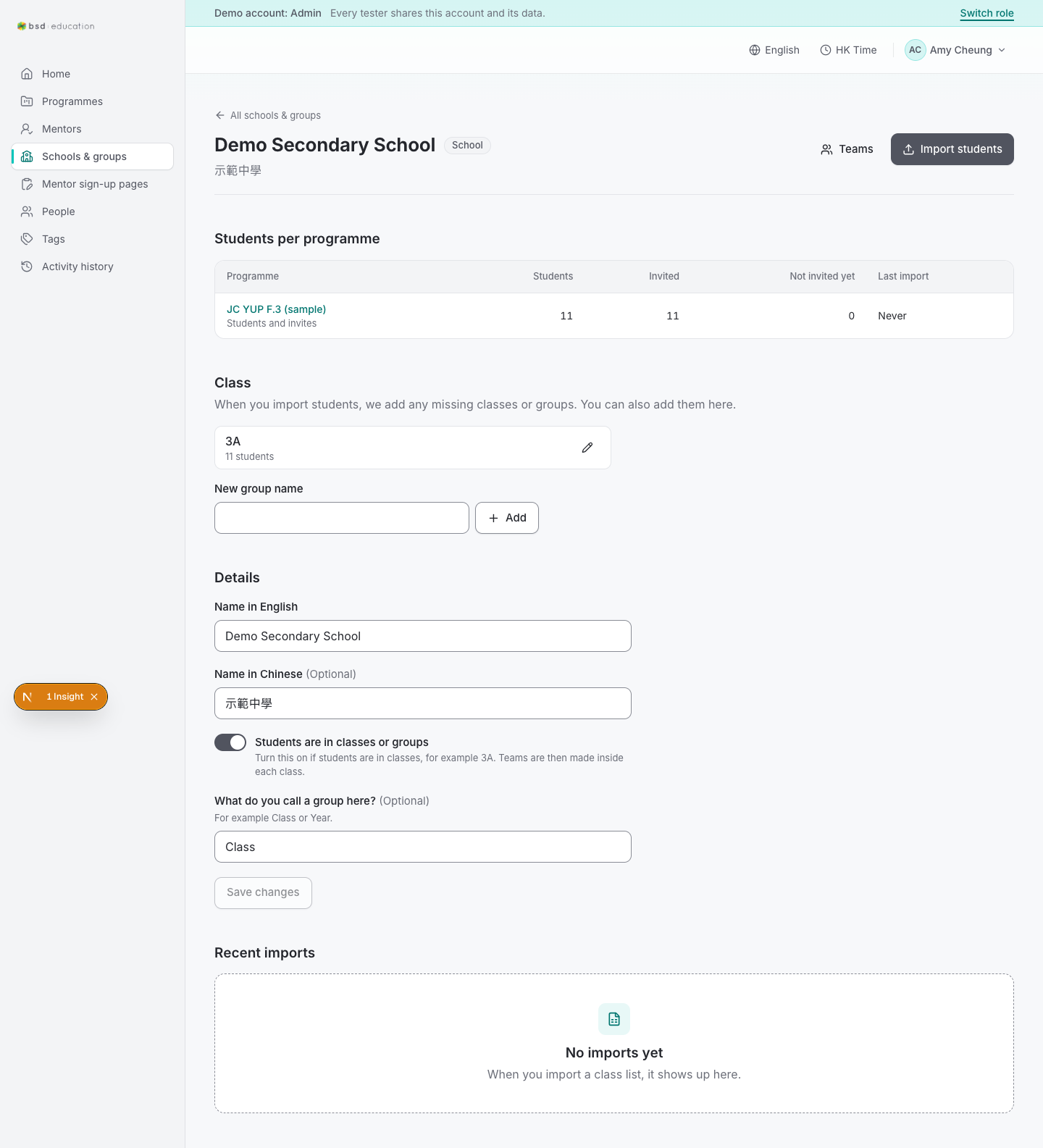
/en/admin/orgs/{id}
open live ↗
One organisation: teams, programmes, contacts.
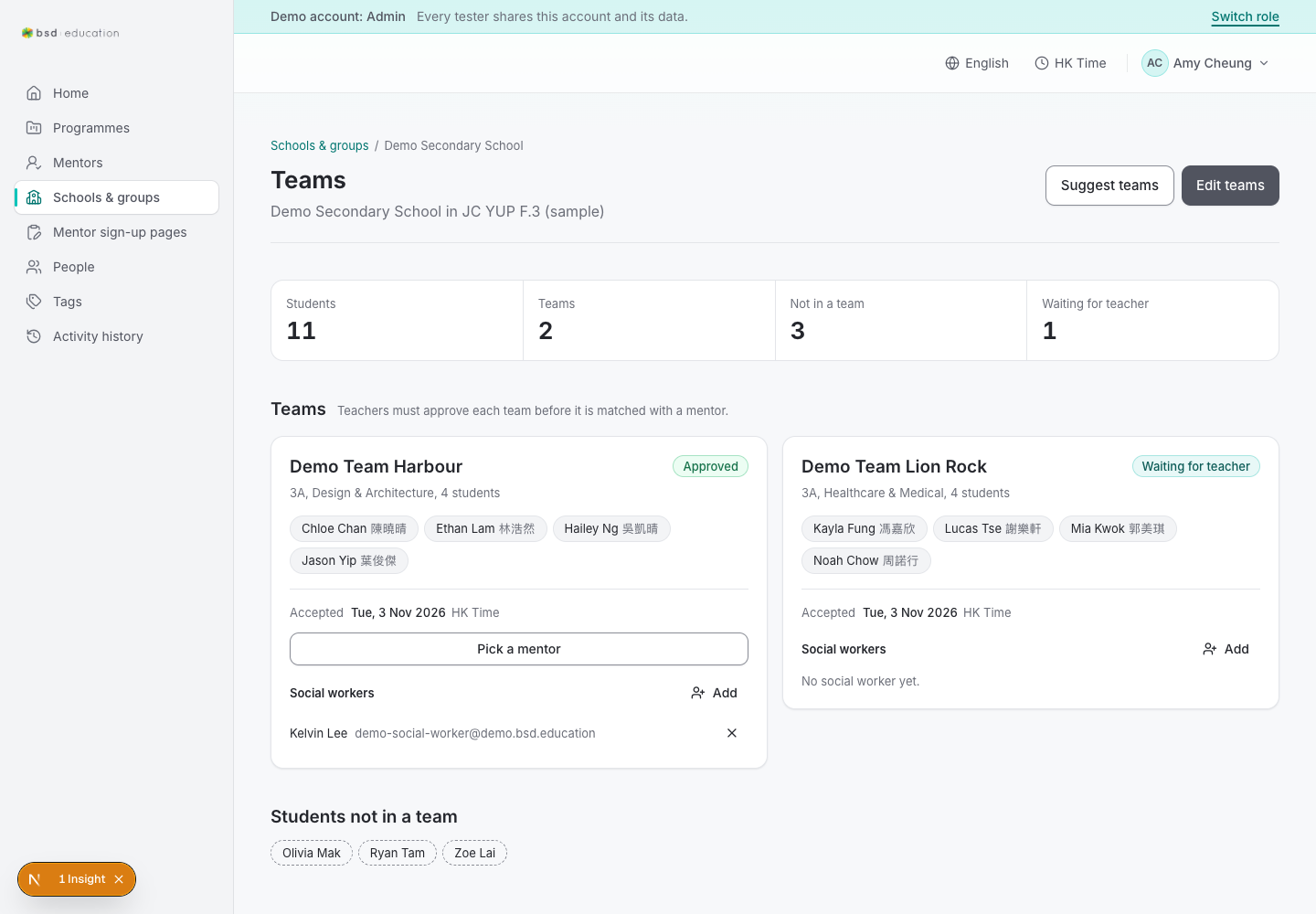
/en/admin/orgs/{id}/teams
open live ↗
Teams inside an organisation, with build/approve actions.

/en/admin/orgs/{id}/teams/build
open live ↗
Team-building tool — the step that must exist before matching and calls.
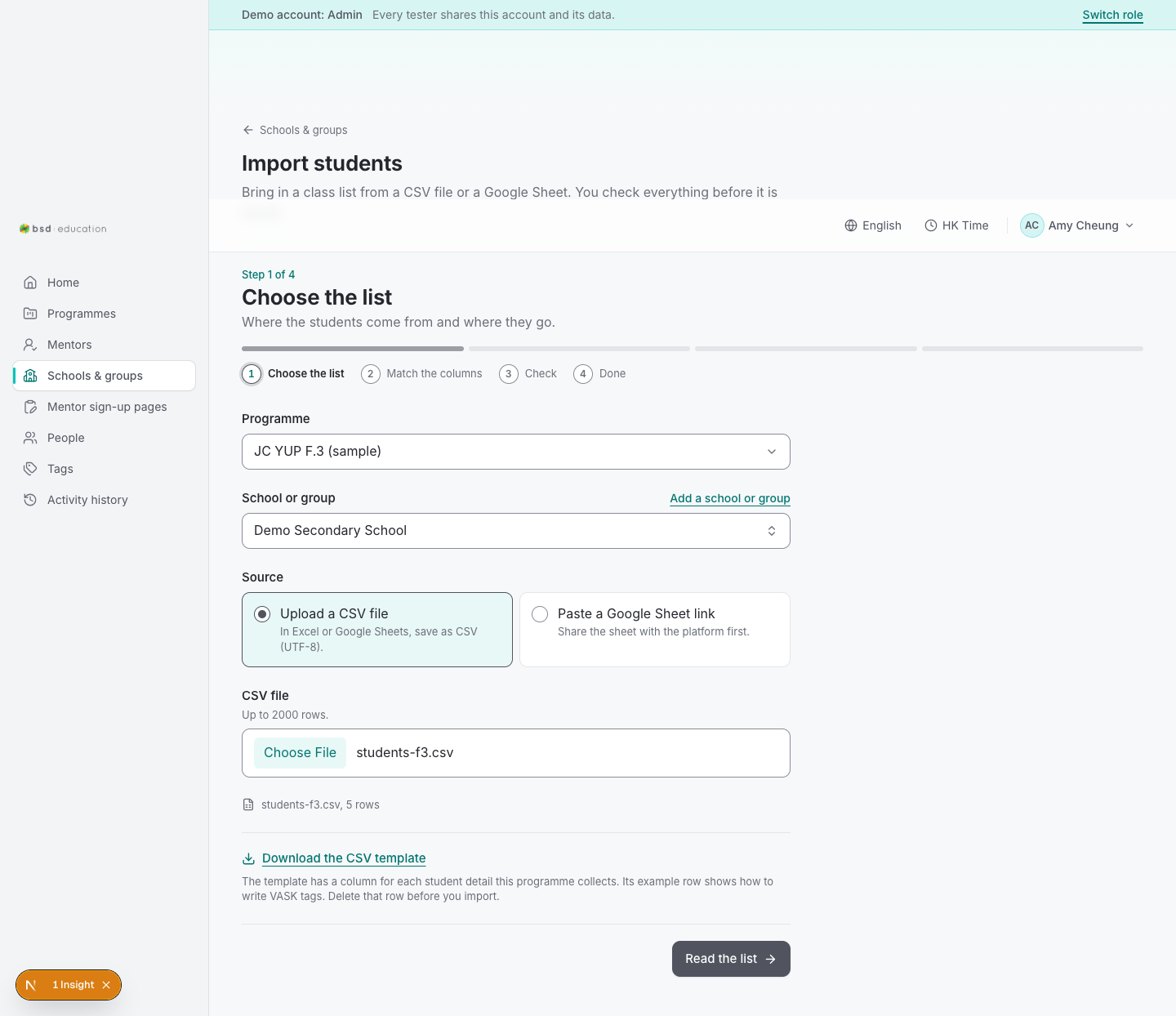
/en/admin/orgs/import
open live ↗
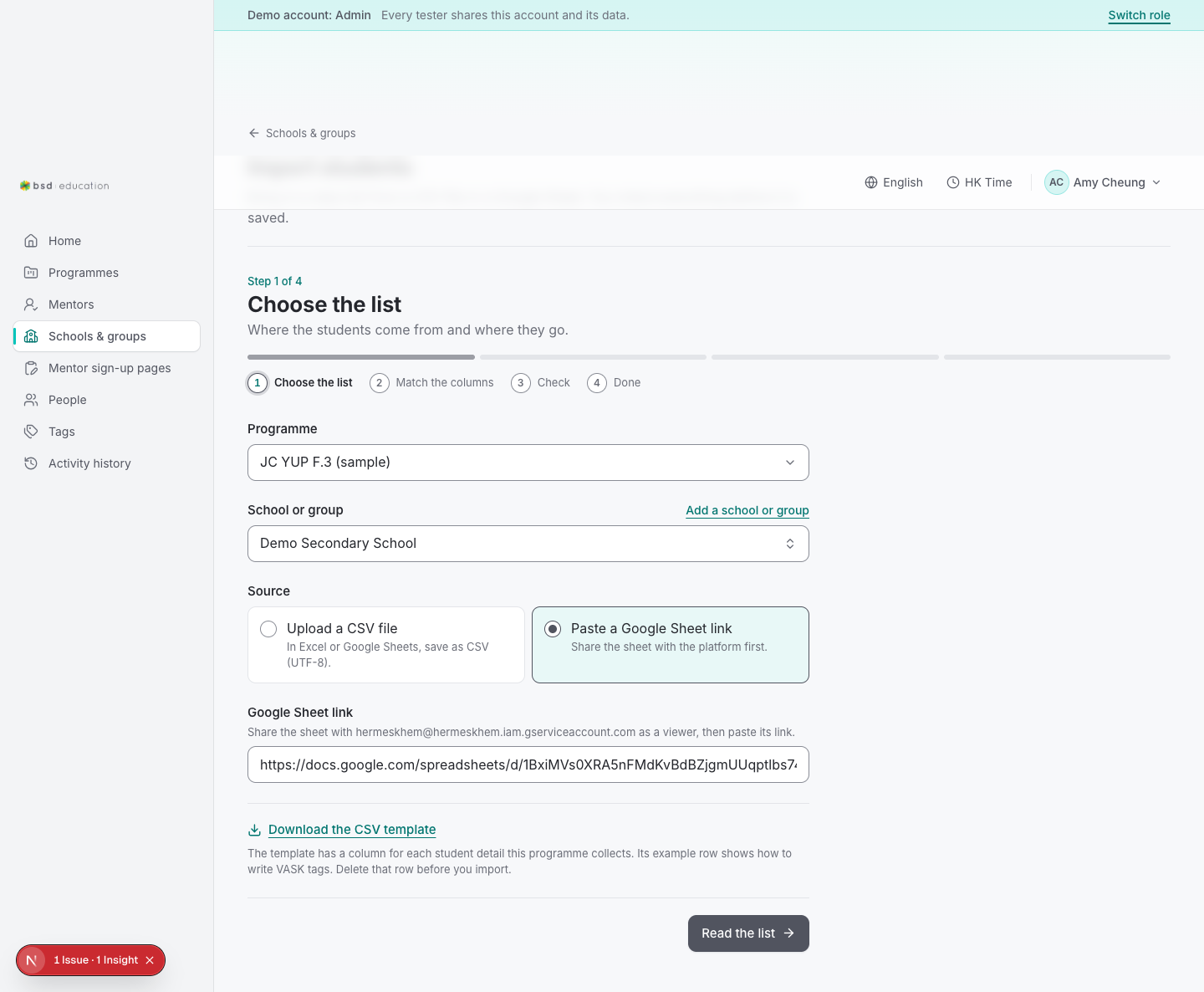
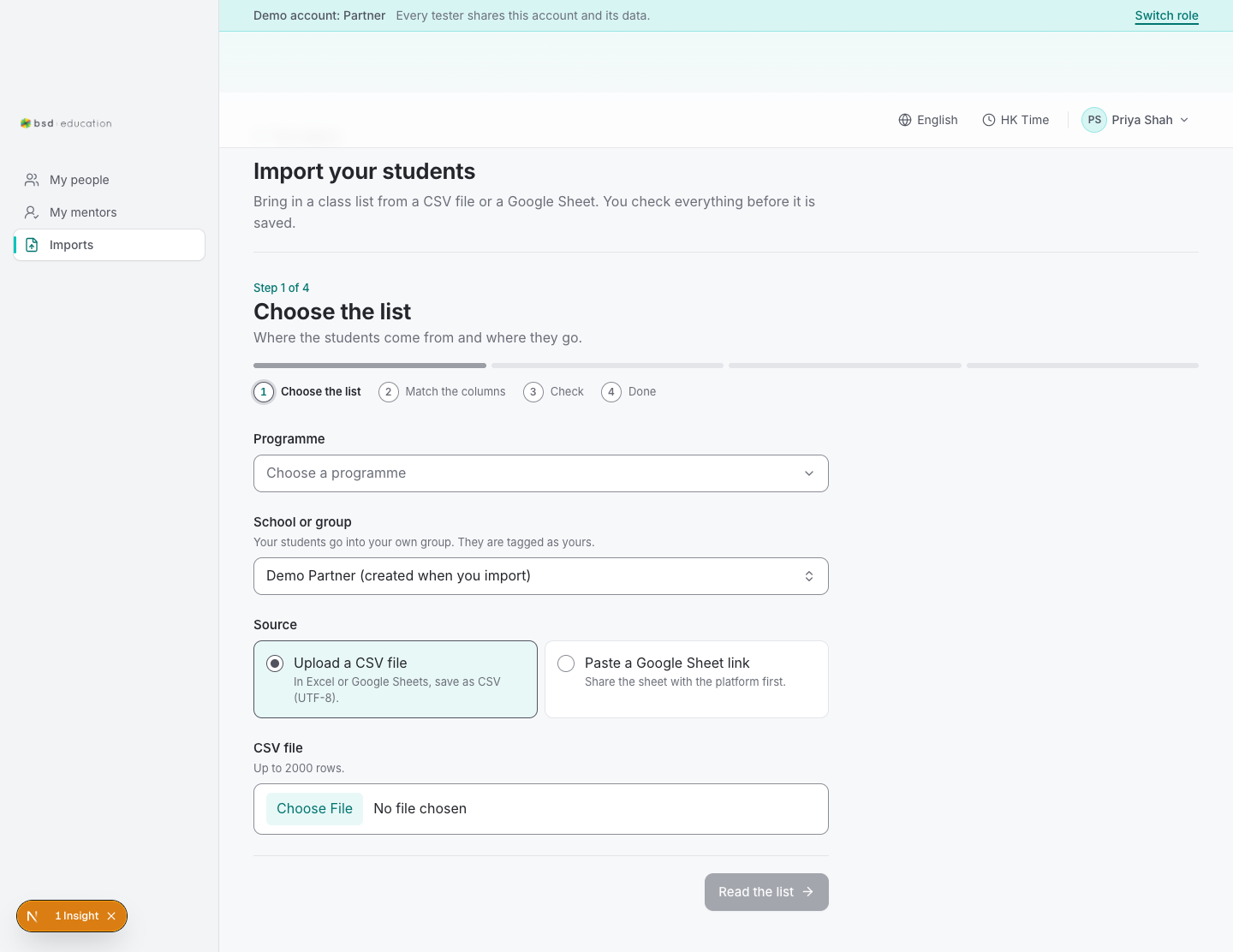
Spreadsheet import (CSV/XLSX/paste/Google Sheet URL) with a preview before commit.
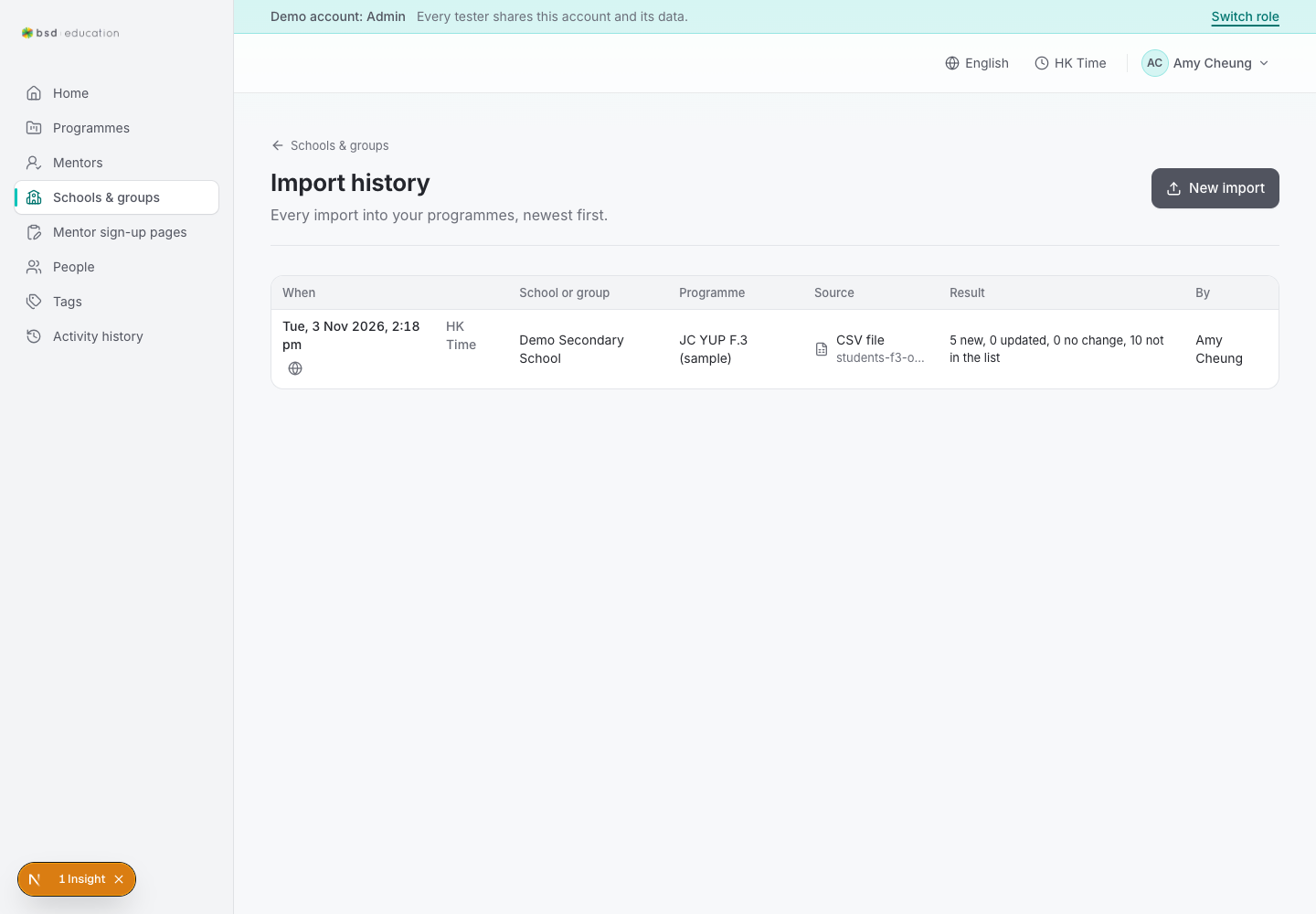
/en/admin/orgs/import#sheet
open live ↗
One organisation: teams, programmes, contacts.
/en/admin/orgs/import#match-sheet
open live ↗
One organisation: teams, programmes, contacts.
/en/admin/orgs/import#check-sheet
open live ↗
One organisation: teams, programmes, contacts.
/en/admin/orgs/import#match
open live ↗
One organisation: teams, programmes, contacts.
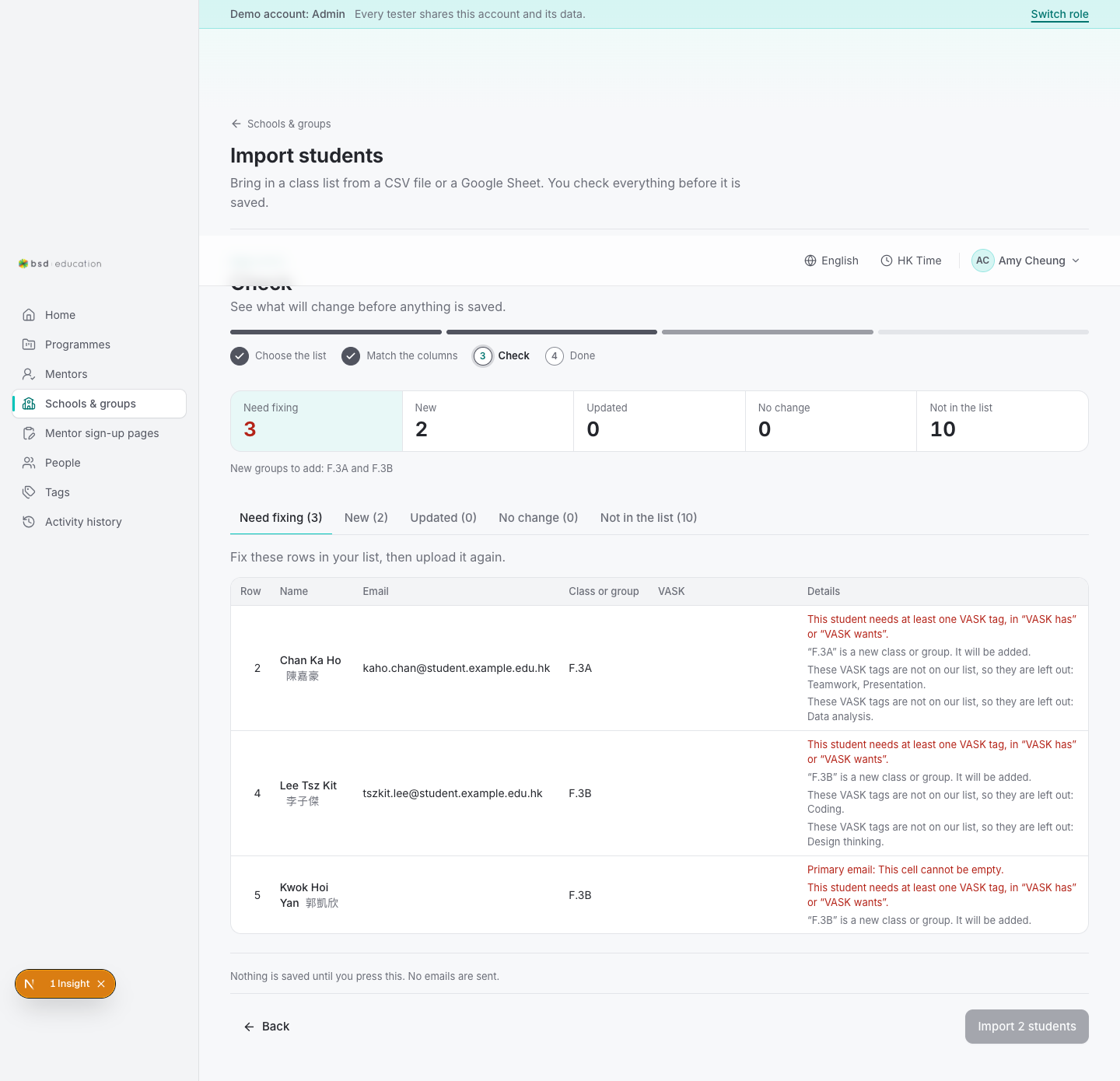
/en/admin/orgs/import#check
open live ↗
One organisation: teams, programmes, contacts.
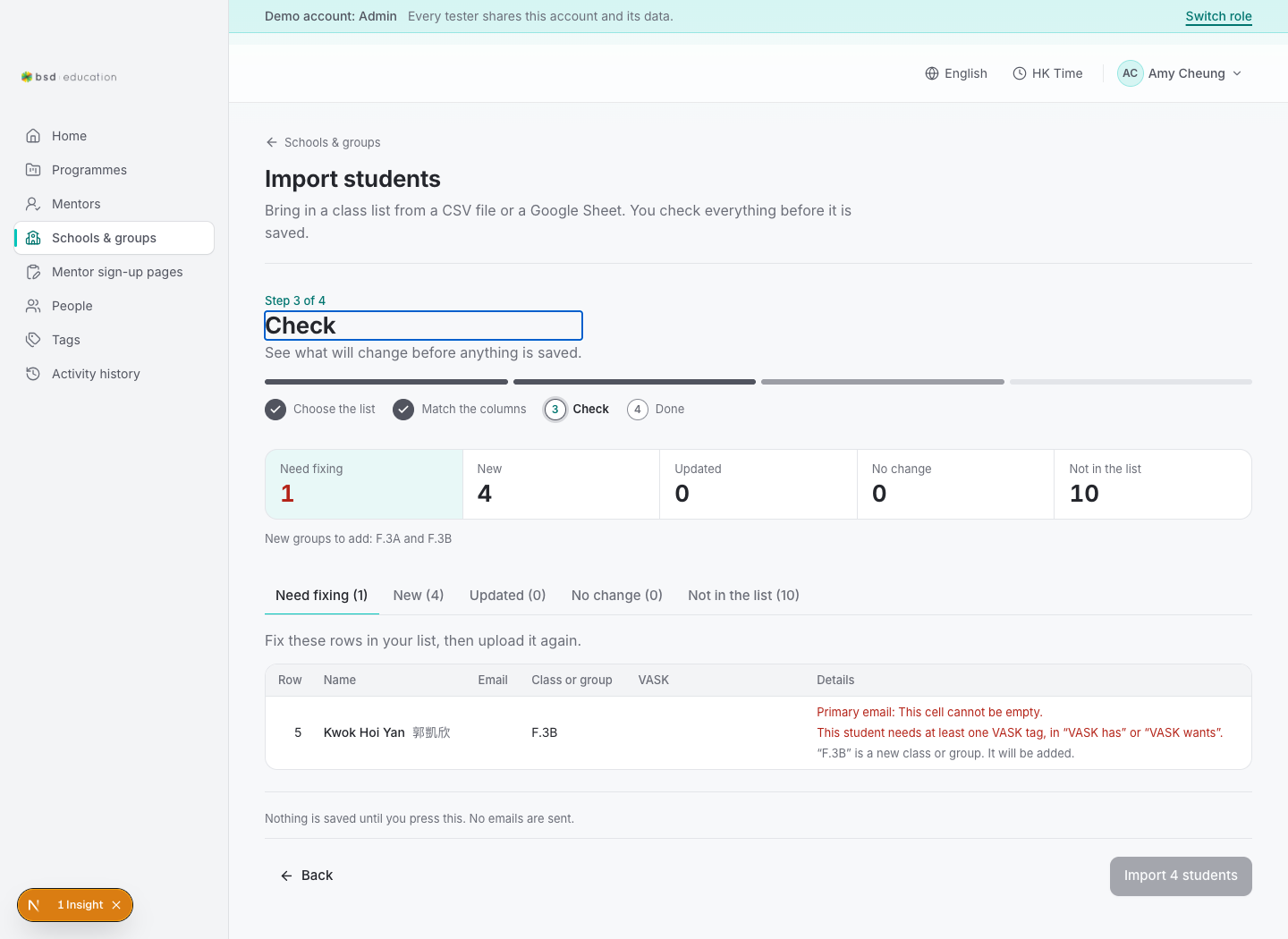
/en/admin/orgs/import#check-clean
open live ↗
One organisation: teams, programmes, contacts.
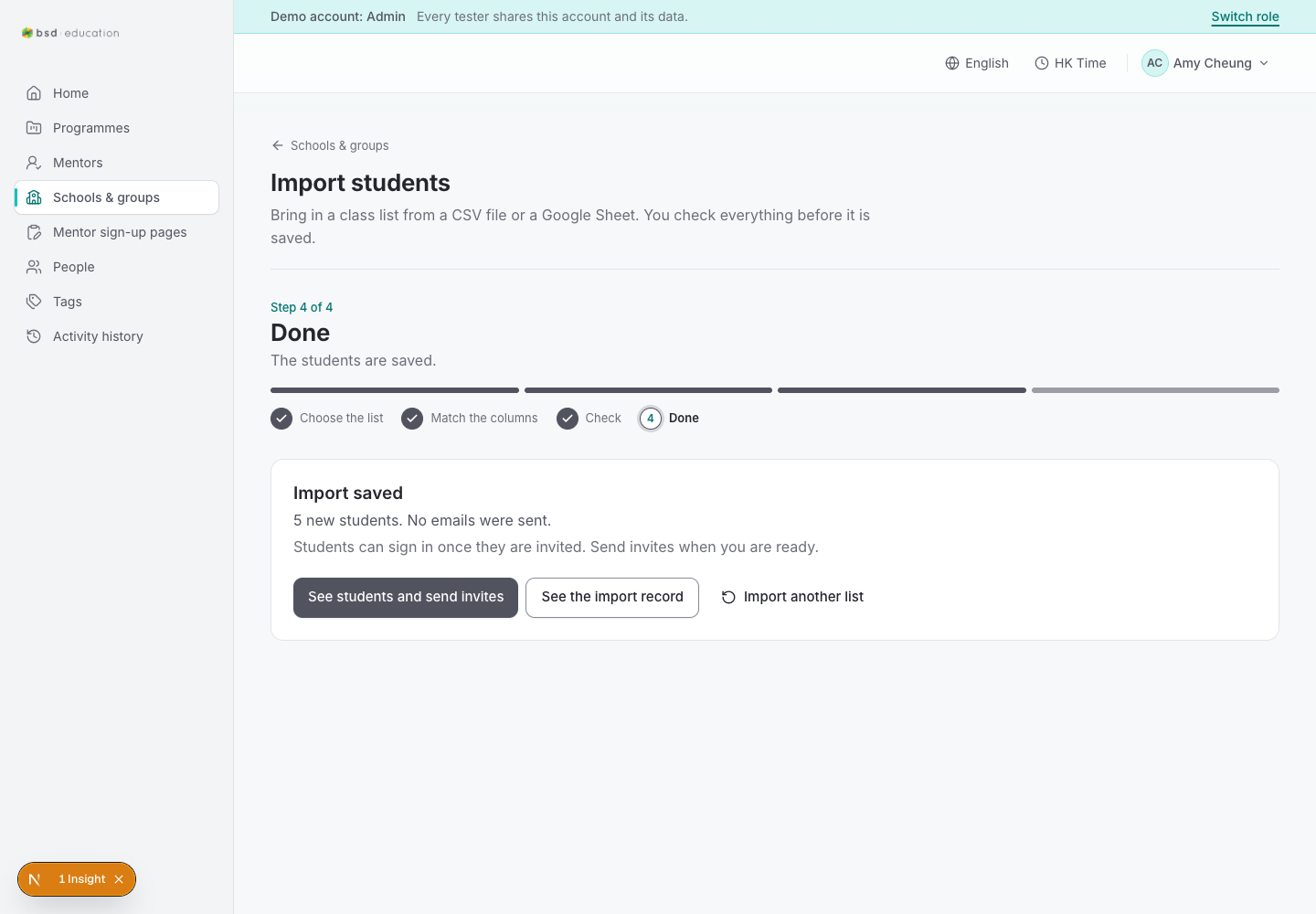
/en/admin/orgs/import#done
open live ↗
One organisation: teams, programmes, contacts.
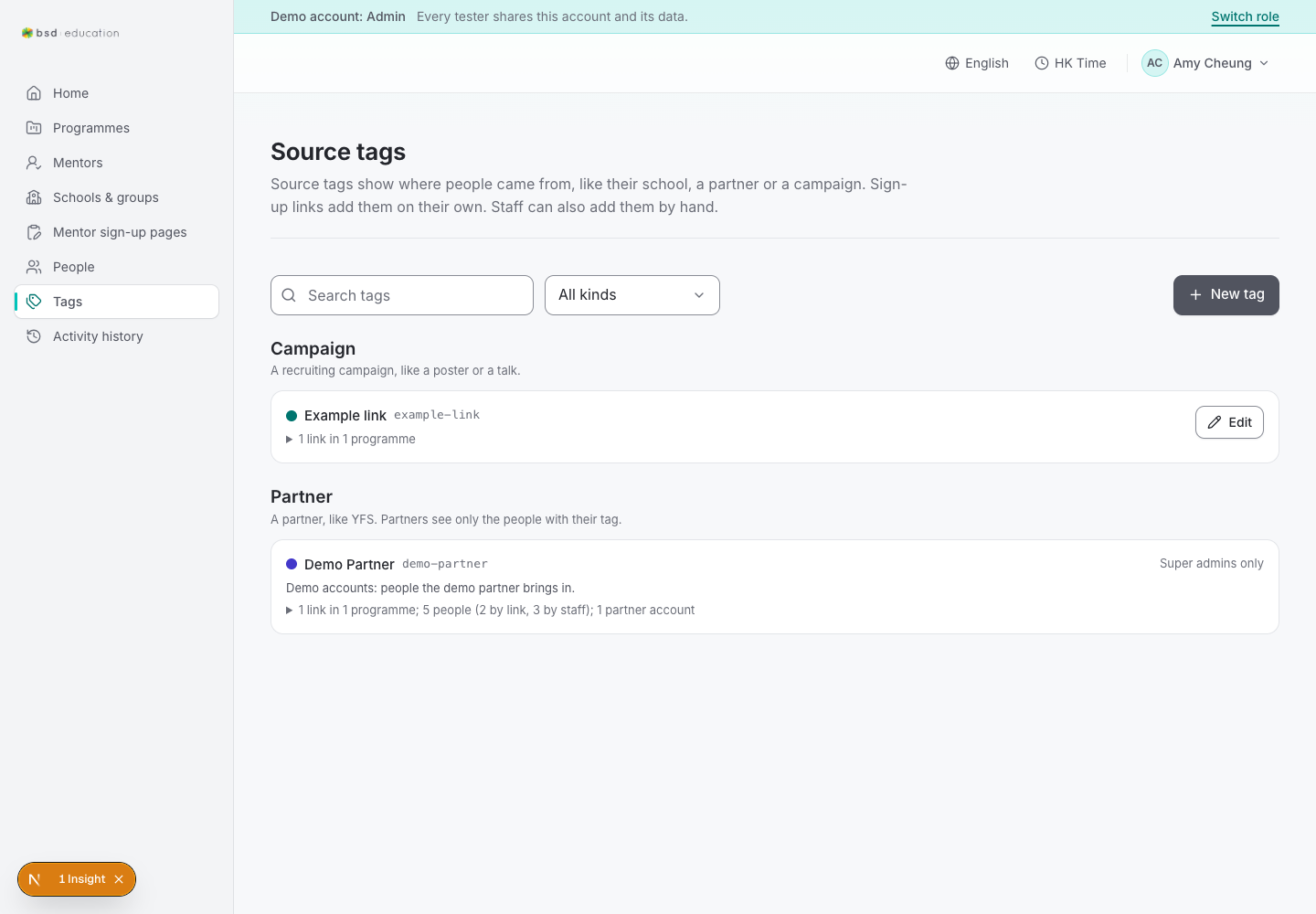
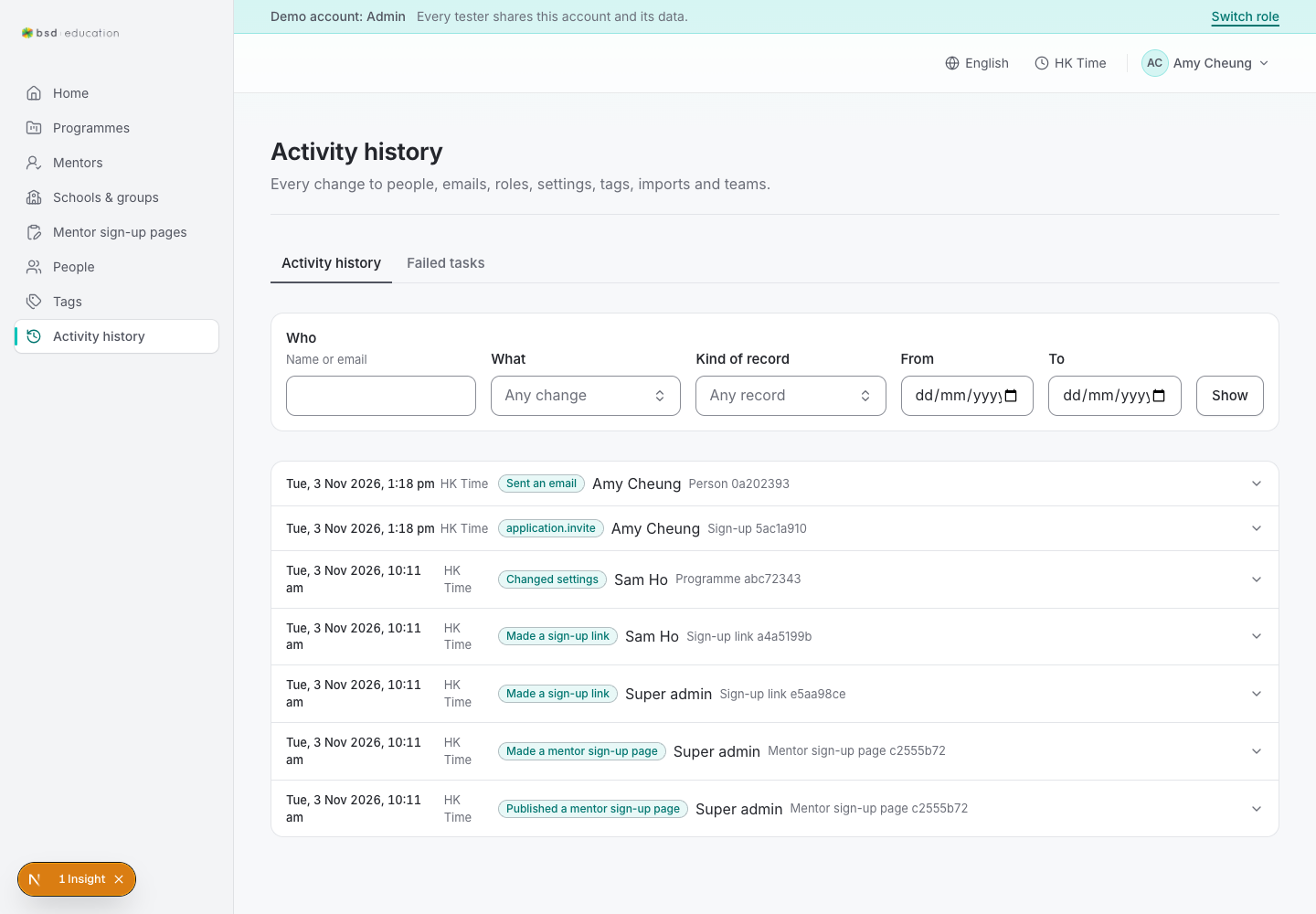
/en/admin/audit
open live ↗
Audit trail — the evidence surface for every action the admin takes.
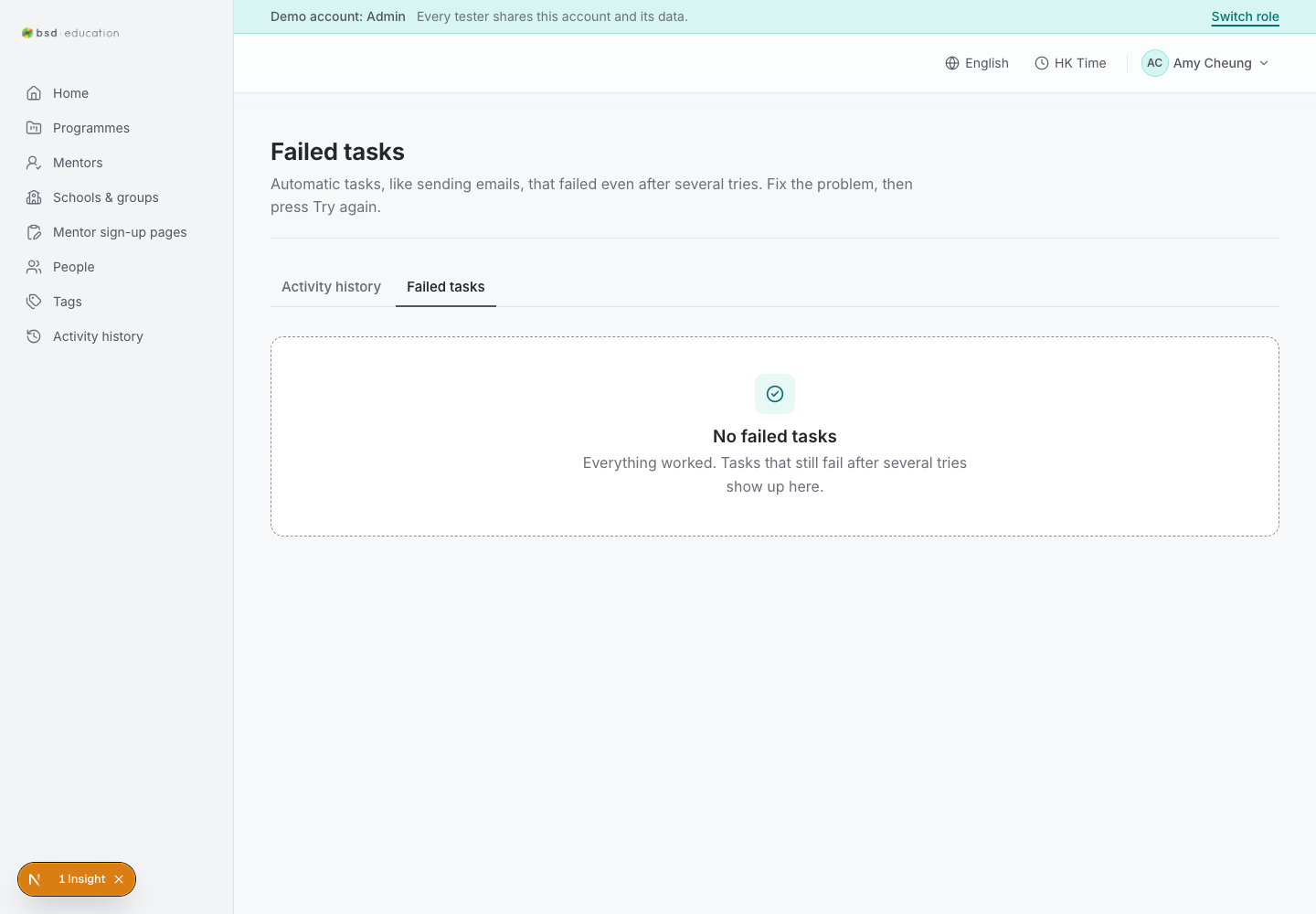
/en/admin/jobs
open live ↗
Background jobs (invites, emails). A stuck job here explains a missing email.
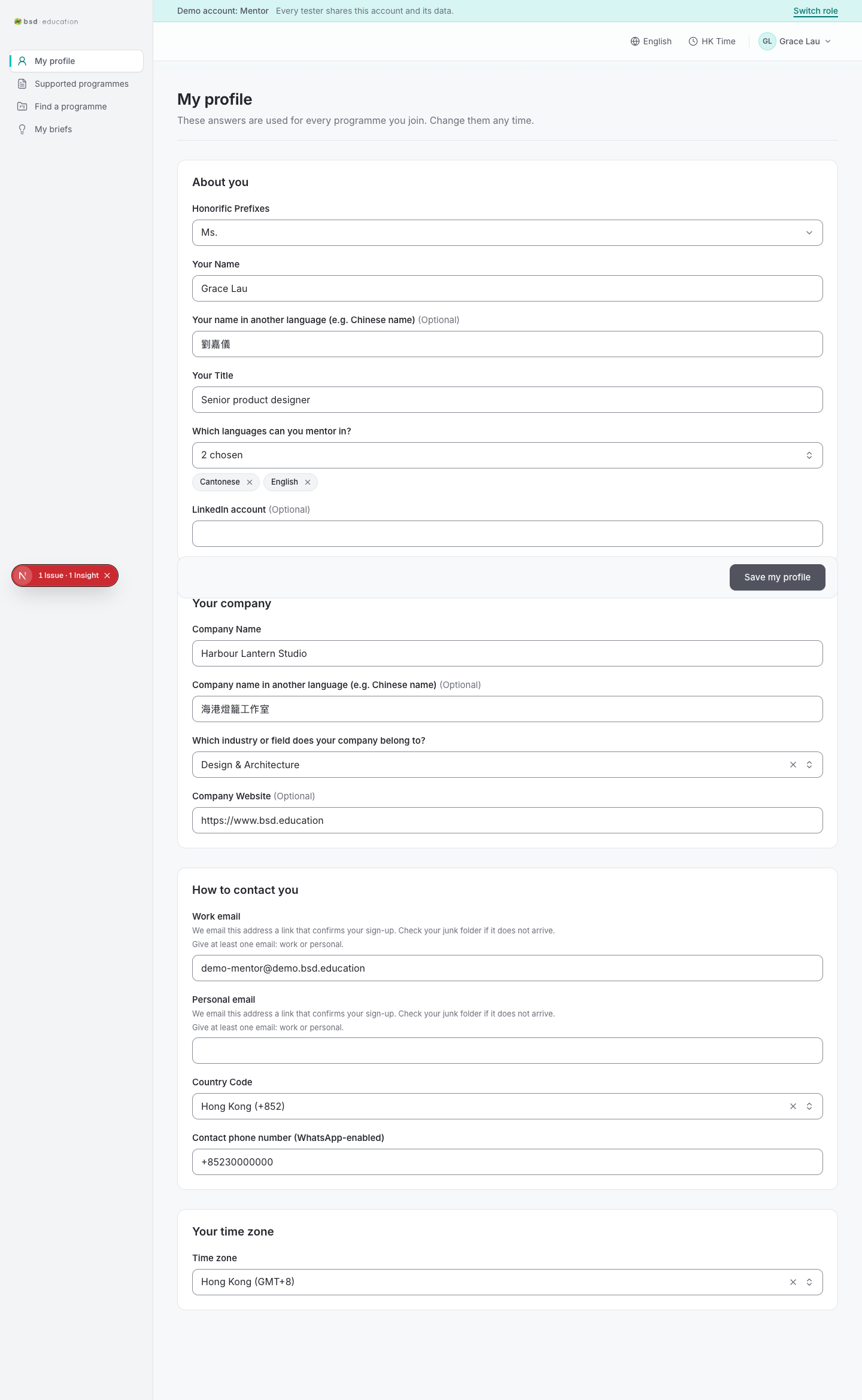
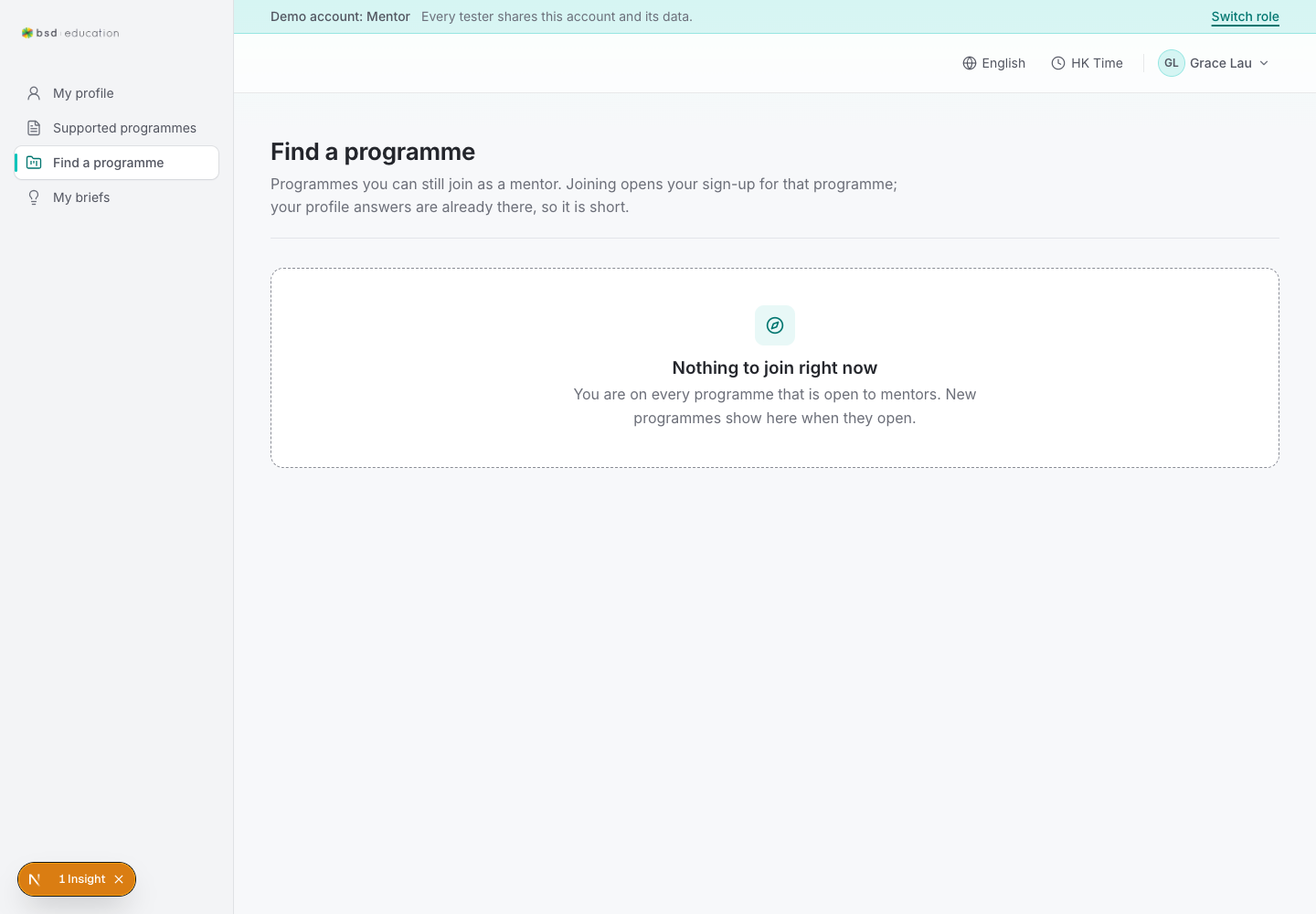
/en/mentor/programmes
open live ↗
Programmes a mentor can join. Join creates a draft application.
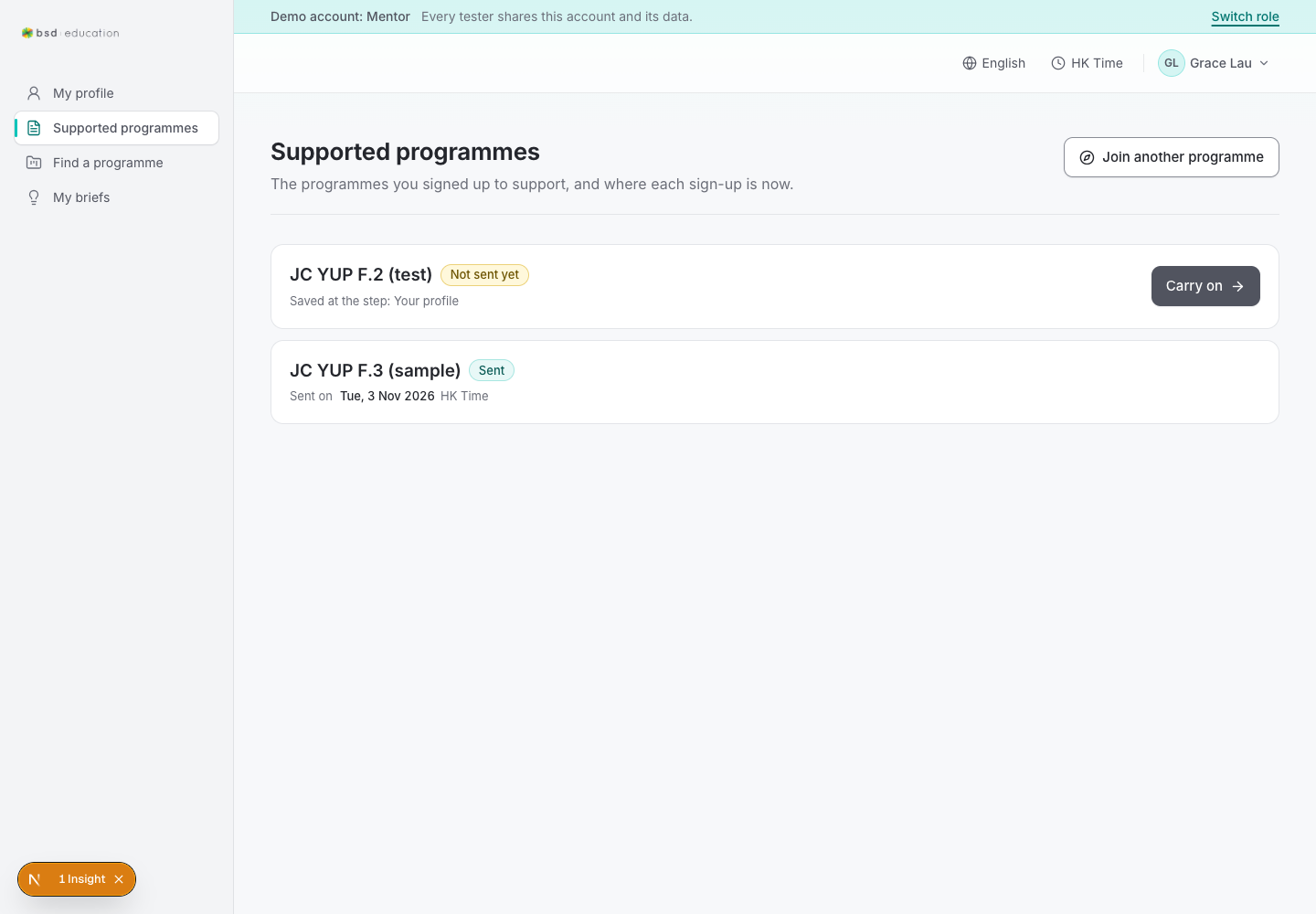
/en/mentor/applications
open live ↗
The mentor's applications and their status (invited → draft → submitted → accepted).
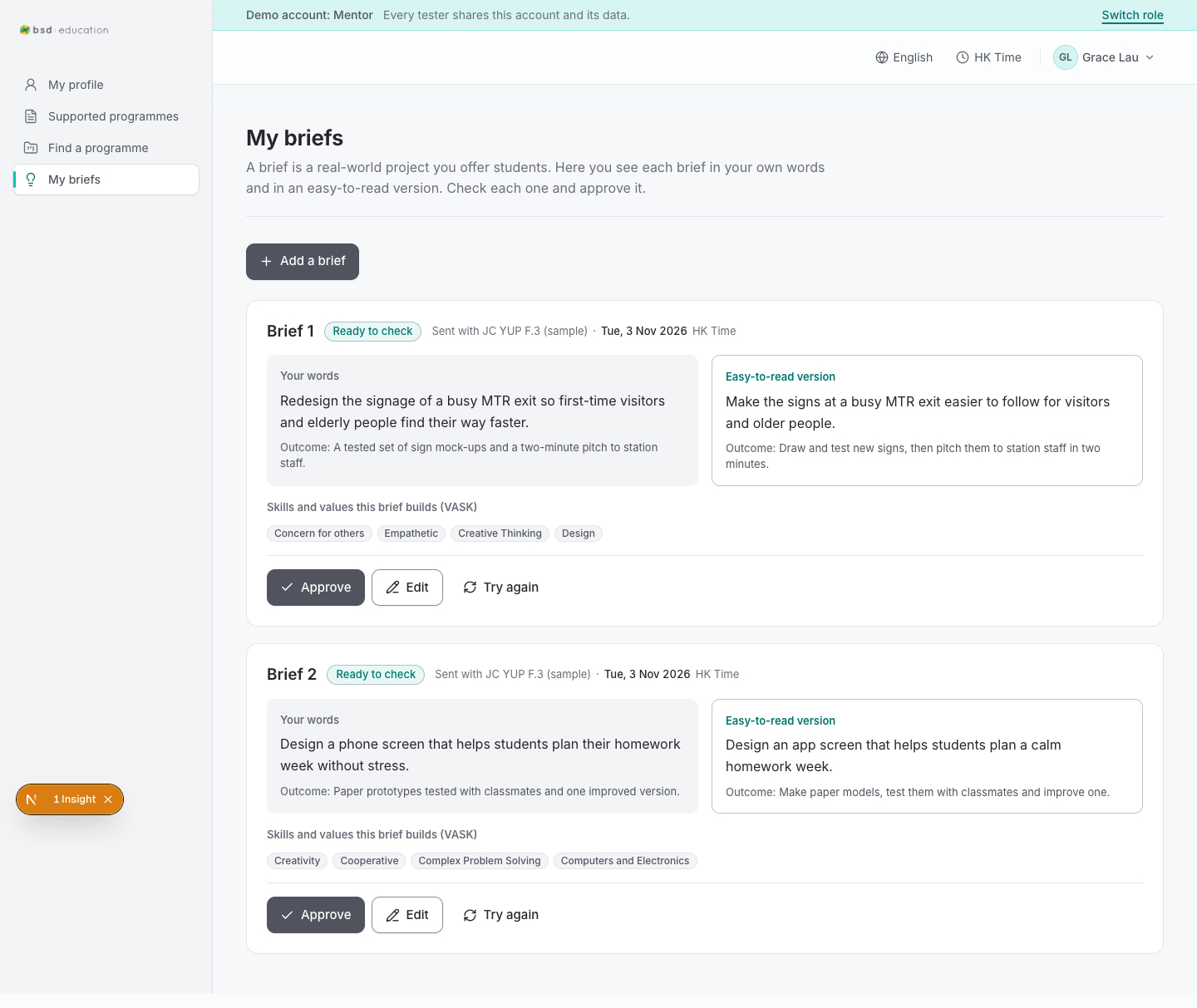
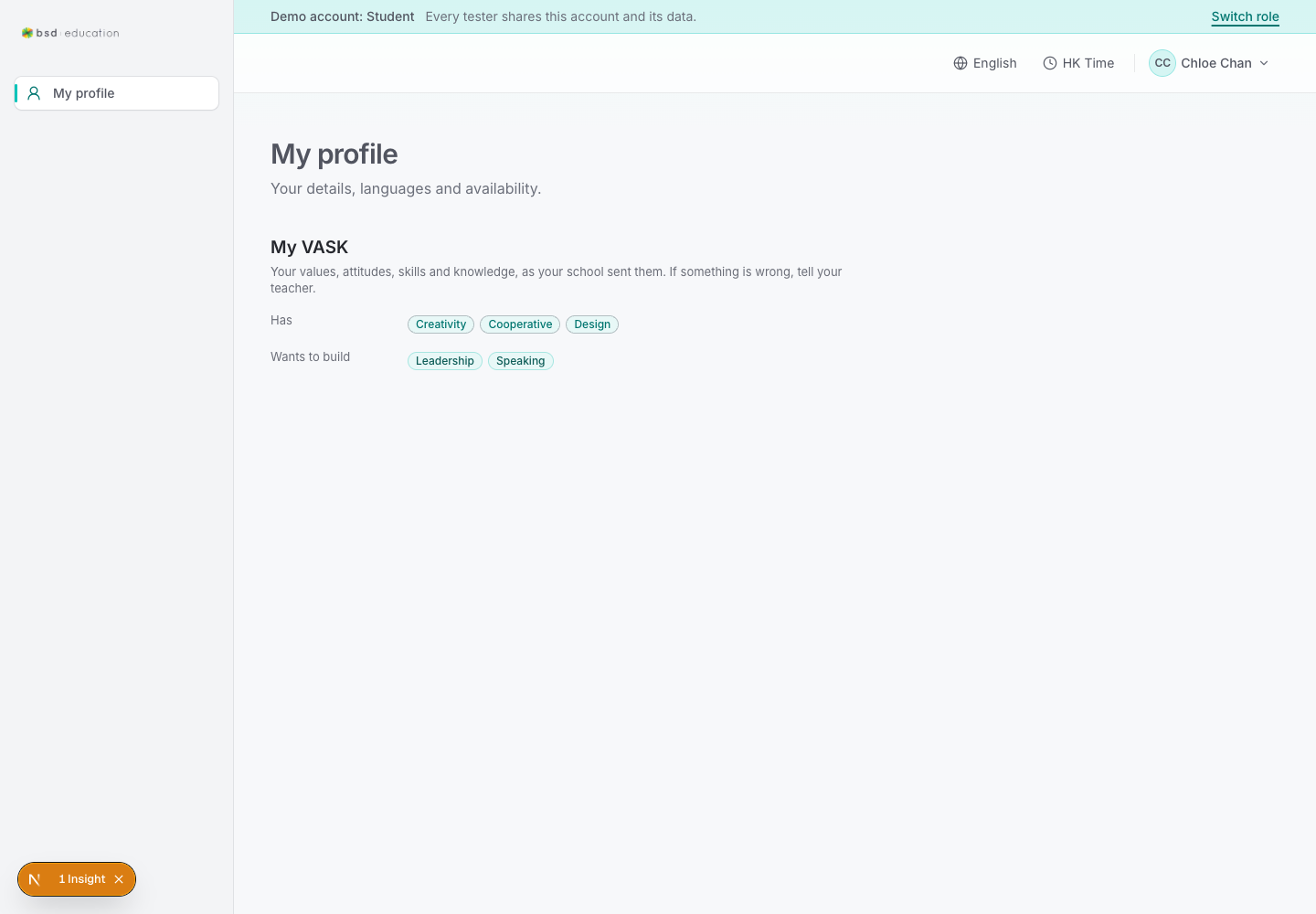
/en/student/profile
open live ↗
Student profile; also the landing page after sign-in.
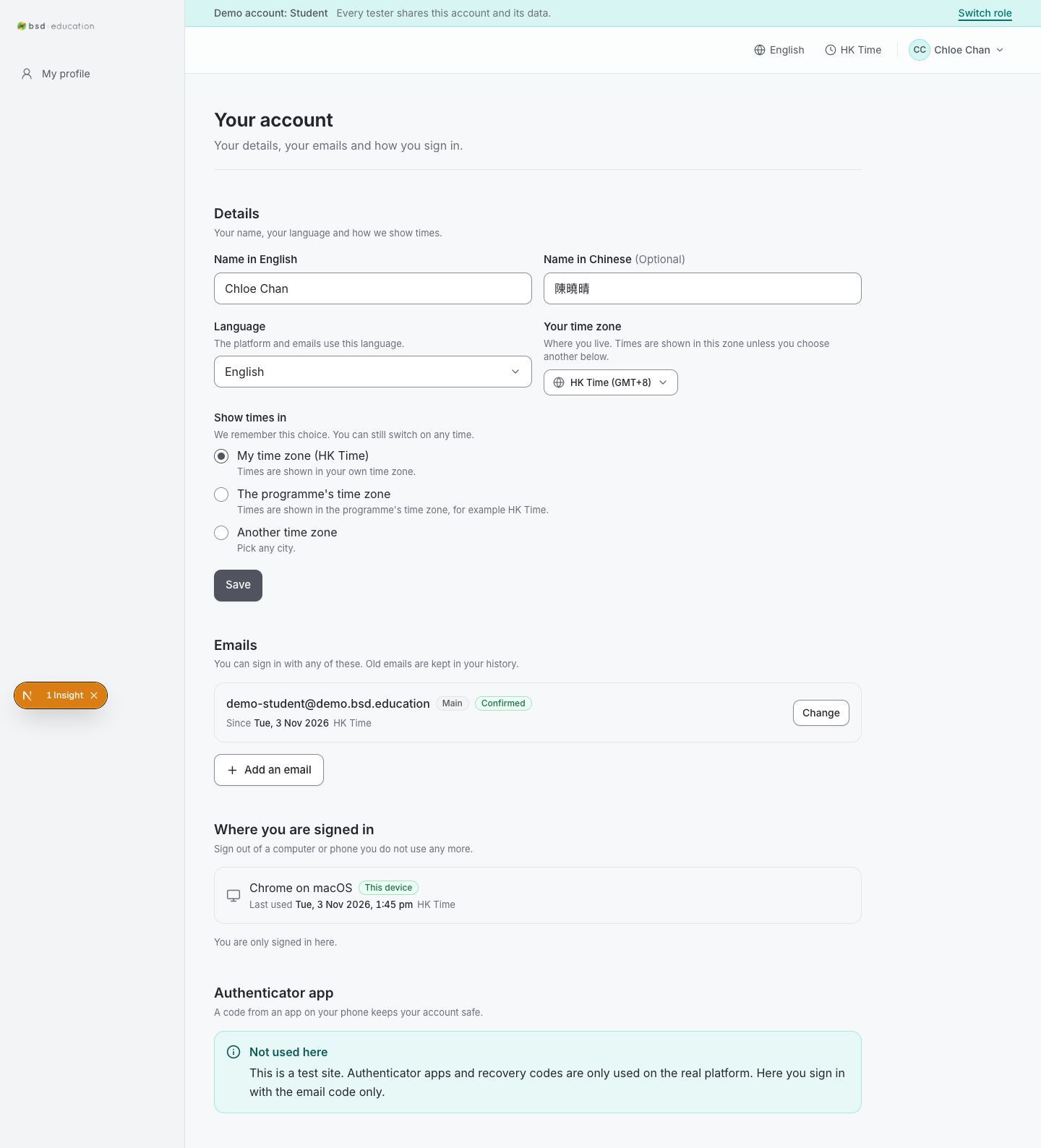
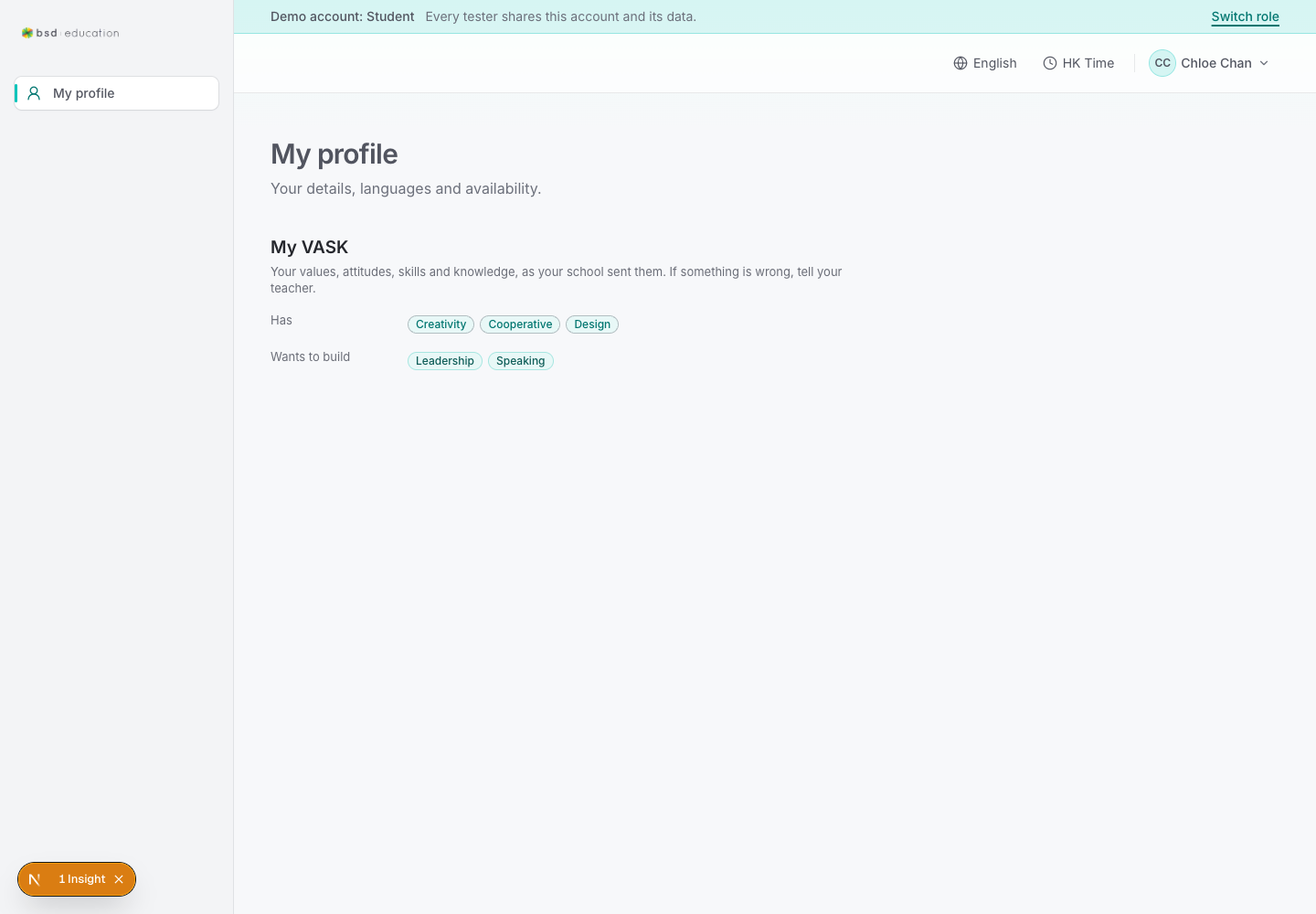
/en/home
open live ↗
/en/student/profileLegacy landing route — redirects to the student profile.
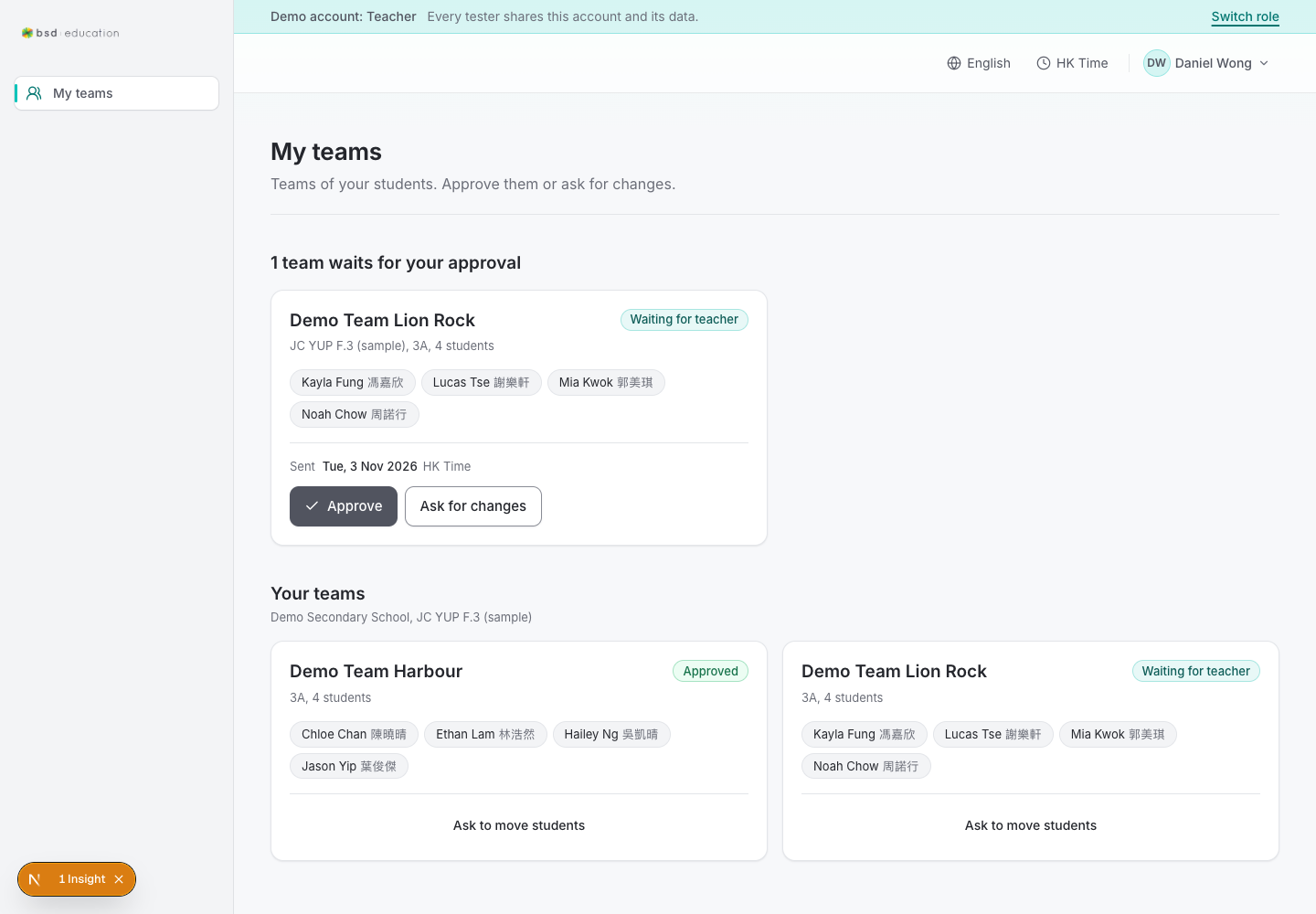
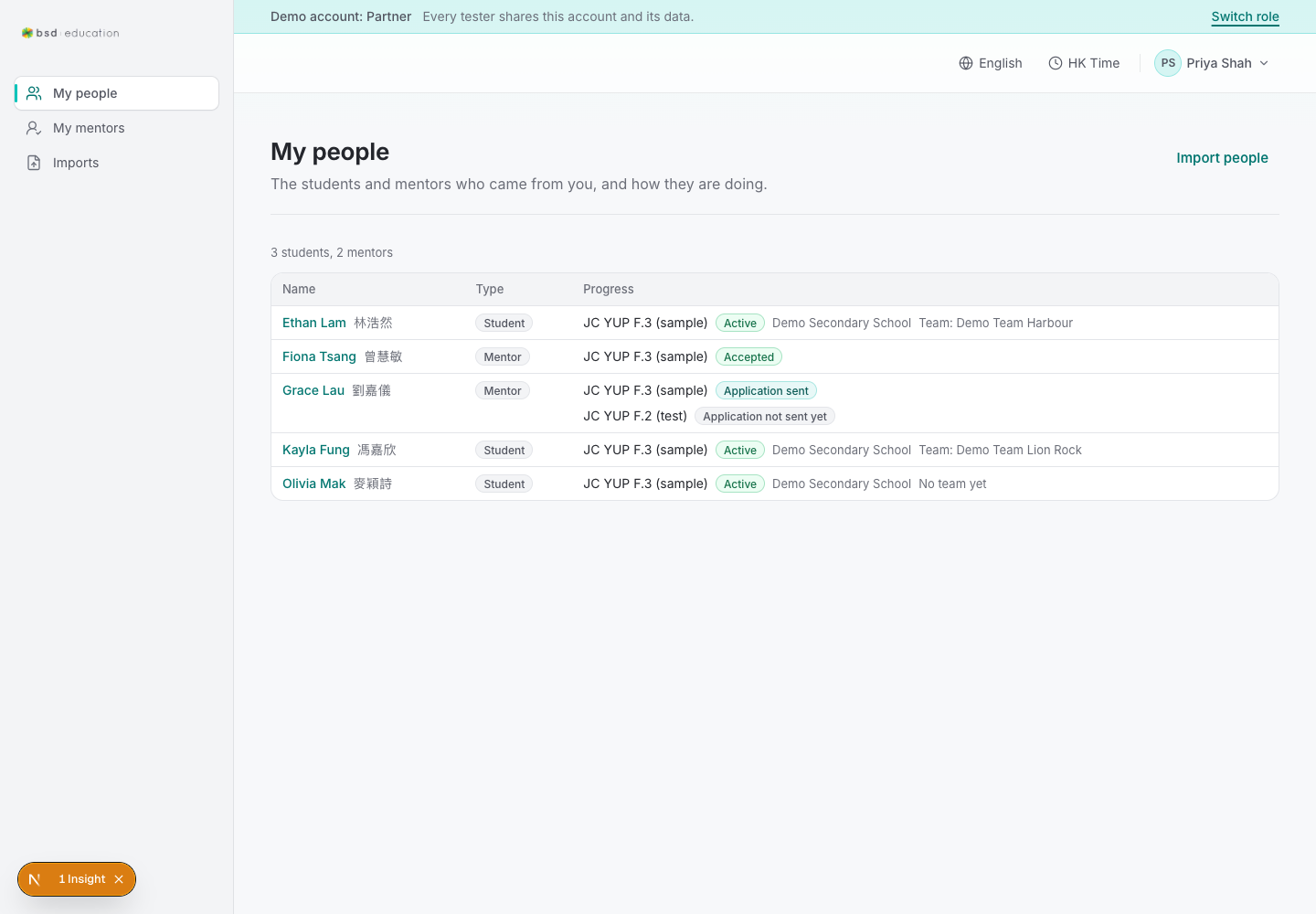
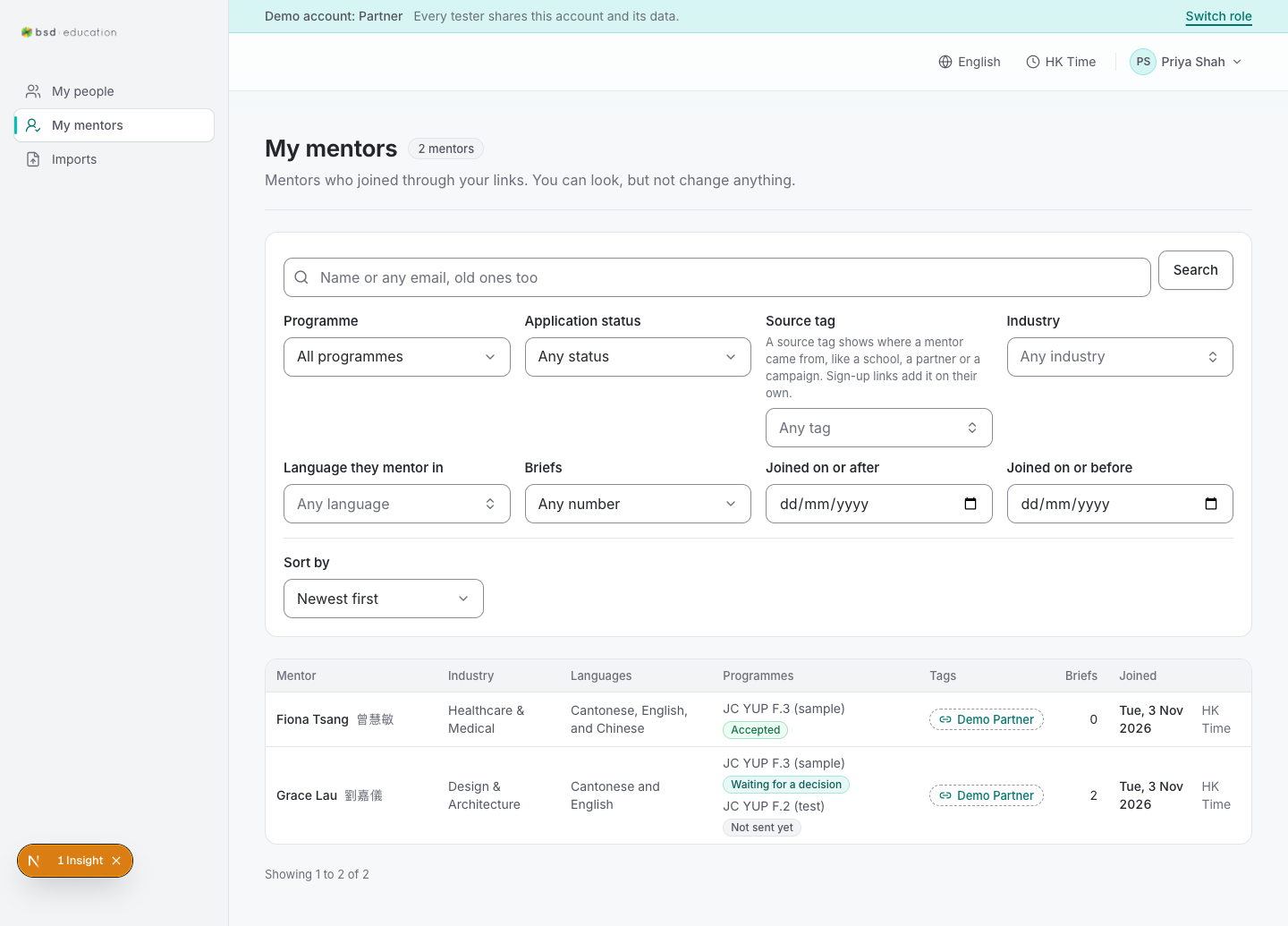
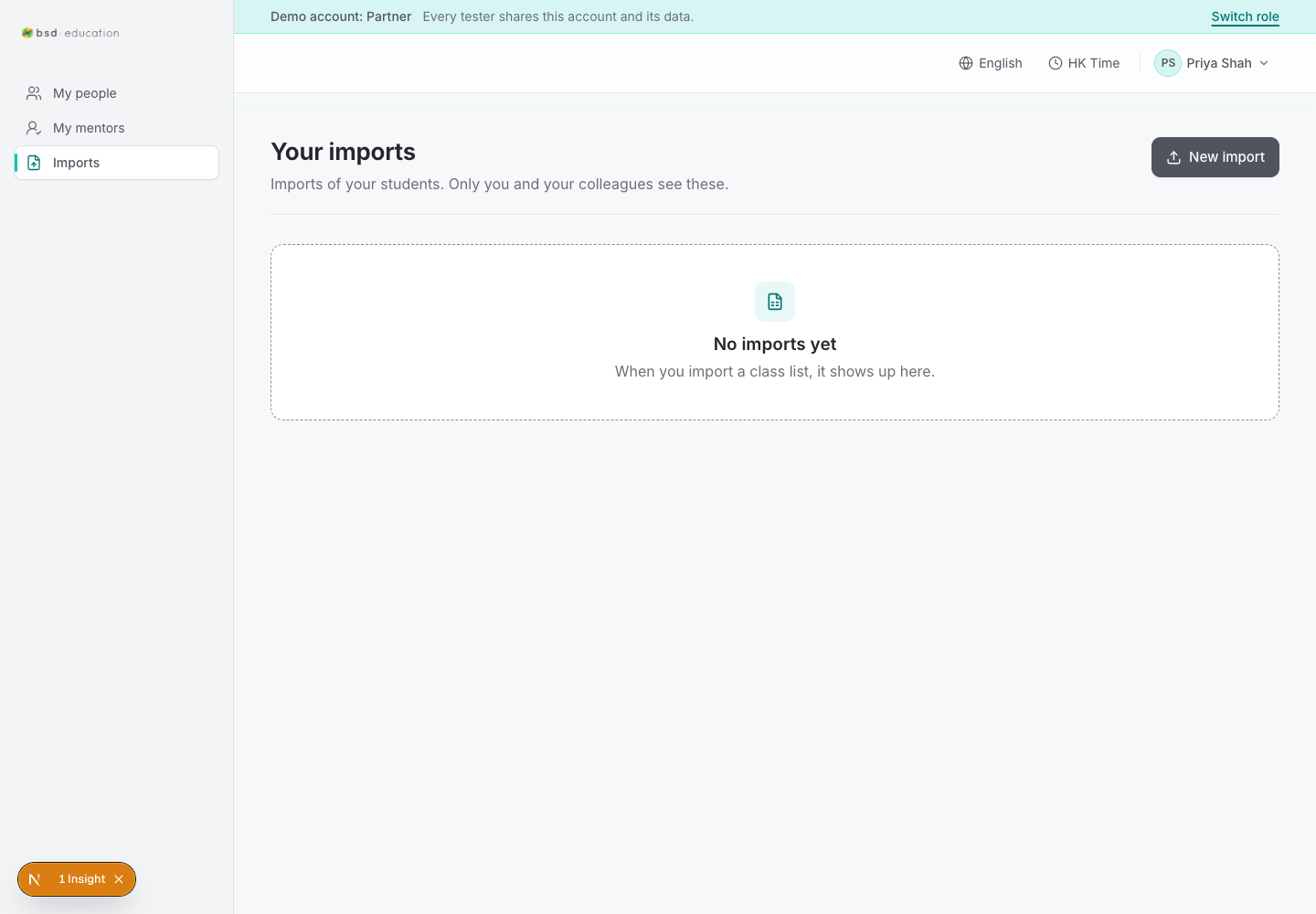
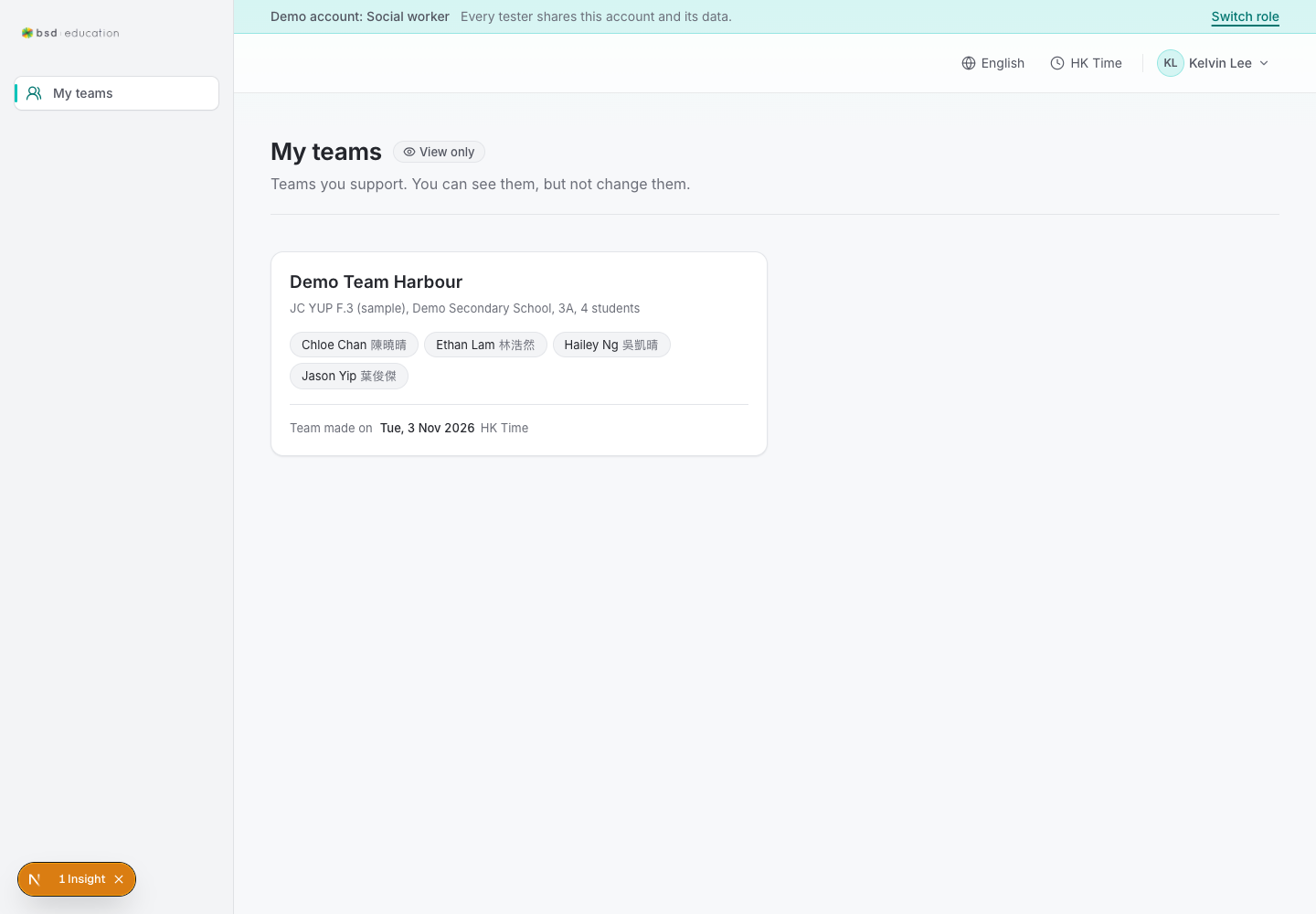
/en/design
open live ↗
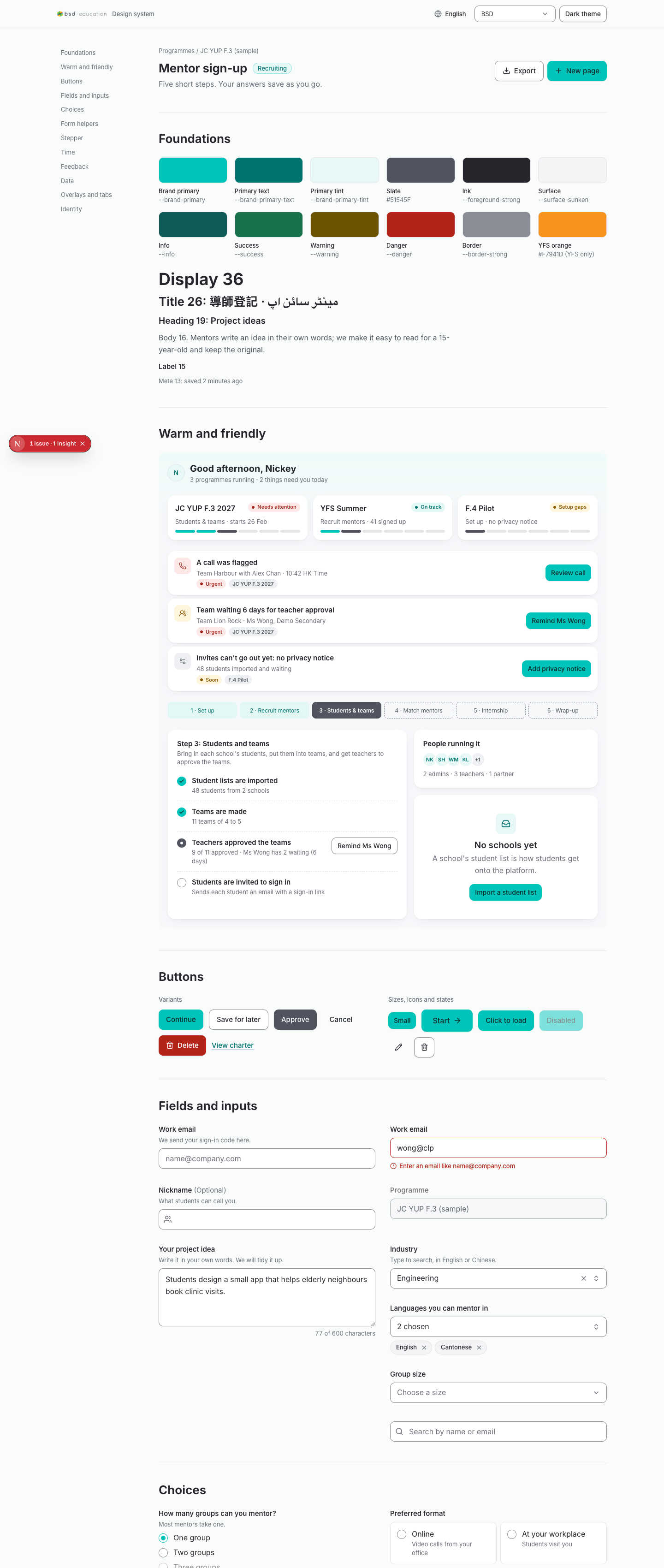
Design-system reference page — verify tokens/components match the shipped UI.
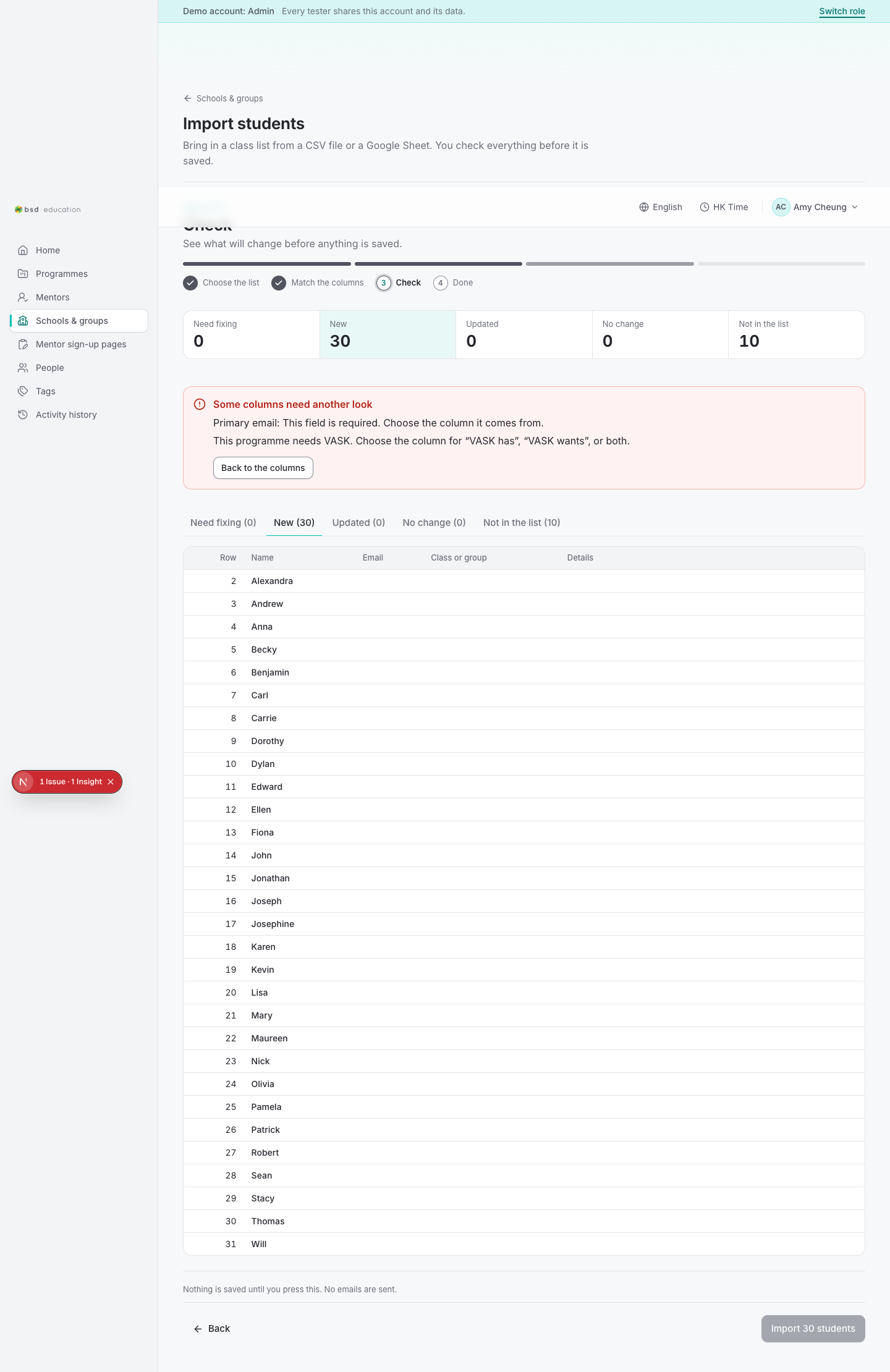
/en/admin/orgs/import#notinlist
open live ↗
One organisation: teams, programmes, contacts.
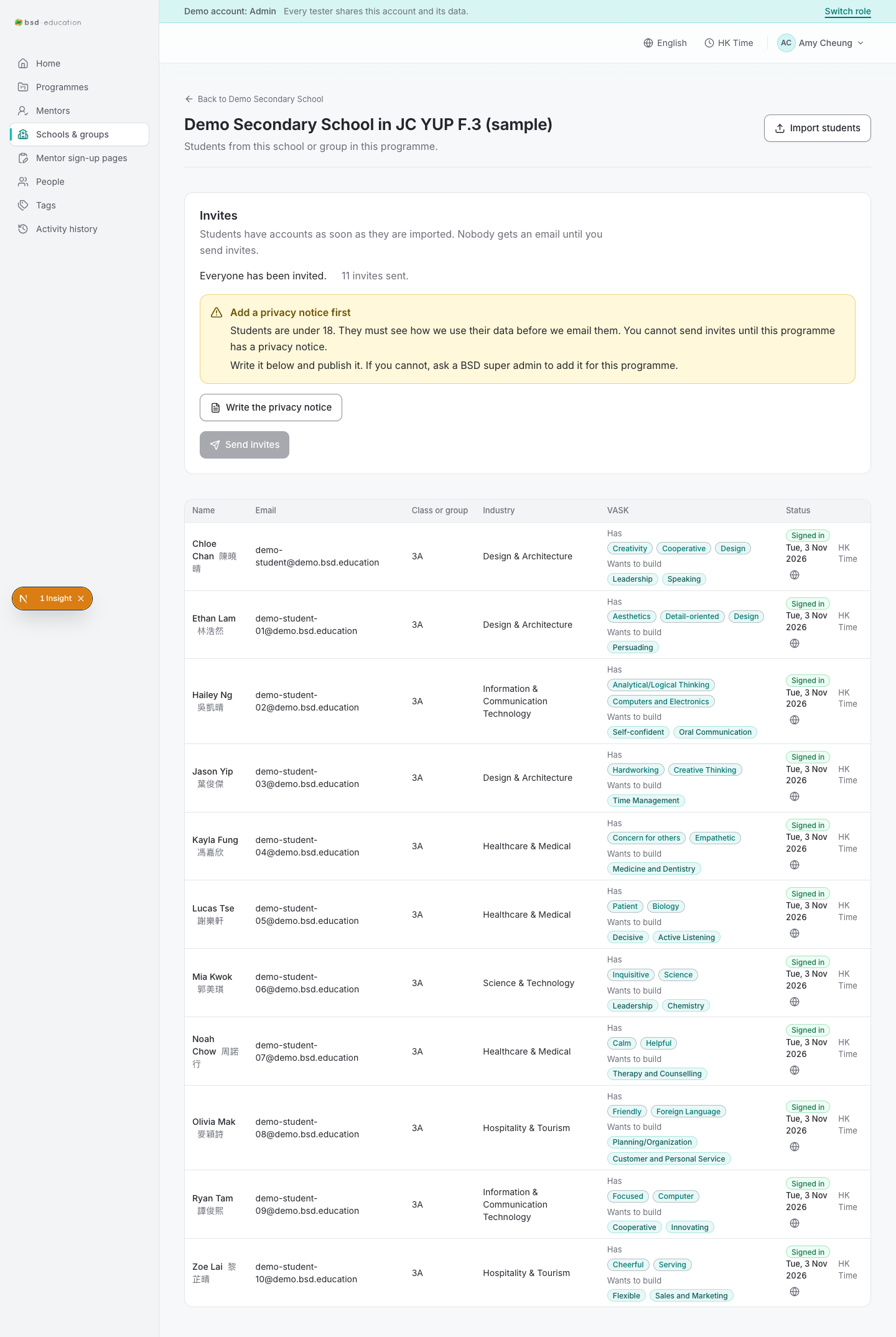
/en/admin/orgs/{id}/programmes/{id}
open live ↗
One organisation: teams, programmes, contacts.
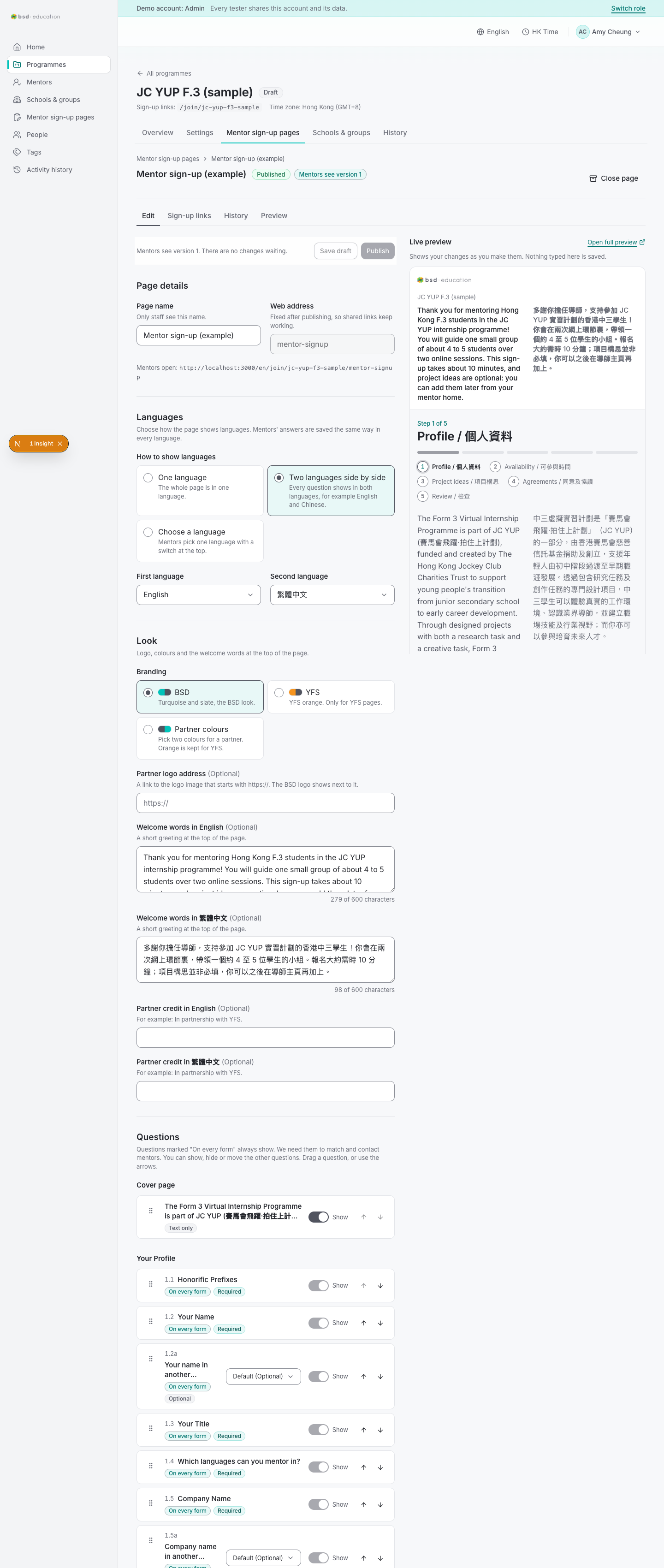
/en/admin/programmes/{id}/pages/{id}
open live ↗
Programme overview: status, dates, counts. The main hub an admin returns to.
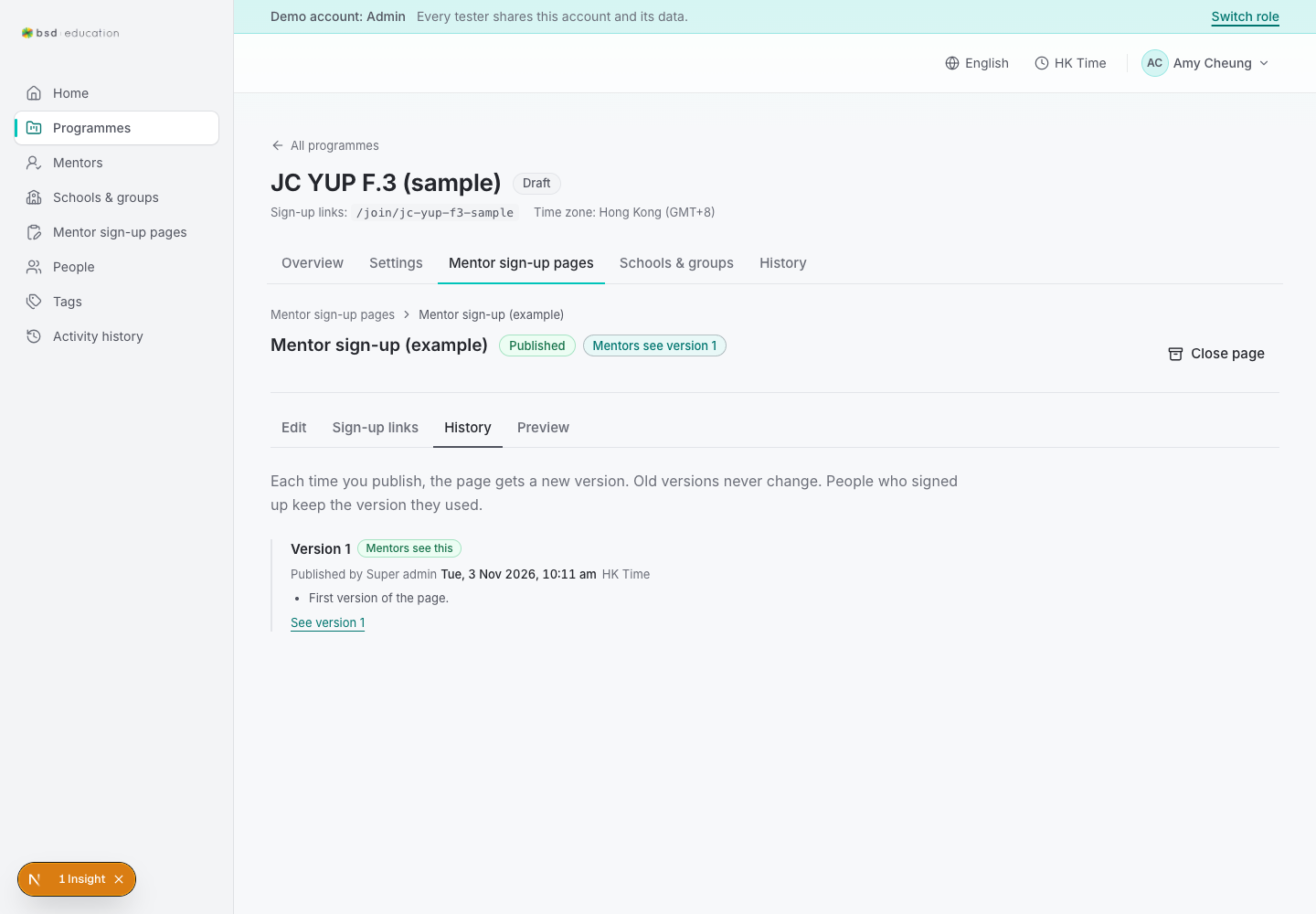
/en/admin/programmes/{id}/pages/{id}/history
open live ↗
Programme overview: status, dates, counts. The main hub an admin returns to.
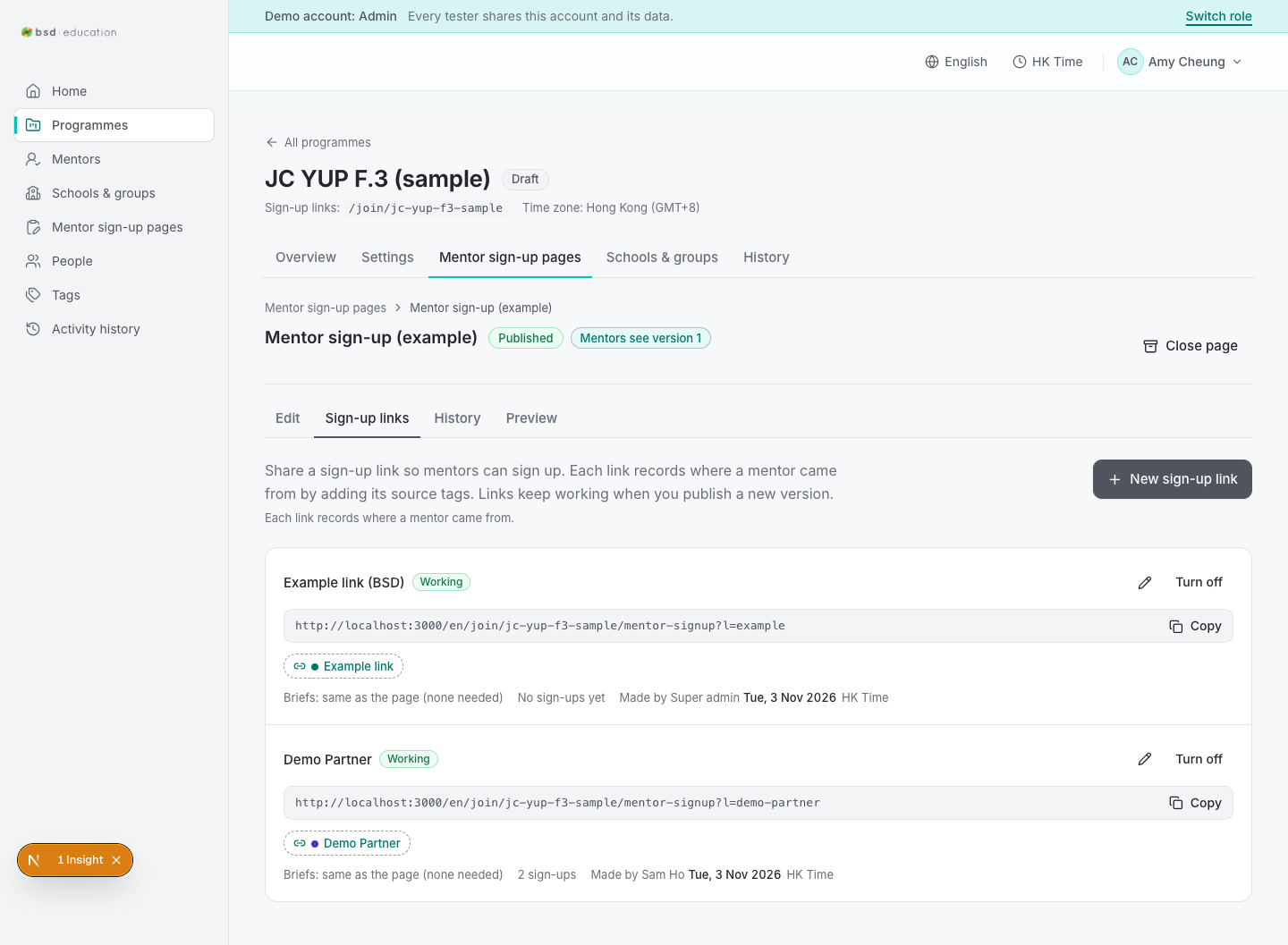
/en/admin/programmes/{id}/pages/{id}/links
open live ↗
Programme overview: status, dates, counts. The main hub an admin returns to.
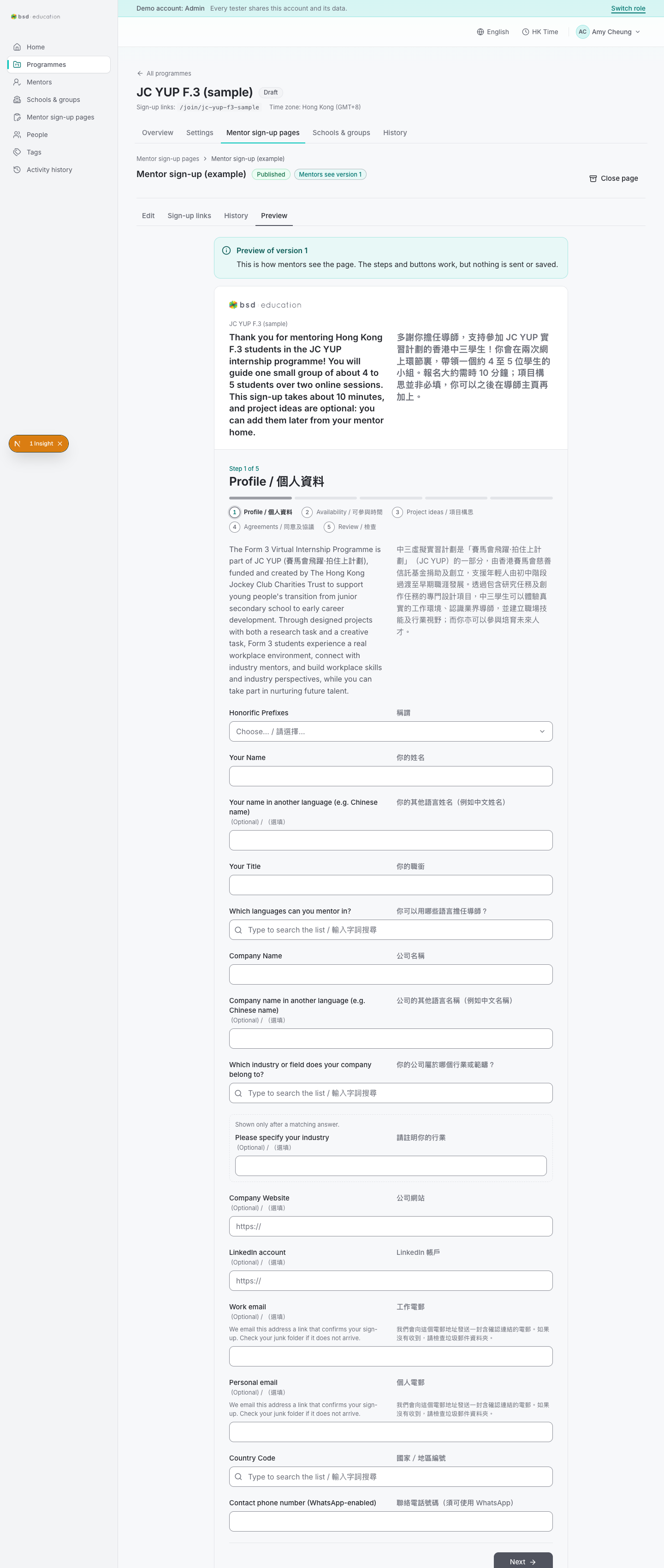
/en/admin/programmes/{id}/pages/{id}/preview
open live ↗
Programme overview: status, dates, counts. The main hub an admin returns to.
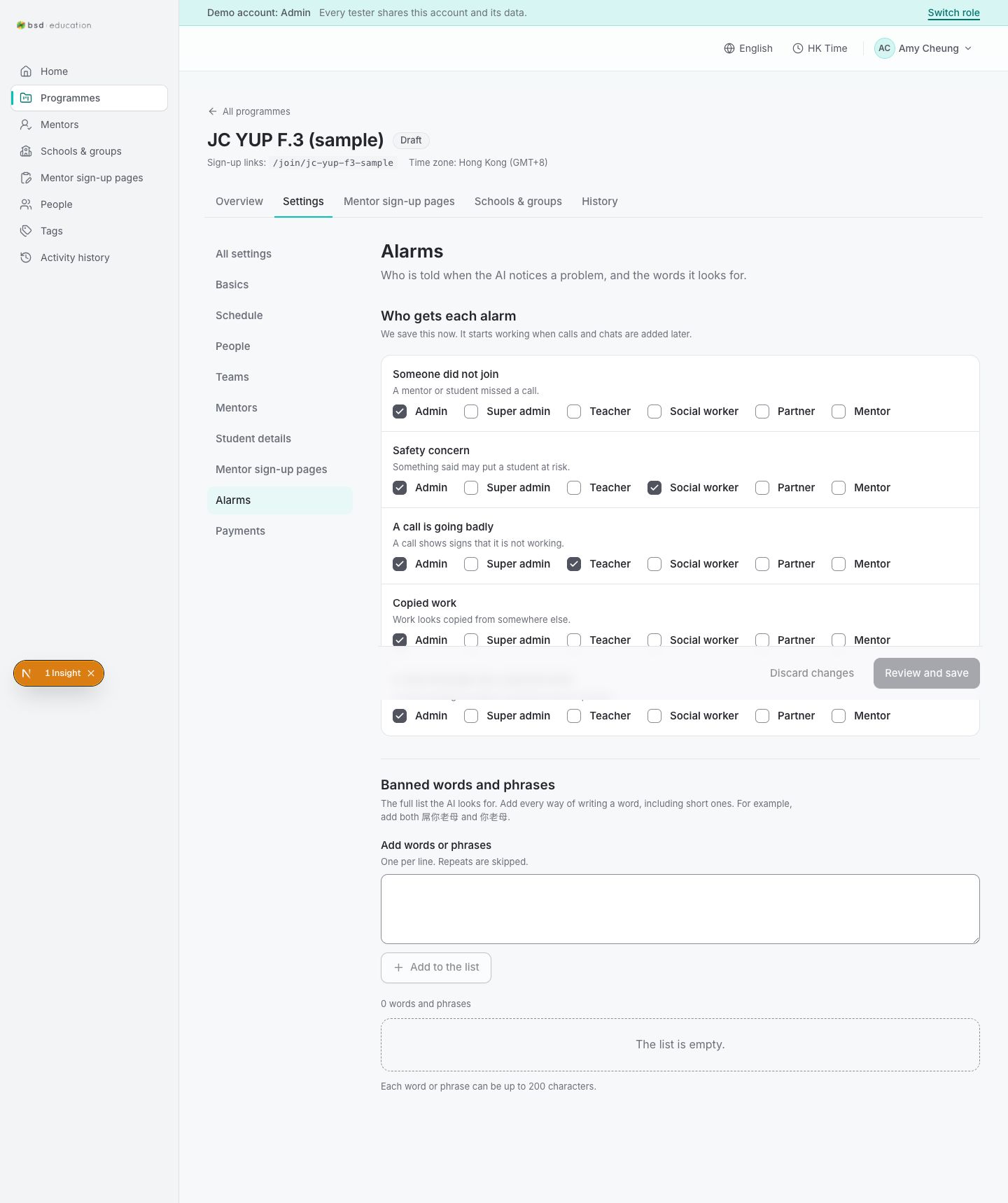
/en/admin/programmes/{id}/settings/alarms
open live ↗
Programme overview: status, dates, counts. The main hub an admin returns to.
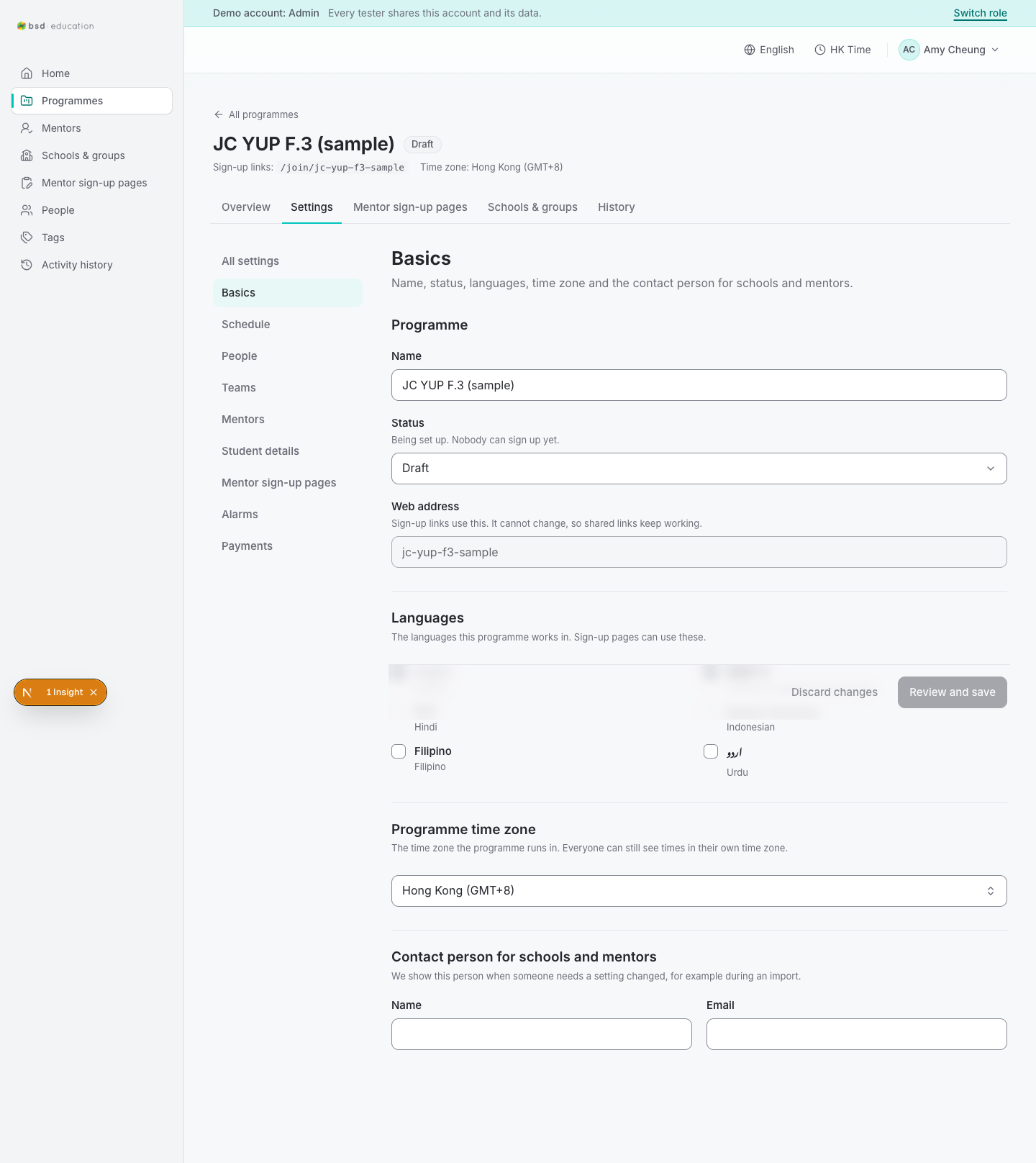
/en/admin/programmes/{id}/settings/basics
open live ↗
Programme overview: status, dates, counts. The main hub an admin returns to.
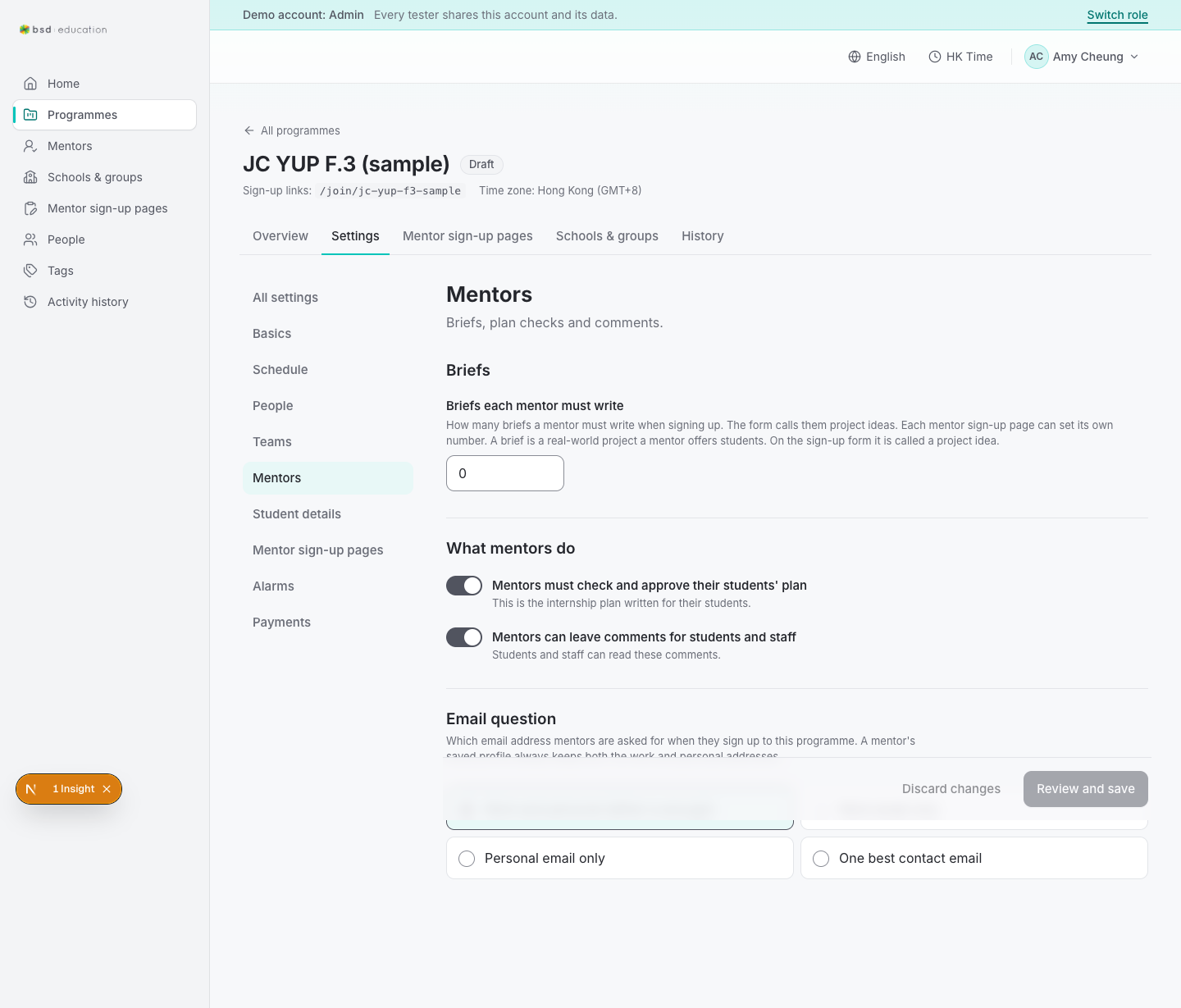
/en/admin/programmes/{id}/settings/mentors
open live ↗
Programme overview: status, dates, counts. The main hub an admin returns to.
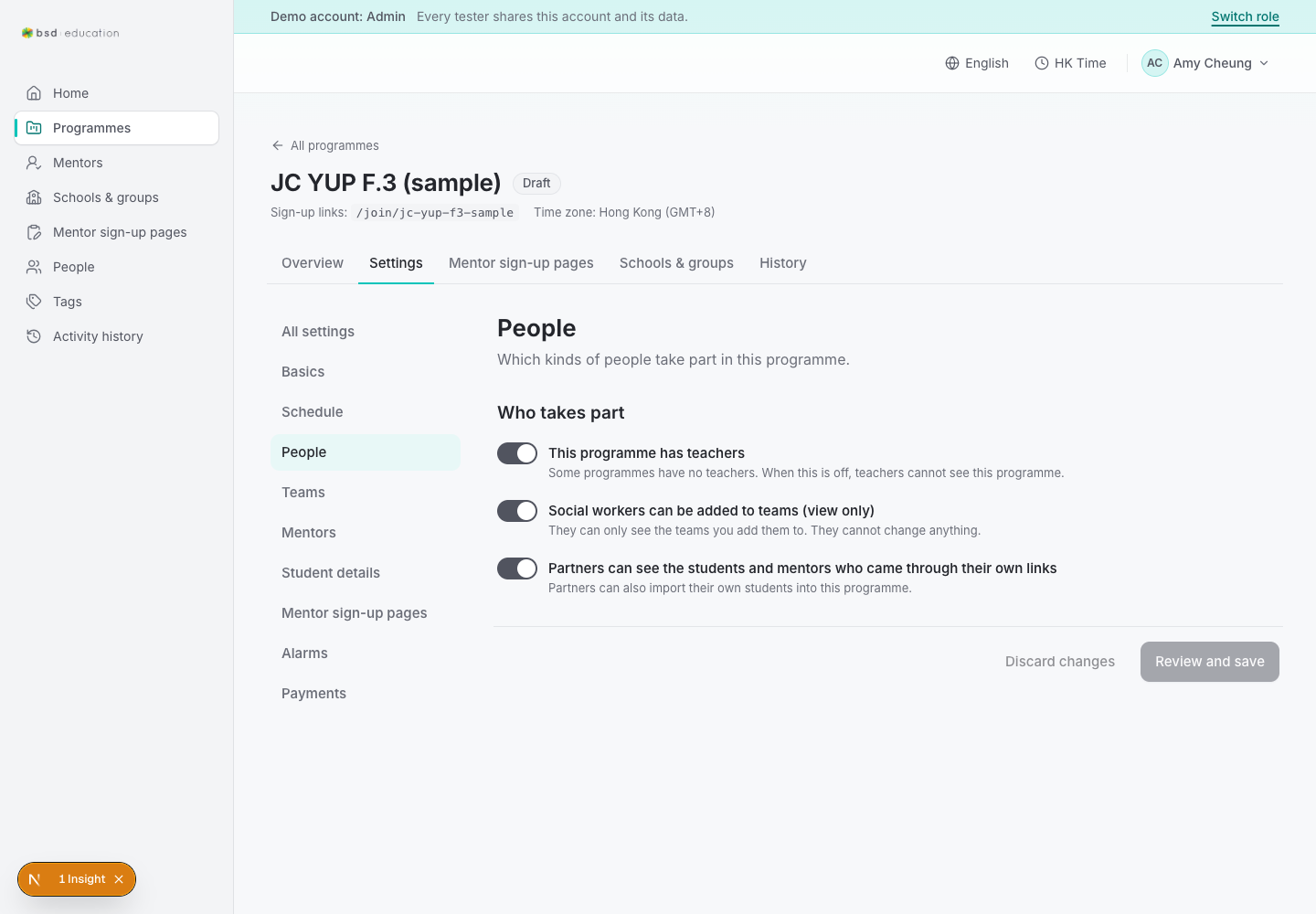
/en/admin/programmes/{id}/settings/people
open live ↗
Programme overview: status, dates, counts. The main hub an admin returns to.
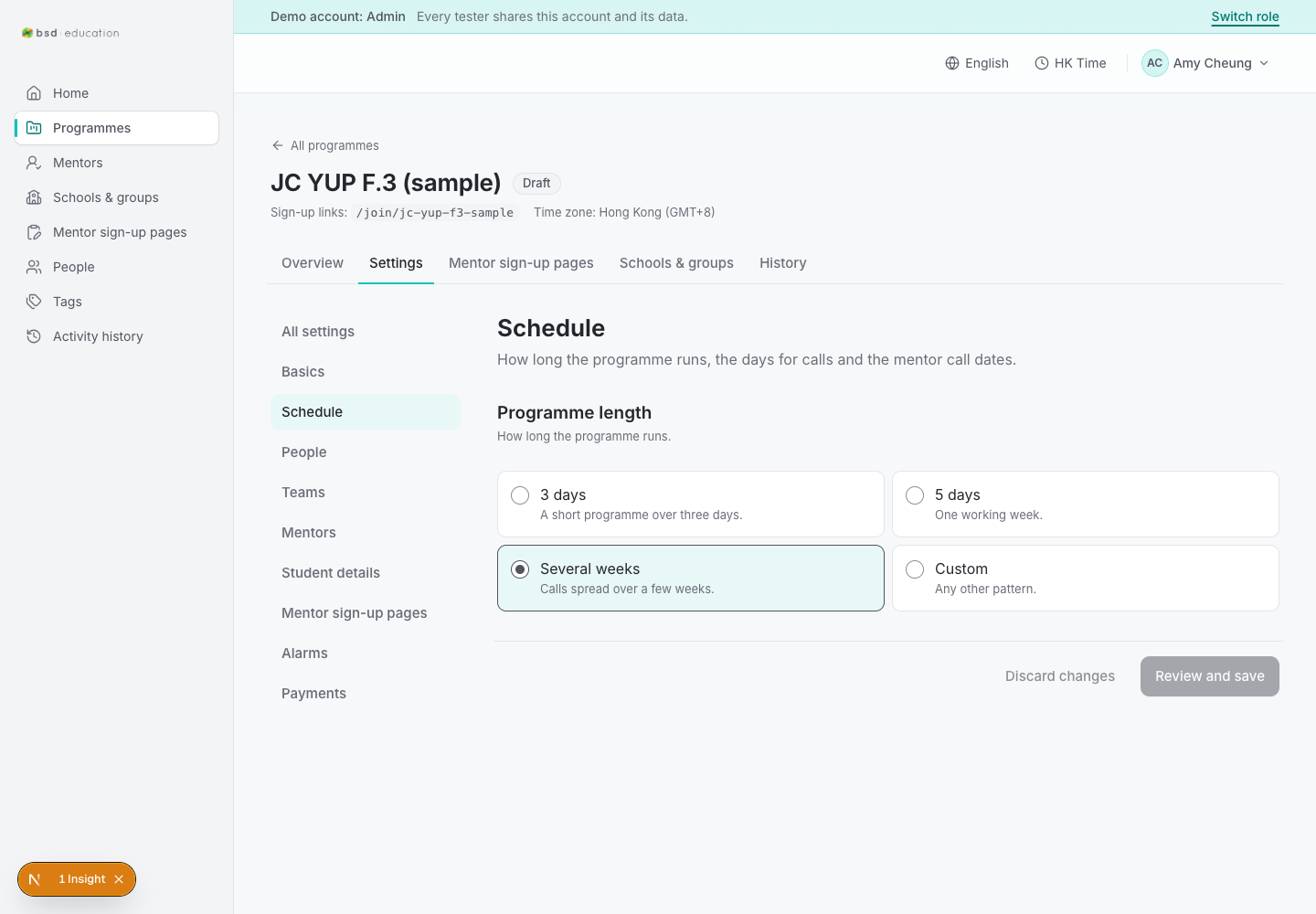
/en/admin/programmes/{id}/settings/schedule
open live ↗
Programme overview: status, dates, counts. The main hub an admin returns to.
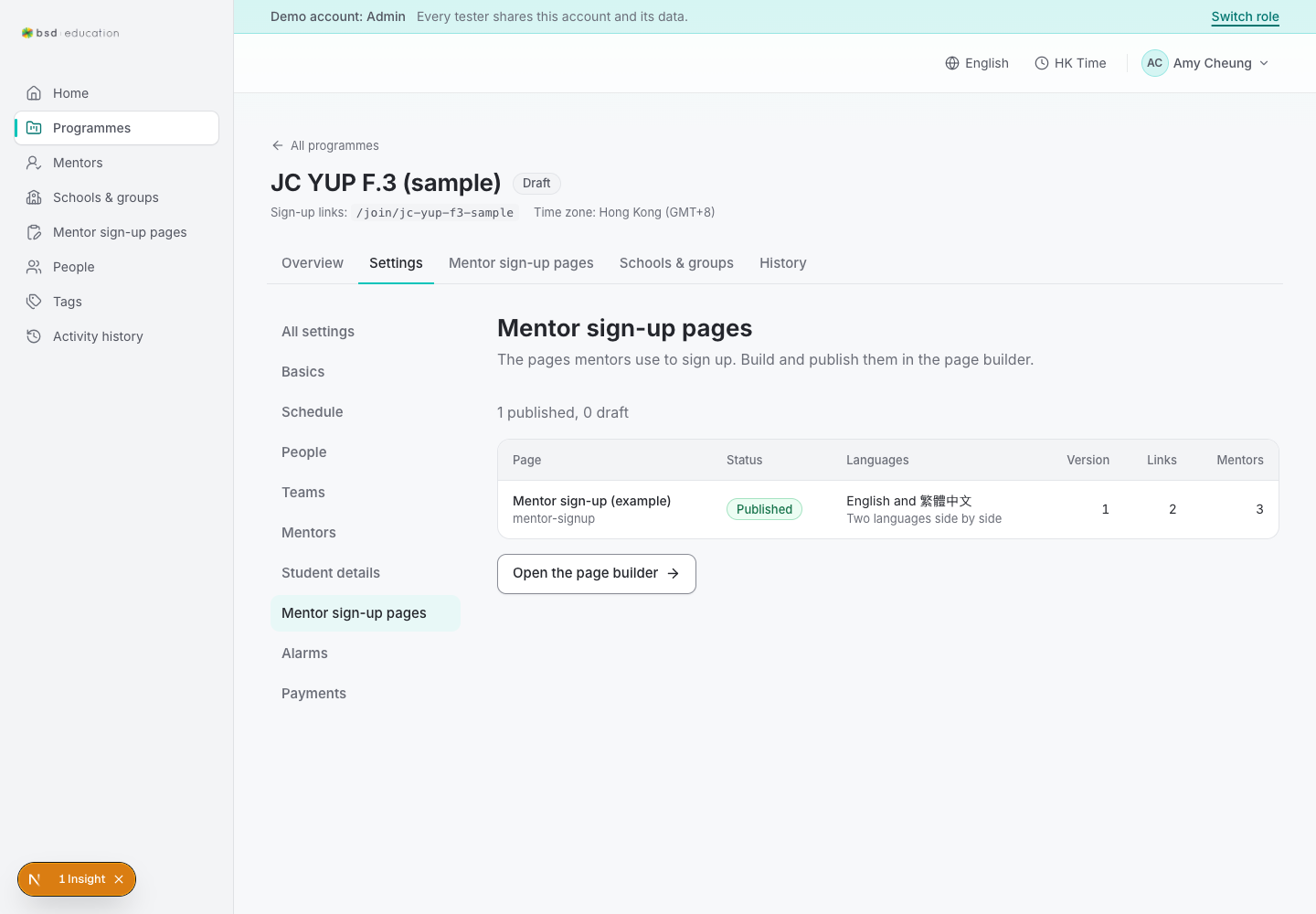
/en/admin/programmes/{id}/settings/signup-pages
open live ↗
Programme overview: status, dates, counts. The main hub an admin returns to.
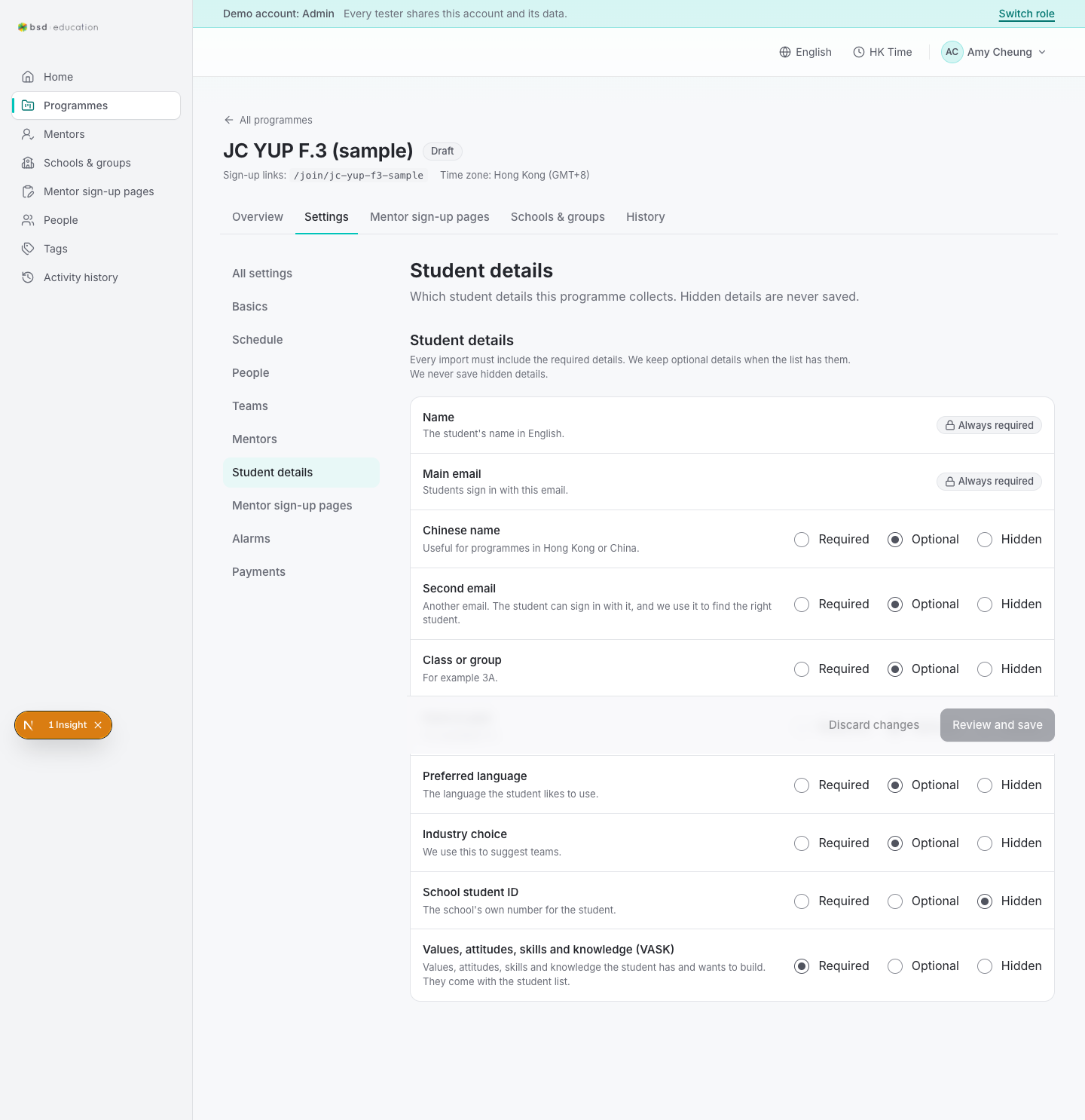
/en/admin/programmes/{id}/settings/student-fields
open live ↗
Programme overview: status, dates, counts. The main hub an admin returns to.
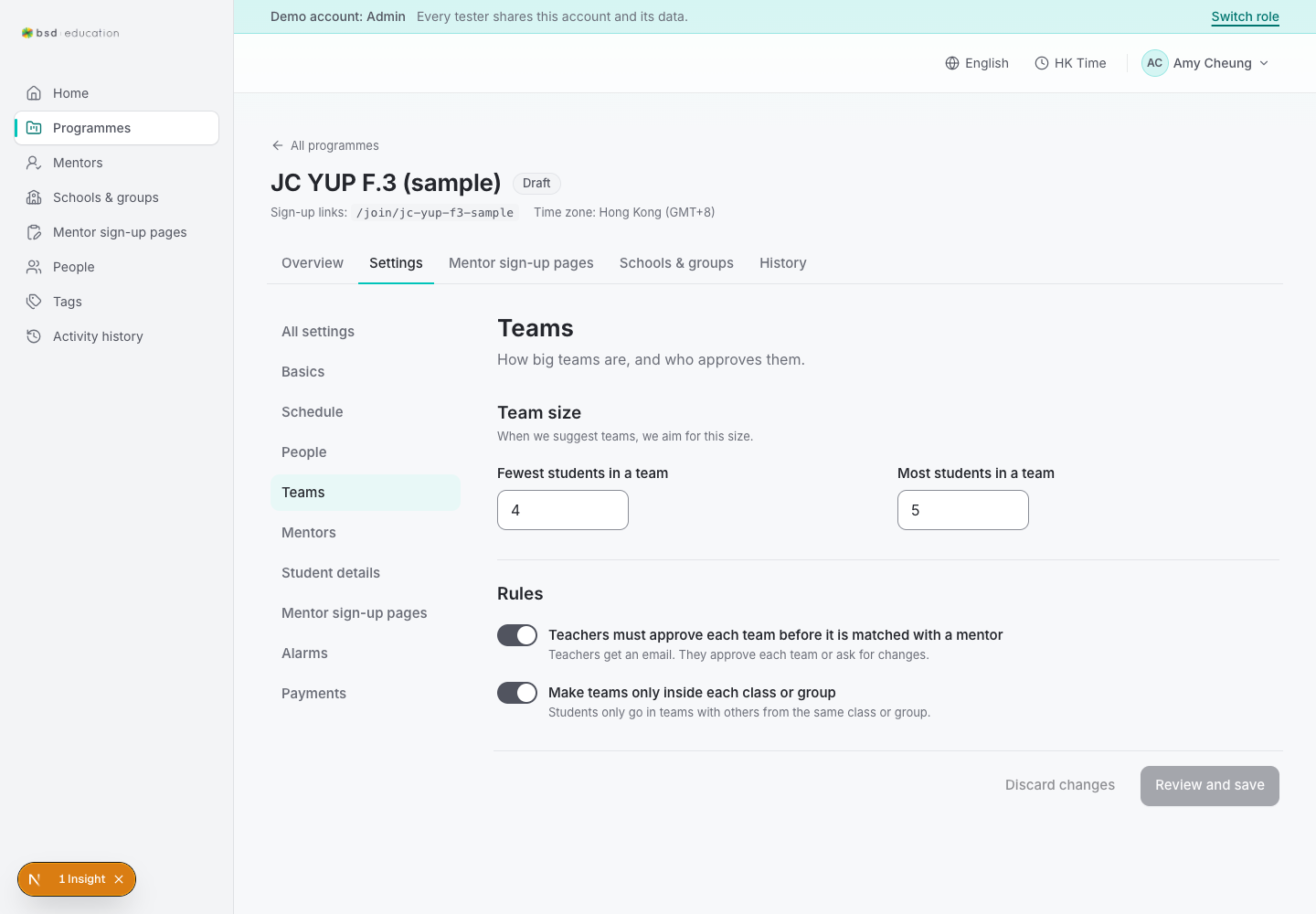
/en/admin/programmes/{id}/settings/teams
open live ↗
Programme overview: status, dates, counts. The main hub an admin returns to.

/en/join/jc-yup-f3-sample
open live ↗
Public programme landing → sign-up entry for mentors and mentees.
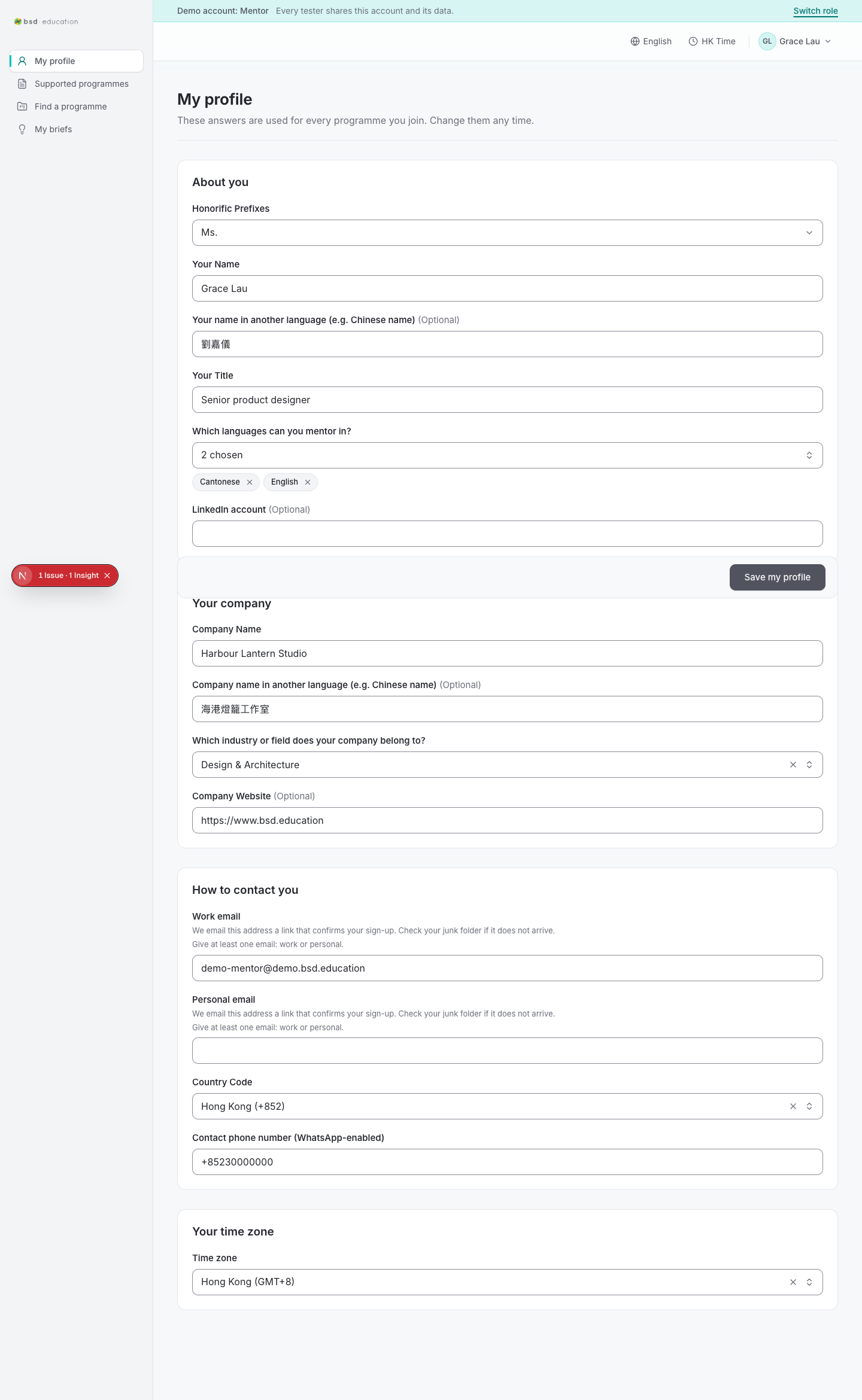
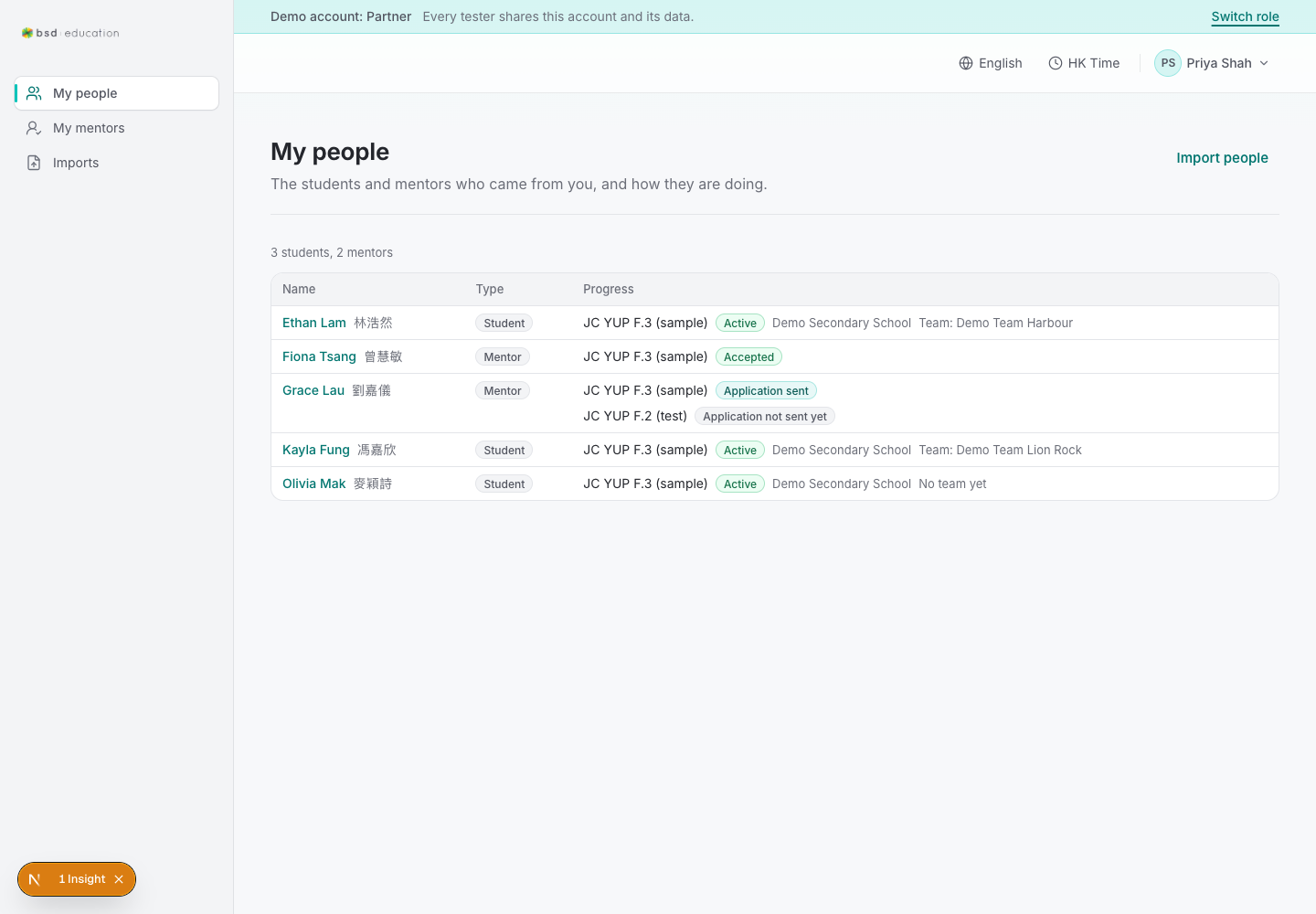
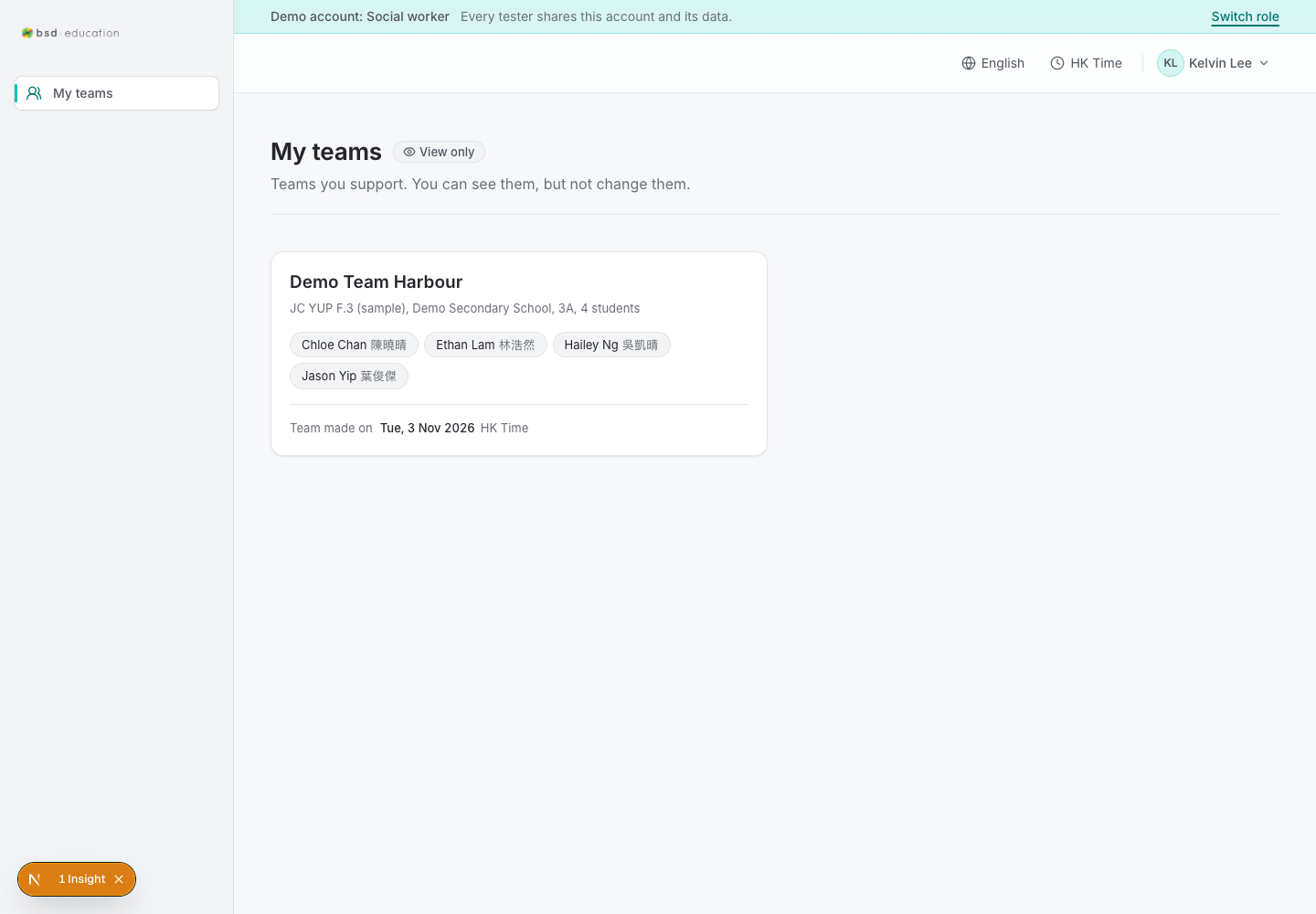
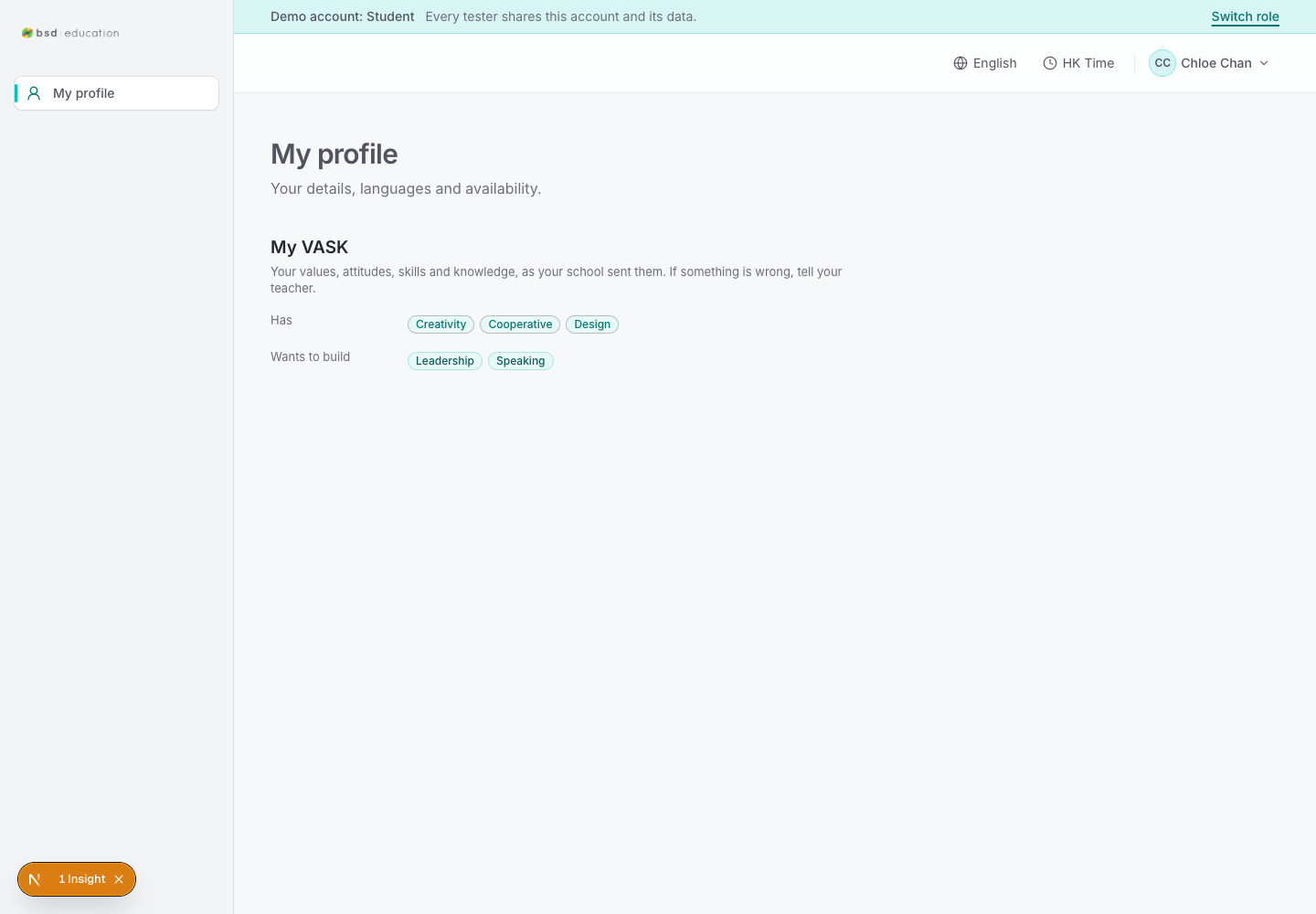
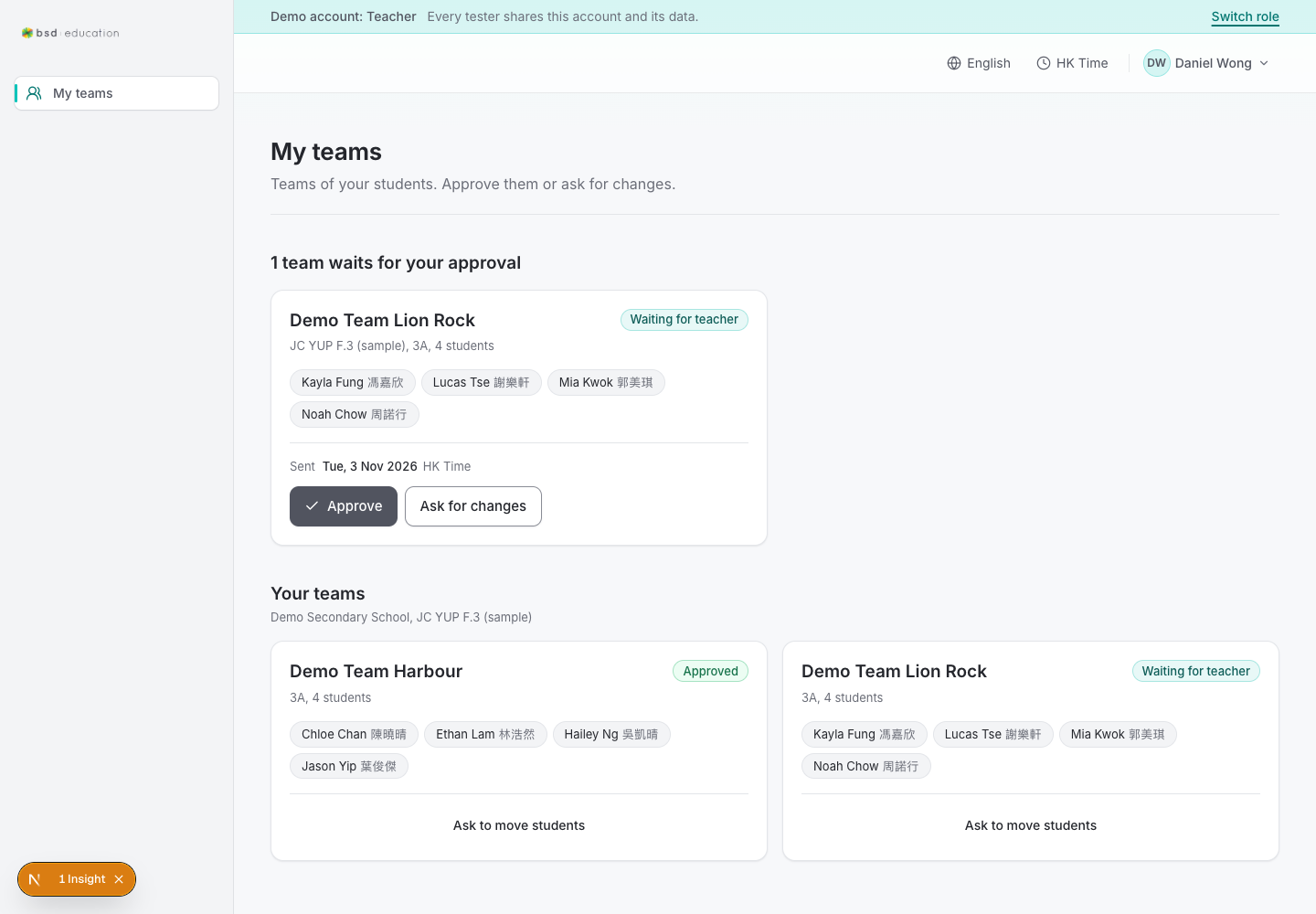

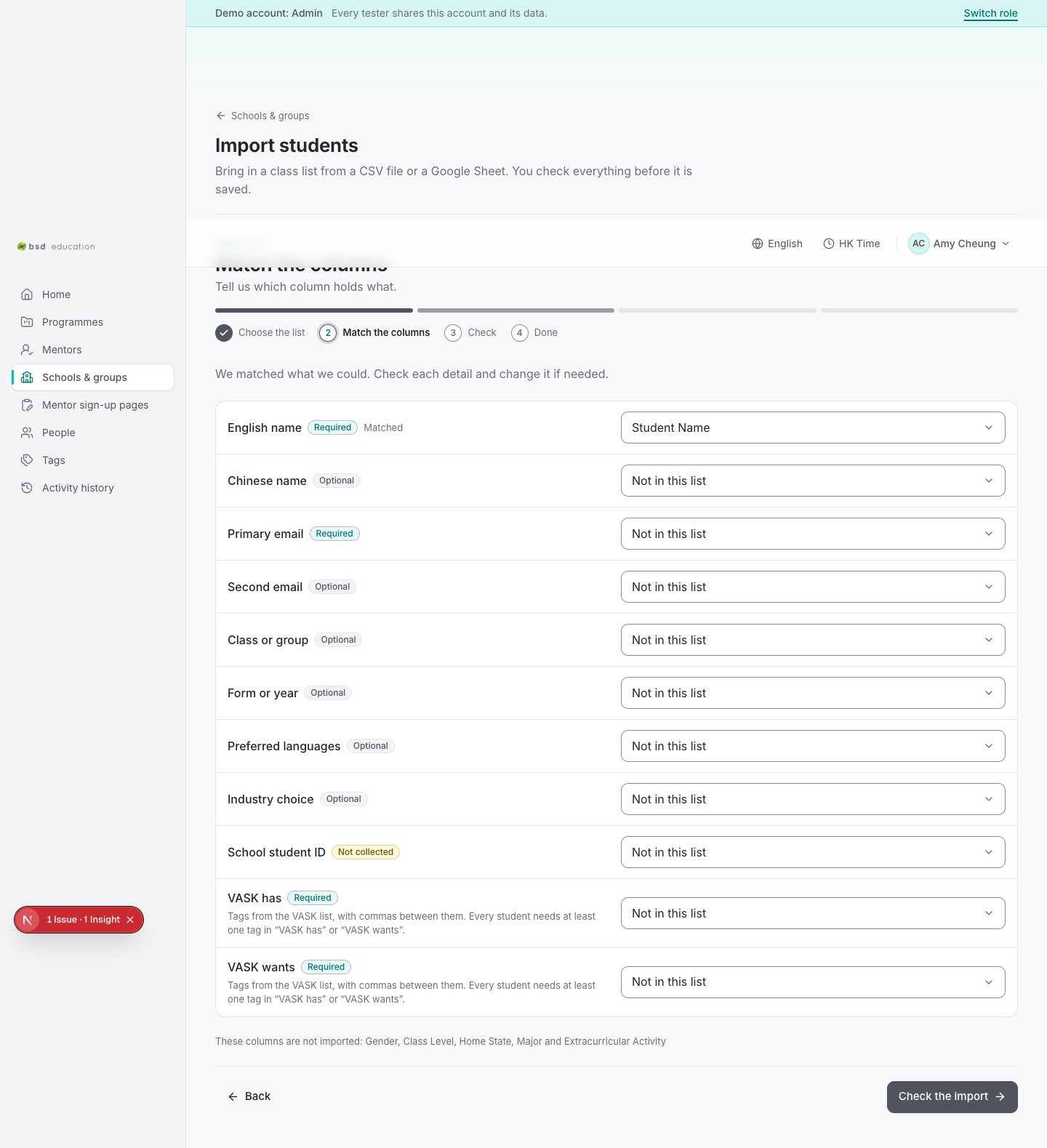
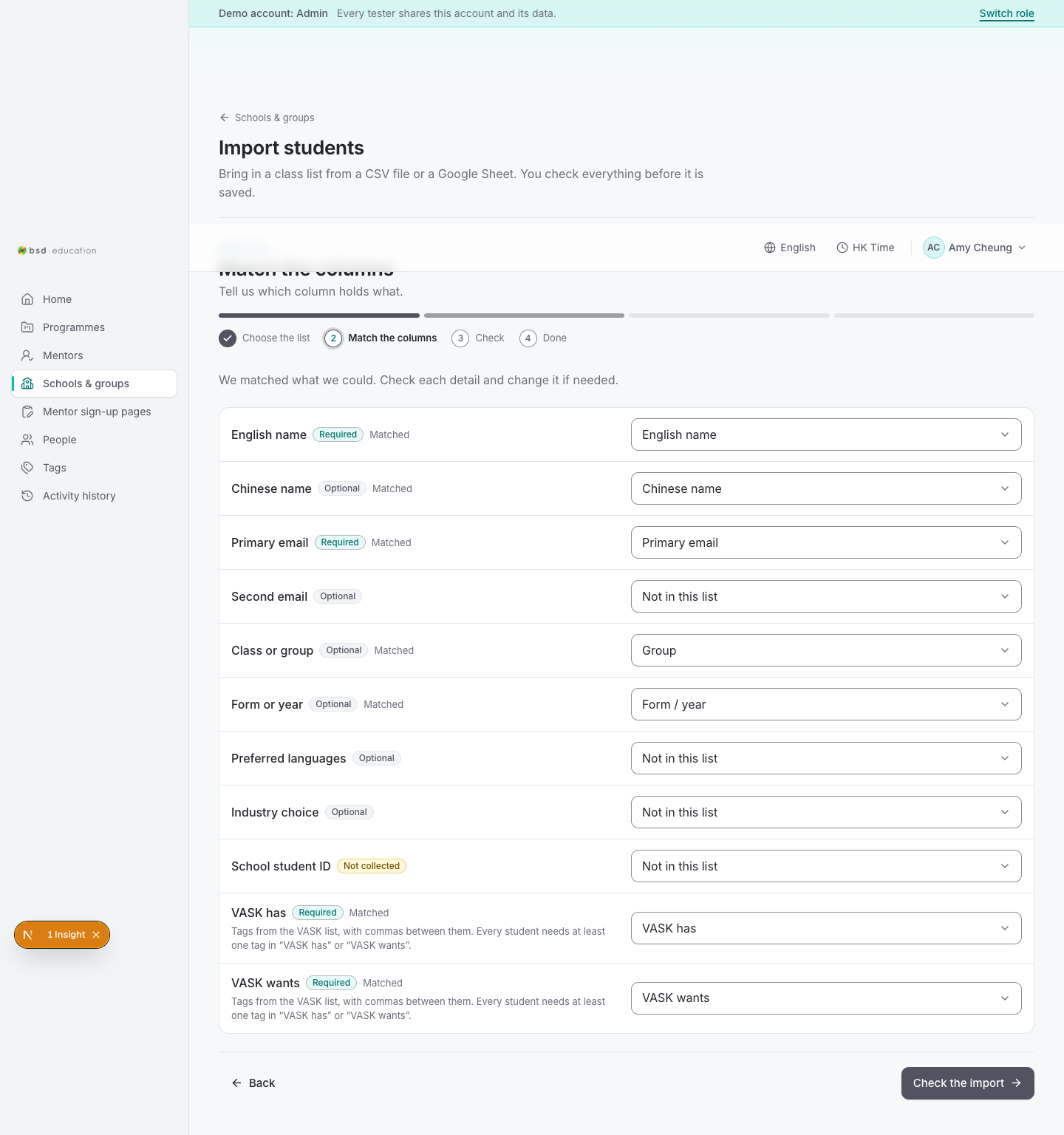
Two intake paths exist and both were driven end to end on the running app on 2026-11-03. A class list is brought in through /en/admin/orgs/import: choose a school or group, supply a CSV file or a Google Sheet link, match columns to the template, check, import. Everything is previewed before a single row is written, and each confirmed import leaves an audit record.
CSV uploadVerified in the database, not just on the success screen: imports row source_type=csv, status=confirmed, summary new 5 / error 0 at 2026-11-03 14:18:56.
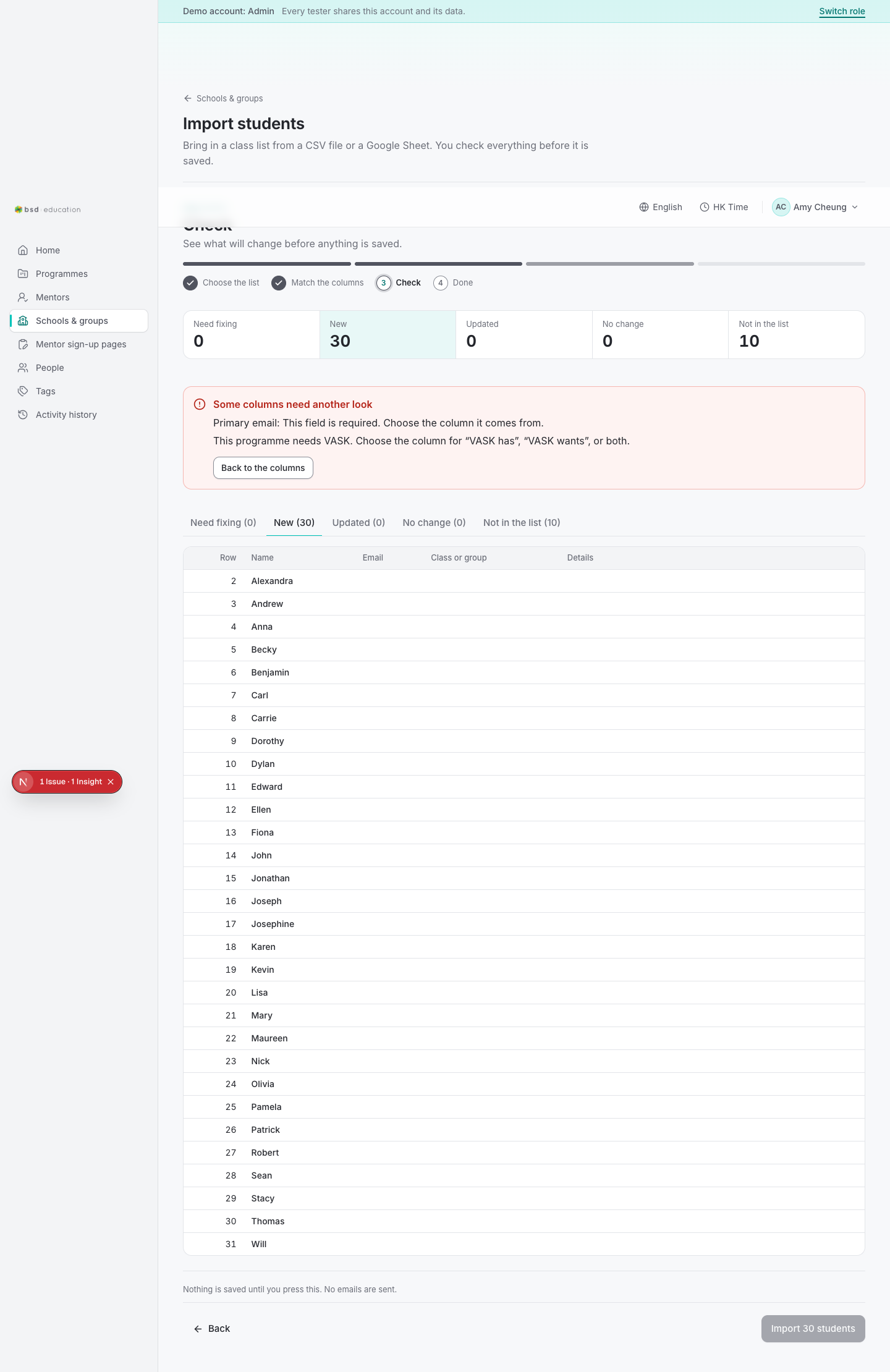
Google Sheet by URLThe public sample sheet was read through the service account and its thirty students arrived on the mapping step. It stopped at Check only because that sample has no email column and no VASK column - a data problem, not a code problem. This path is also where the credentials fault was hiding (see findings).
docs · slides · PDFsThere is no upload for a .docx, .pptx, PDF, Google Doc or Google Slide, no attachment table, no per-student submission record, and no review screen for a submitted file. The wizard is a class-list importer, not a submission inbox. This is the gap between the platform as built and the platform as intended.
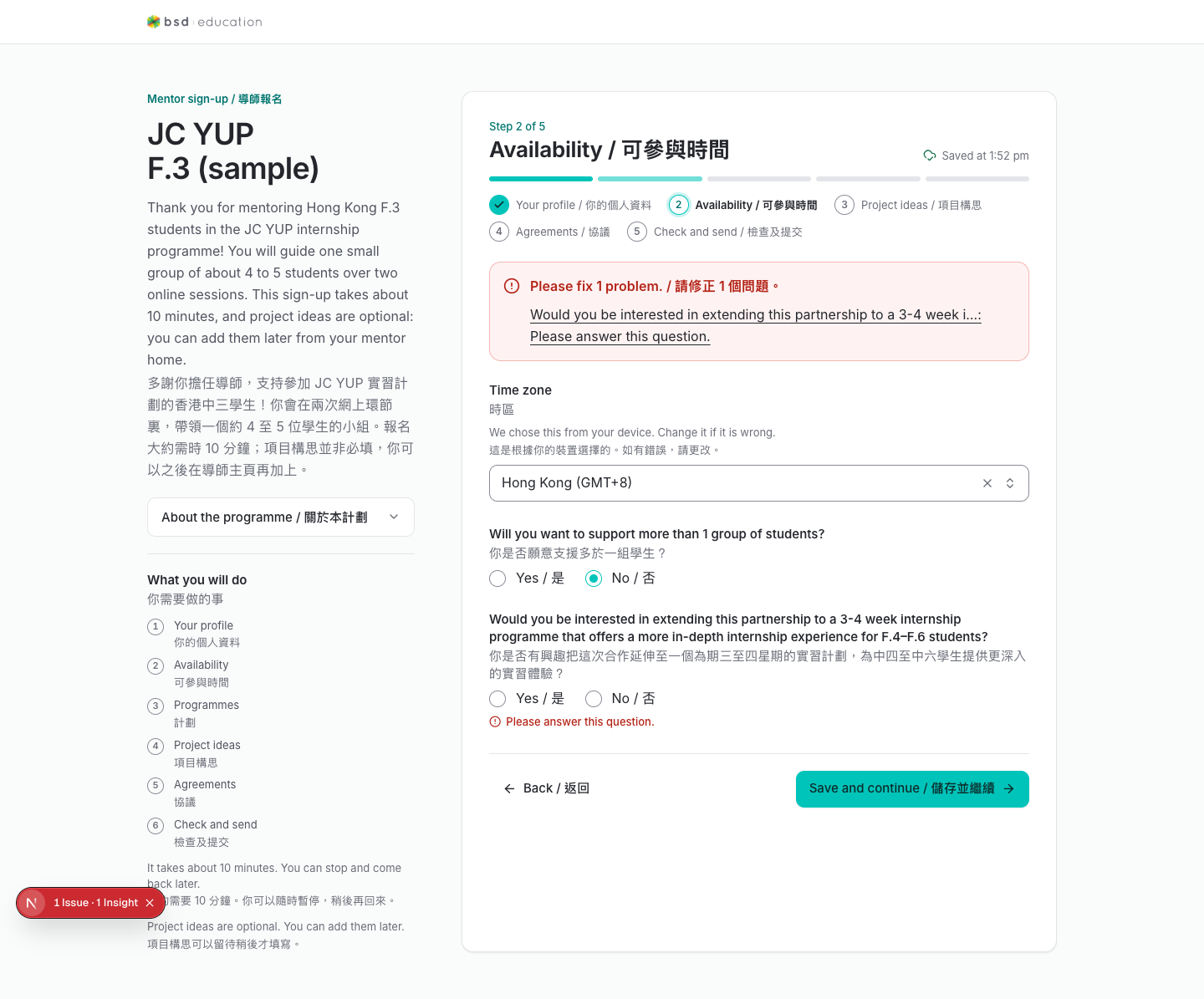
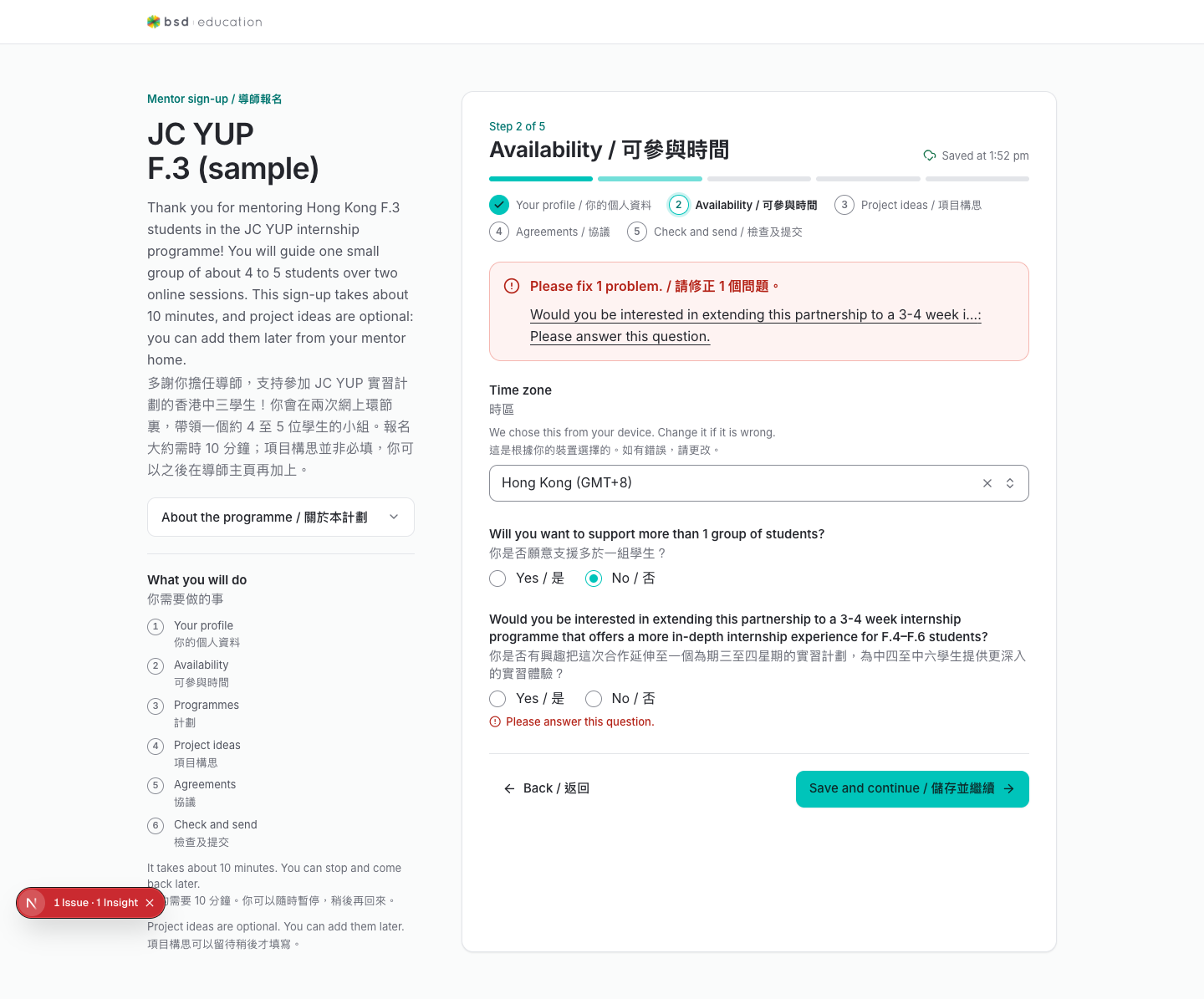
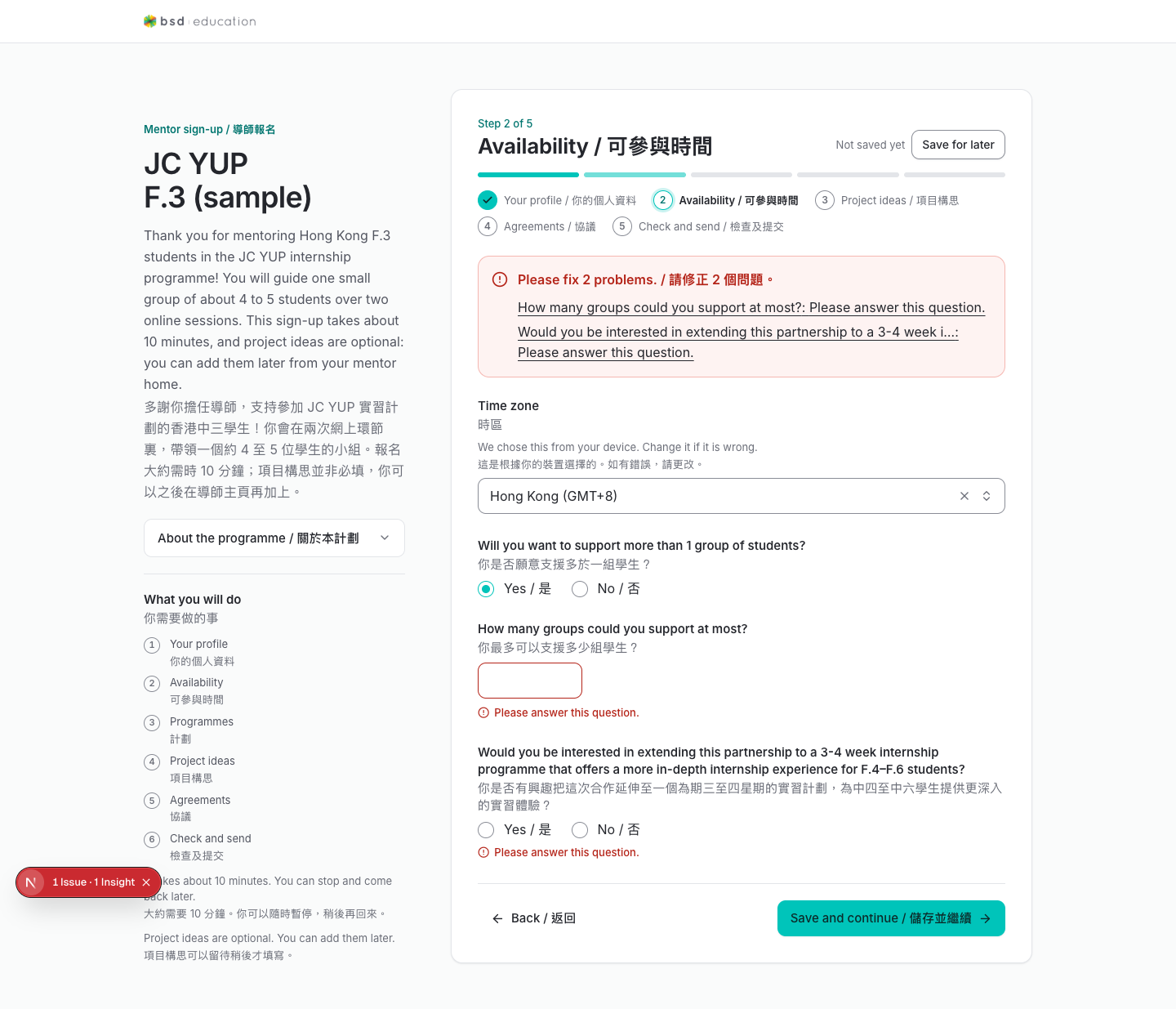
The wizard at /en/join/{slug}/mentor-signup was driven with real input: text fields filled, both pick-lists opened and selected, radios answered. These are the states a real applicant sees — including the section where it currently refuses to advance: the five captures marked “repeat attempt” are consecutive submissions of one screen, pixel-identical, save timestamp frozen at 1:52 pm. It never reached a submit or review screen — and nothing in the UI explains why.
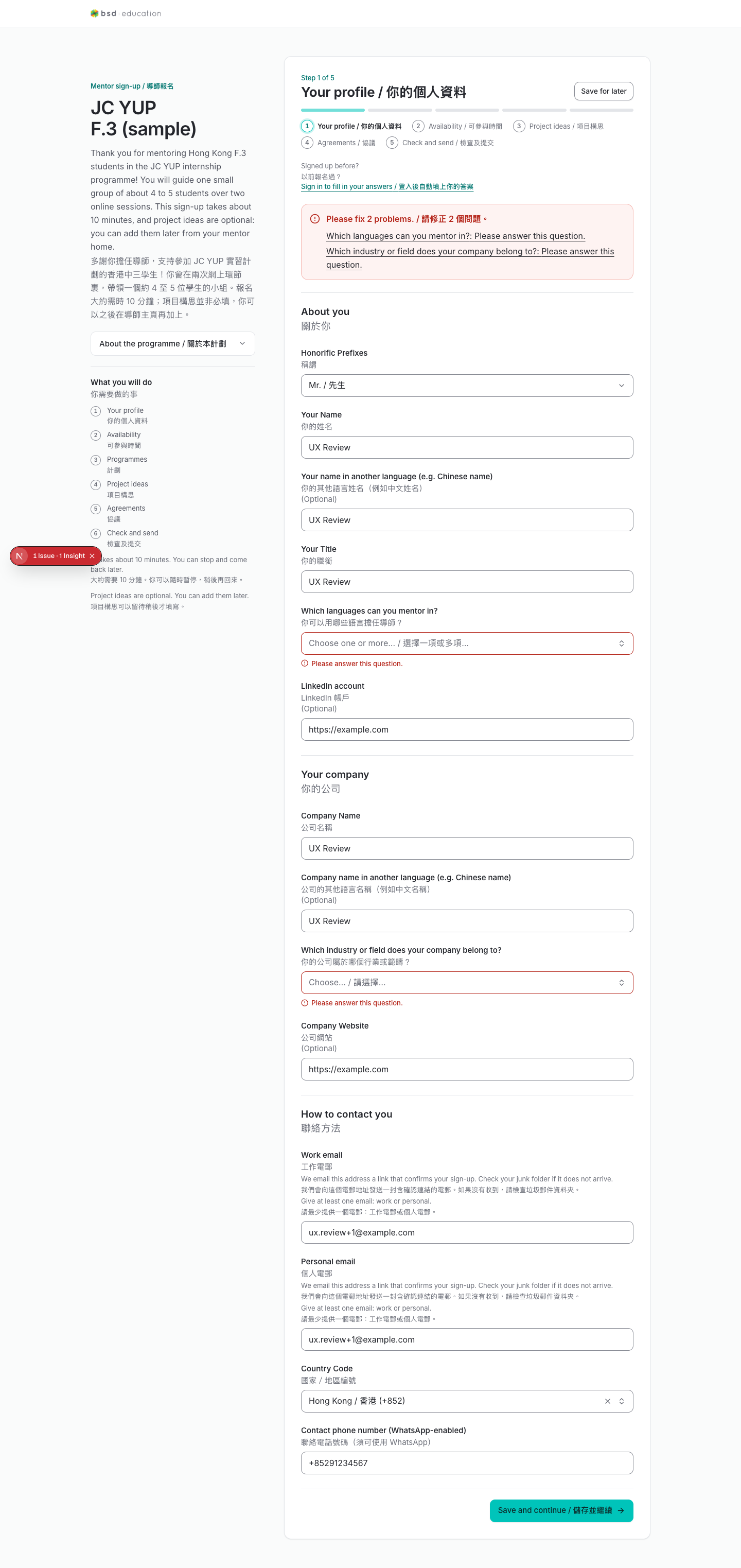
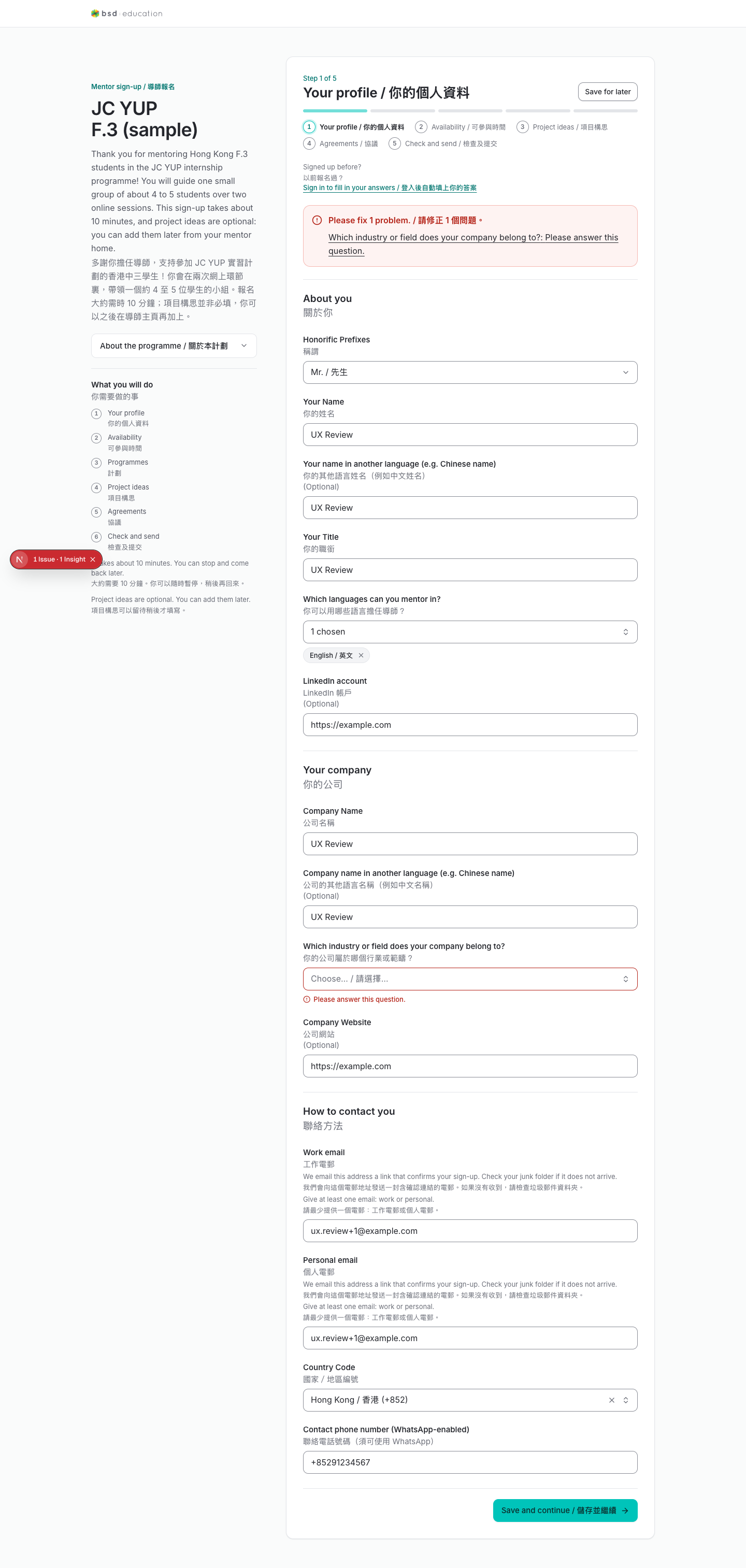
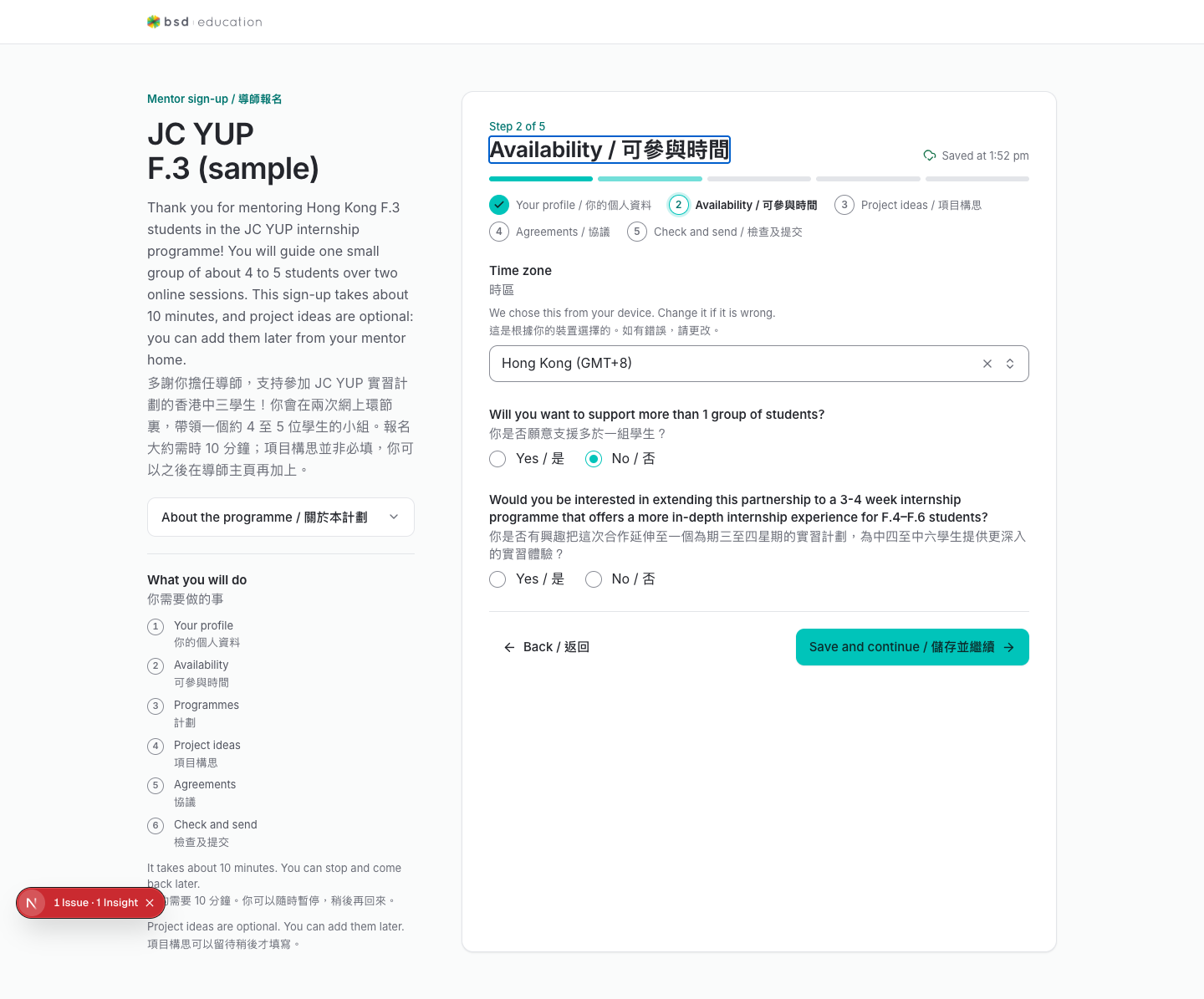
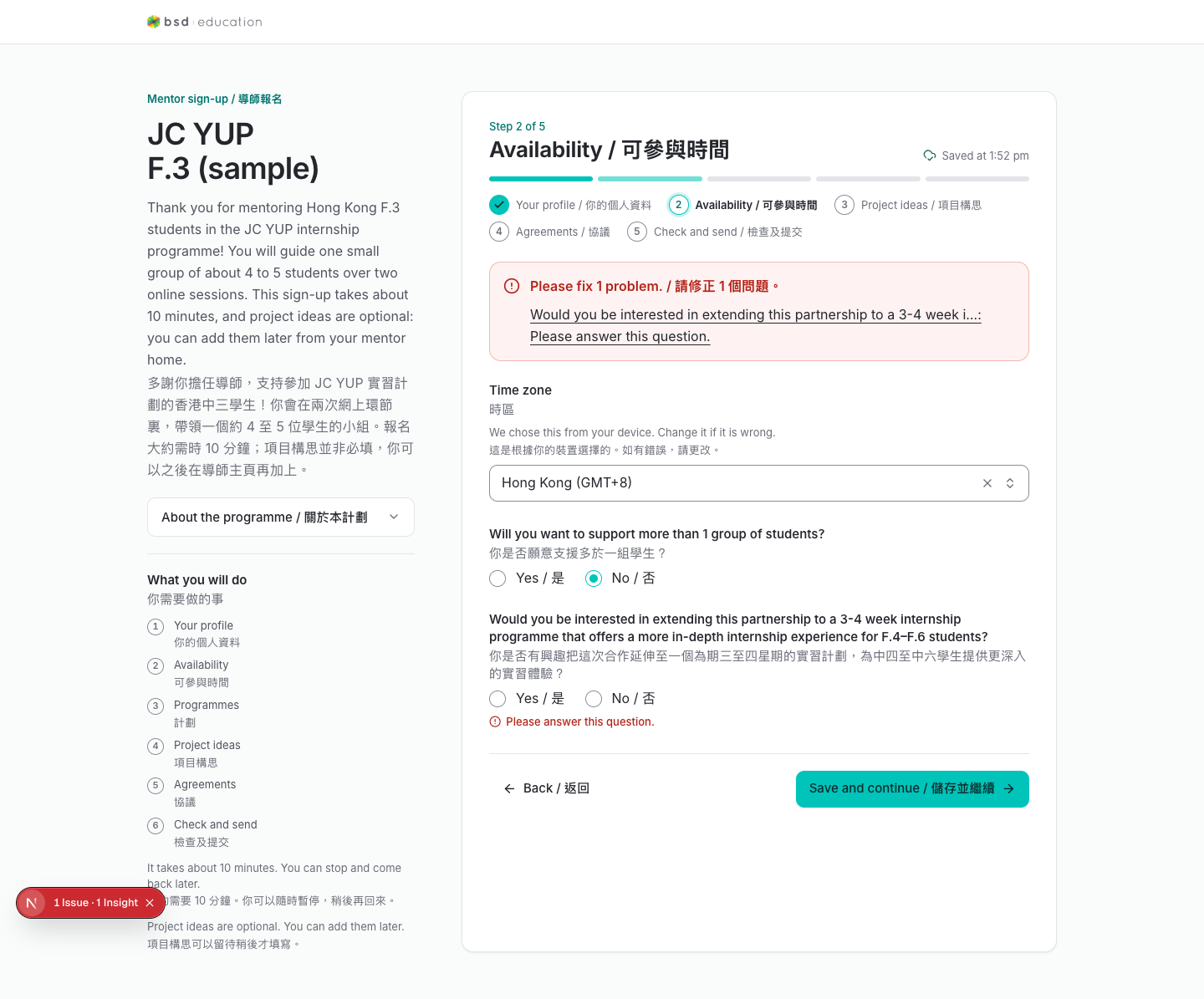
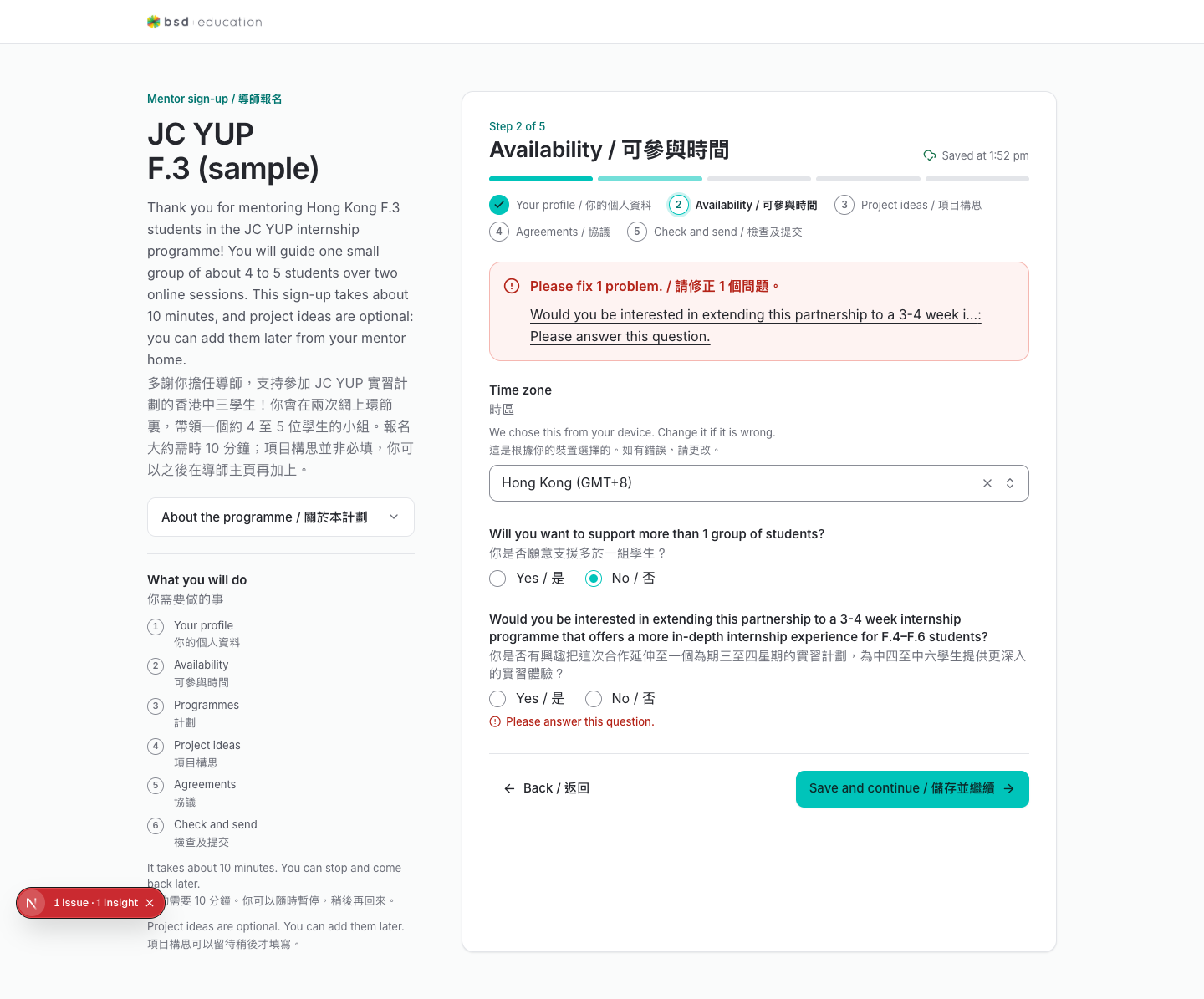
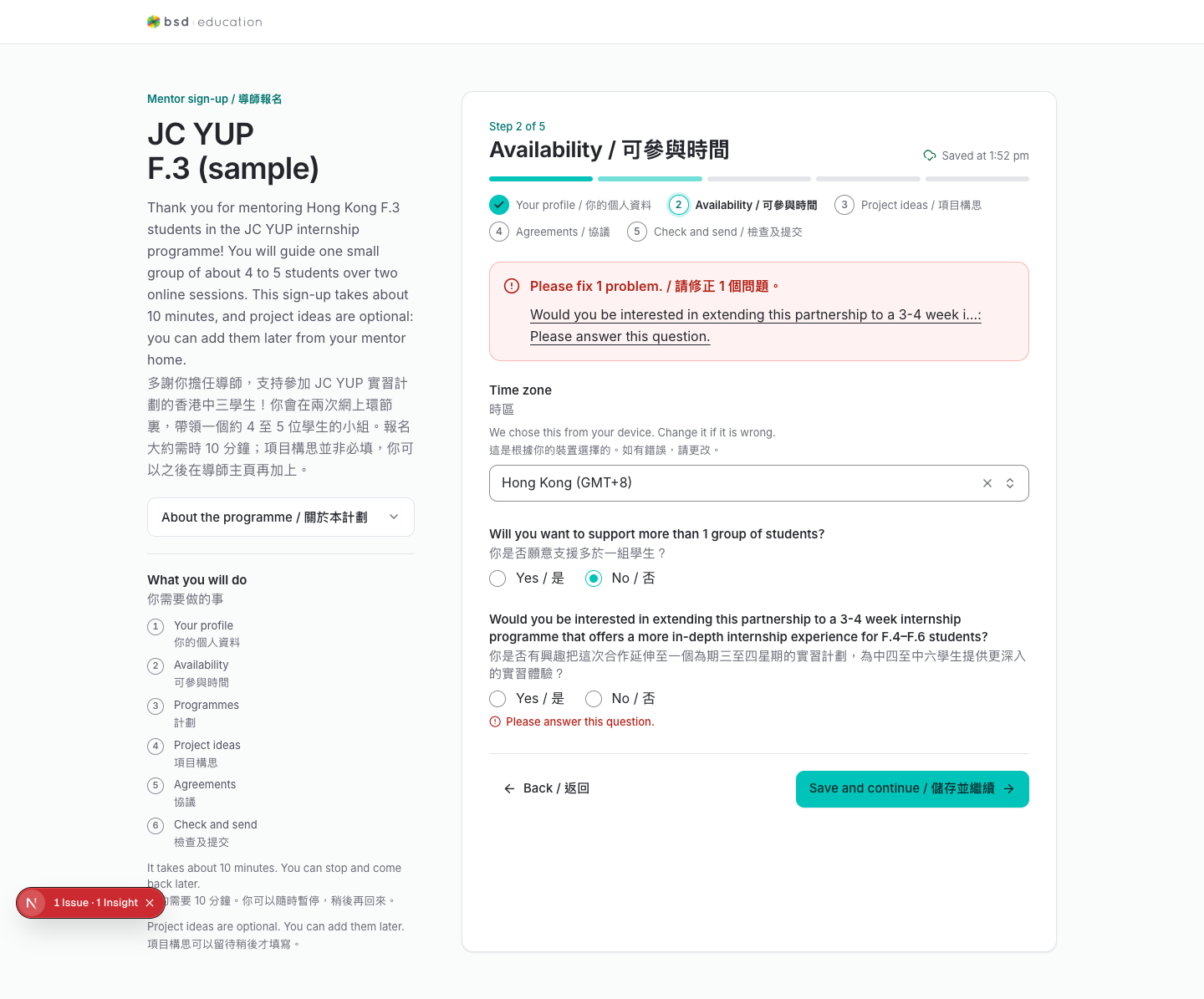
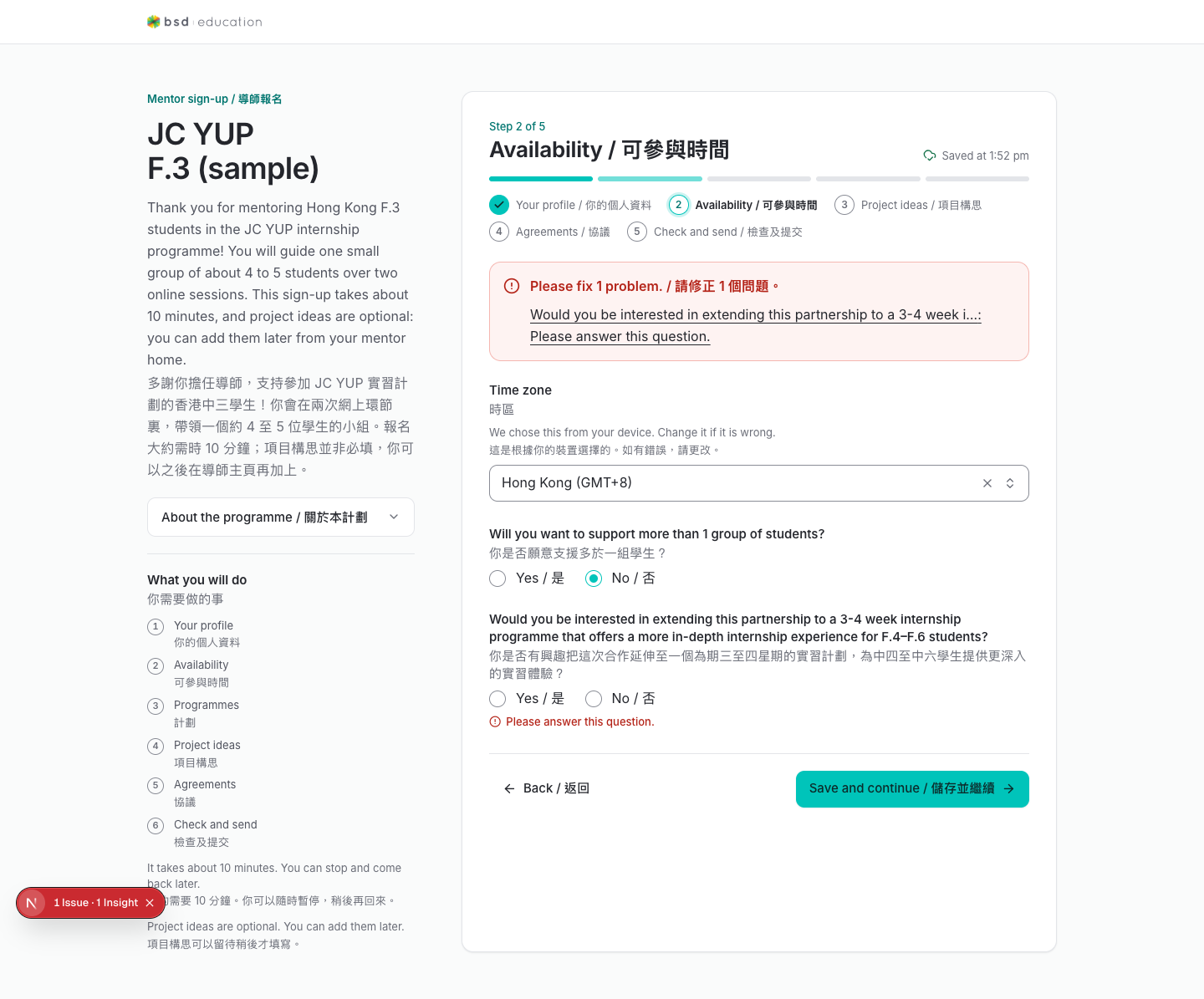
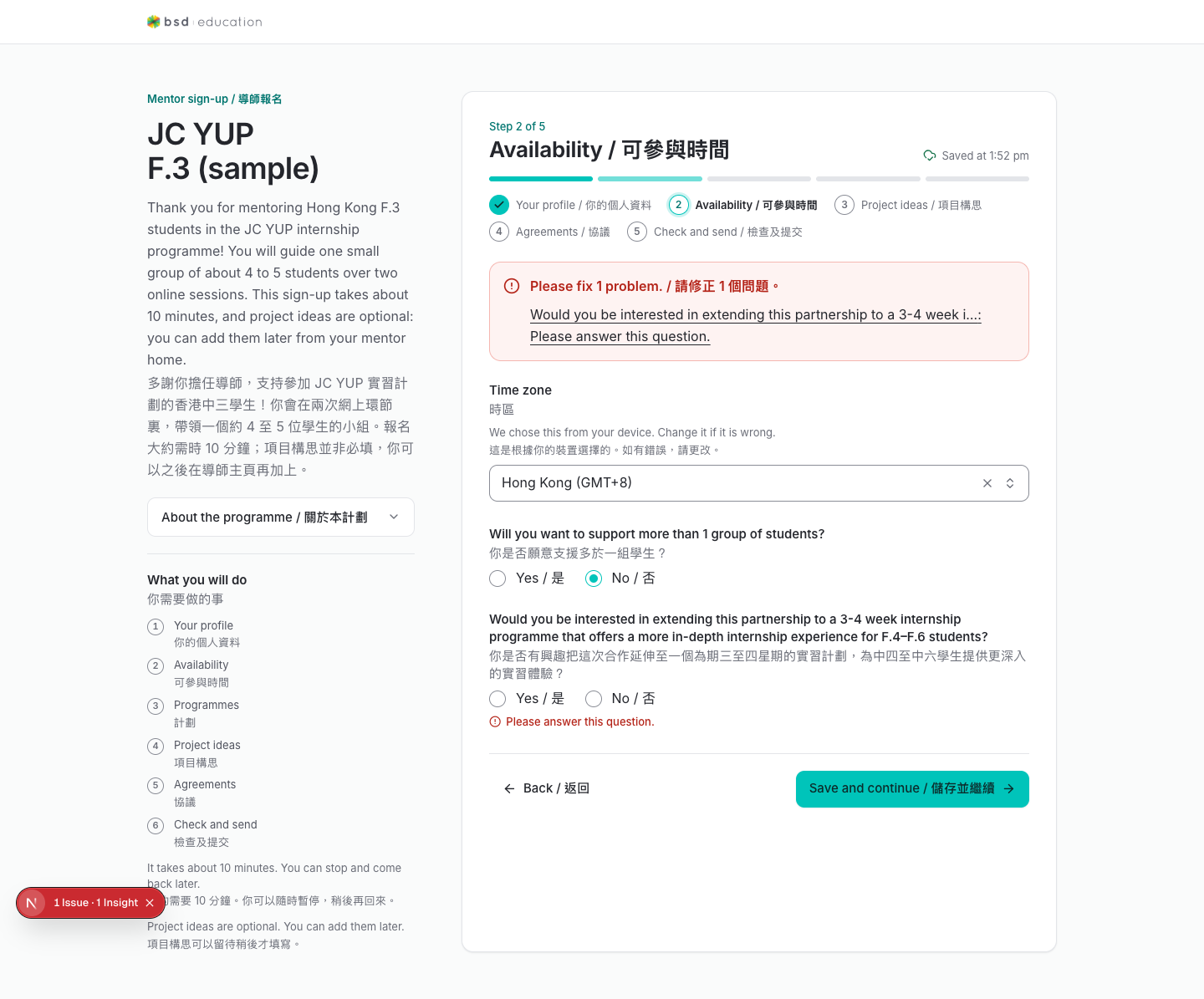
Each of these was observed in the running app, not inferred from code. Severity is about user-visible damage, not implementation cost.
/en/join/{slug}/mentor-signupThe 'Would you be interested in extending this partnership…' question is a custom radiogroup (role=radiogroup, aria-required). Clicking the option marks it aria-checked=true, but Submit still reports 'Please answer this question.', and two options in the same group can end up aria-checked=true at once because the underlying inputs share no name attribute. A mentor can therefore be blocked on a required question they have visibly answered.
Suggested fix — Give the radio inputs a shared name, drive form state from the group value, and clear the field error on change.
all routesRequesting a forbidden page while signed out redirects to sign-in instead of explaining the permission problem. Reviewers cannot tell 'you lack the role' from 'you are not signed in'.
Suggested fix — Keep the 403 for authenticated users; only redirect anonymous traffic, and say which permission is missing.
/en/join/{slug}/mentor-signupThe 'Which languages can you mentor in?' control opens the full ISO-639 list (150 options, Abkhazian first). A Hong Kong programme needs English, Cantonese and Mandarin at the top; there is no grouping or recent-first ordering.
Suggested fix — Put programme-relevant languages first, add type-to-filter, collapse the rest behind 'more languages'.
role landing routes/en/mentor → /en/mentor/profile, /en/student → /en/student/profile, /en/teacher → /en/teacher/teams, /en/partner → /en/partner/people, /en/social-worker → /en/social-worker/teams. Each role therefore has no overview screen; the first thing a new user sees is a profile edit form or a list.
Suggested fix — Decide whether an overview is wanted; if not, rename the nav entries so the label matches the destination.
wizard / formsThe sign-up wizard paginates sections (Your profile → mentoring → industry → availability → questions) but shows the same shell each time; nothing indicates how many steps remain until the review screen.
Suggested fix — Add a step counter or progress bar and keep answered sections marked.
/en/admin/orgs/importThe stated purpose is students submitting sheets, docs and slides. The only intake that exists is a class-list spreadsheet: the wizard accepts a CSV file or a Google Sheet URL and maps columns to the student template. There is no path for a .docx, .pptx, PDF or Google Doc/Slide, no attachment storage, and no per-student submission record - the check step in fact requires an email and a VASK column, which no document or slide deck has. Every document workflow a programme needs sits behind this gap.
Suggested fix — Decide the submission shape first (does a student hand in a file, or does staff import a class list?). For files: add an attachment table, a per-student submission record, a parser that extracts text, and map the extracted content onto the same template fields this wizard already validates - do not build a parallel intake screen.
/en/admin/orgs/import#check-sheetOn the sheet run the counters read Need fixing 0 while the import button is disabled for unmapped required columns, and 'Not in the list (10)' is shown on both a five-row CSV and a thirty-row sheet - so it is not a row count, yet it sits in a row of person-counts. A reviewer cannot tell whether 10 people are affected or whether something else is being counted.
Suggested fix — Label each counter with what it counts ('10 template columns not in this file'), and let the blocker panel drive the Need-fixing count so a blocked import never reads as zero work.
/en/admin/orgs/import#sheetWhen the Google service account is absent or unparseable the sheet source renders the sheet option disabled with 'not set up yet'. Nothing names the setting, the service account email or who owns it, and the failure is silent: the monorepo root .env carried a valid value while apps/web/.env.local carried an unusable one, so the app looked unconfigured even though the credential existed on the machine.
Suggested fix — Surface the service account email and the missing setting name on the disabled option, and log a startup warning when the credential fails to parse instead of only failing at click time.
/en/admin/mentorsOnly one programme appears in the invite picker. That is correct for the seeded data (the only active admin holds a programme-scoped role), but it reads as a bug to a reviewer.
Suggested fix — Show the scope in the dialog copy, e.g. 'Programmes you administer (1)'.
calls / LiveKitThe video-call system (auto-generated mentor and mentee links, LiveKit rooms, captions, post-call report) is designed in 05-calls.md but has 0 of 11 platform tasks implemented; matching is a prerequisite and is 1 of 7 done.
Suggested fix — Review the call section on this page for the intended flow; there is no live screen to capture yet.
Calls are derived, not booked: once a team is matched, the platform generates the schedule and issues each participant their own link. 0 of 11 platform tasks for this are implemented, so these are the intended flows to sign off on the design — there is no live screen yet.
Staff approve a team of students for a programme. Nothing is scheduled yet.
Mentor ↔ team matching. Hard prerequisite for every call — currently 1 of 7 tasks.
The platform derives a schedule of sessions from programme dates and team availability.
A personal join link is issued to the mentor automatically — no booking step.
Every mentee gets their own distinct link, so attendance is attributable person by person.
Observers get a link with a different role, so they join without appearing as a participant.
Both links open the same room; captions run, and an AI monitor watches for safeguarding signals.
After the room closes: transcript, summary, flags and attendance per person.
Serious flags raise alarms to the programme lead; routine ones queue for review.
Sessions, attendance and outcomes roll up to the programme dashboard.
Everything runs natively on the Mac Studio (no Docker). Repo ~/Desktop/projects/mentorPlatform; call-stack scripts in ~/mentor-call. Verified 2026-11-03.
apps + call stackbrew services start postgresql@18 → cd ~/Desktop/projects/mentorPlatform && pnpm dev (web :3000 + worker, log /tmp/mentor-dev.log) → ~/mentor-call/up.sh (LiveKit :7880, spike API :8000, AI agent, call page via caddy :8080). Demo login at /en/sign-in → "Sign in as seeded super admin".
is it actually up?curl -s -o /dev/null -w '%{http_code}' localhost:3000/en must print 200, and the log must print [worker] running N job(s). A detached pnpm dev that "exited 0" right after Ready is the wrapper detaching — check the port before restarting anything. The web server has been known to die silently while turbo and the worker keep running.
teardown — verify, don't trust~/mentor-call/down.sh + quit the pnpm dev process, then verify: pgrep -fl call-ai-spike must return nothing and ports 3000 / 7880 / 8000 / 8080 must be free (lsof -nP -iTCP:PORT -sTCP:LISTEN). Observed 2026-11-03: down.sh printed "not running: agent.py" while the agent process was still alive — kill stragglers by PID. Postgres is a shared brew service; leave it running unless asked.
this pageThis review is published at https://mentor-ux.bsd.education/ (rebuild with python3 build_review.py, then sync index.html to S3 and invalidate CloudFront). Local copy works too: cd ~/mentor-ux-review && python3 -m http.server 4173. Review statuses/notes live in this browser's localStorage and leave via the export button — export before switching machines or browsers.